46 | Chapter 3: Operation
Introducing the 405 LS Keypad
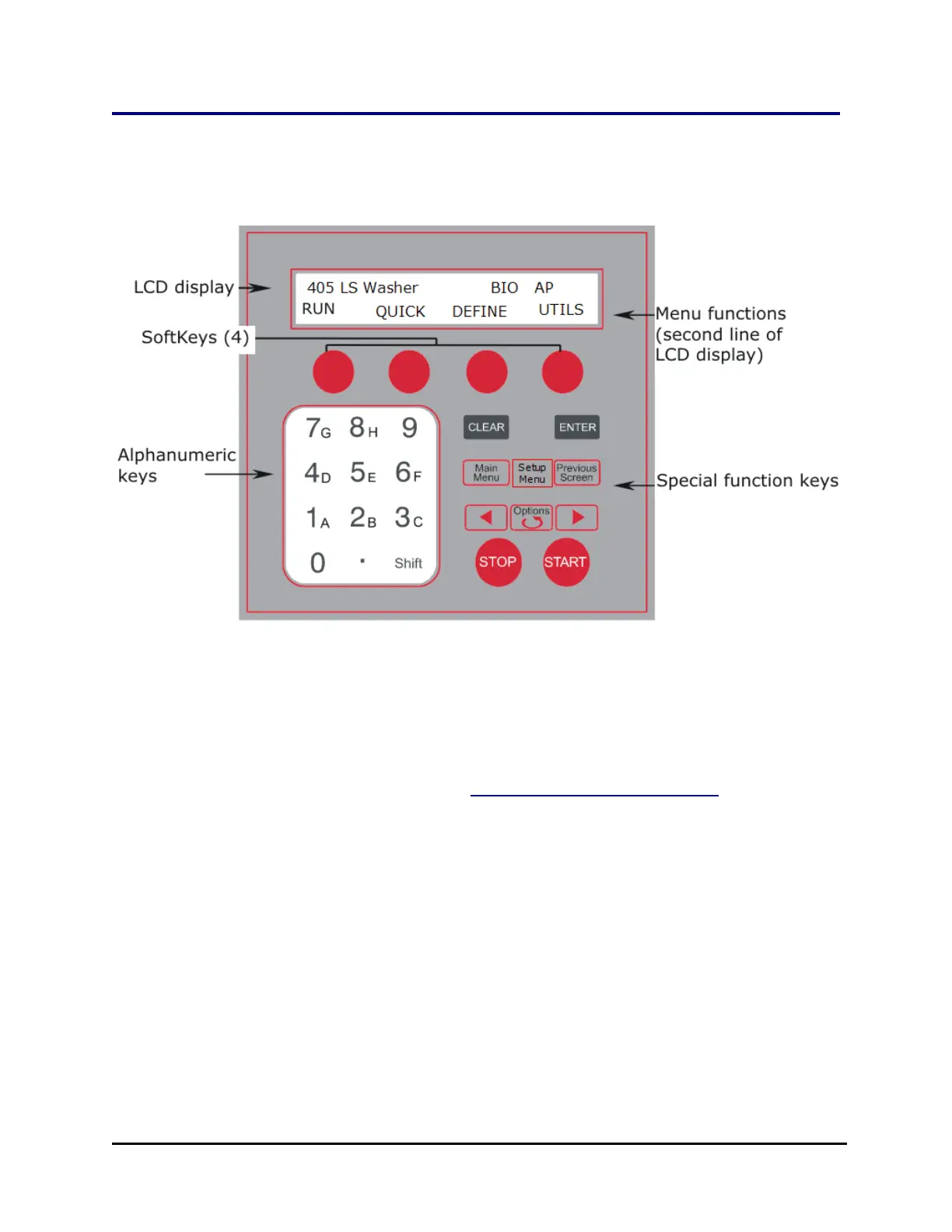
The keypad on the 405™ Microplate Washer LS features 26-keys and a 2 x 24-
character LCD. The main menu is shown below.
Starting at the top of the keypad, note the main menu and the Soft-keys. Use the
Soft-keys to make selections. To return to the main menu, press the Main Menu key.
At the main menu, the top line displays AP when AutoPrime is enabled and BIO
when the washer is set to interface with and control the BioStack.
l RUN - to run a previously defined protocol. Use the Options key to select a
protocol or enter its number. See Predefined Protocols Listing on page 43.
o
Turn On/Turn Off the Vacuum Pump to drain the priming trough. At the Quick
menu:
l Press Shift+1 to turn on the vacuum pump.
l Press Shift+2 to turn off the vacuum pump.
l Use these key sequences to manually control the vacuum pump
when dispensing fluid. At times the priming trough fills up and is
not emptied automatically. This option gives you control in that
situation.
l QUICK - leads to simplified wash, prime and Ultrasonic Advanatage™
options.
405™ Microplate Washer LS



 To Next Page