Setting Up the 405 LS | 19
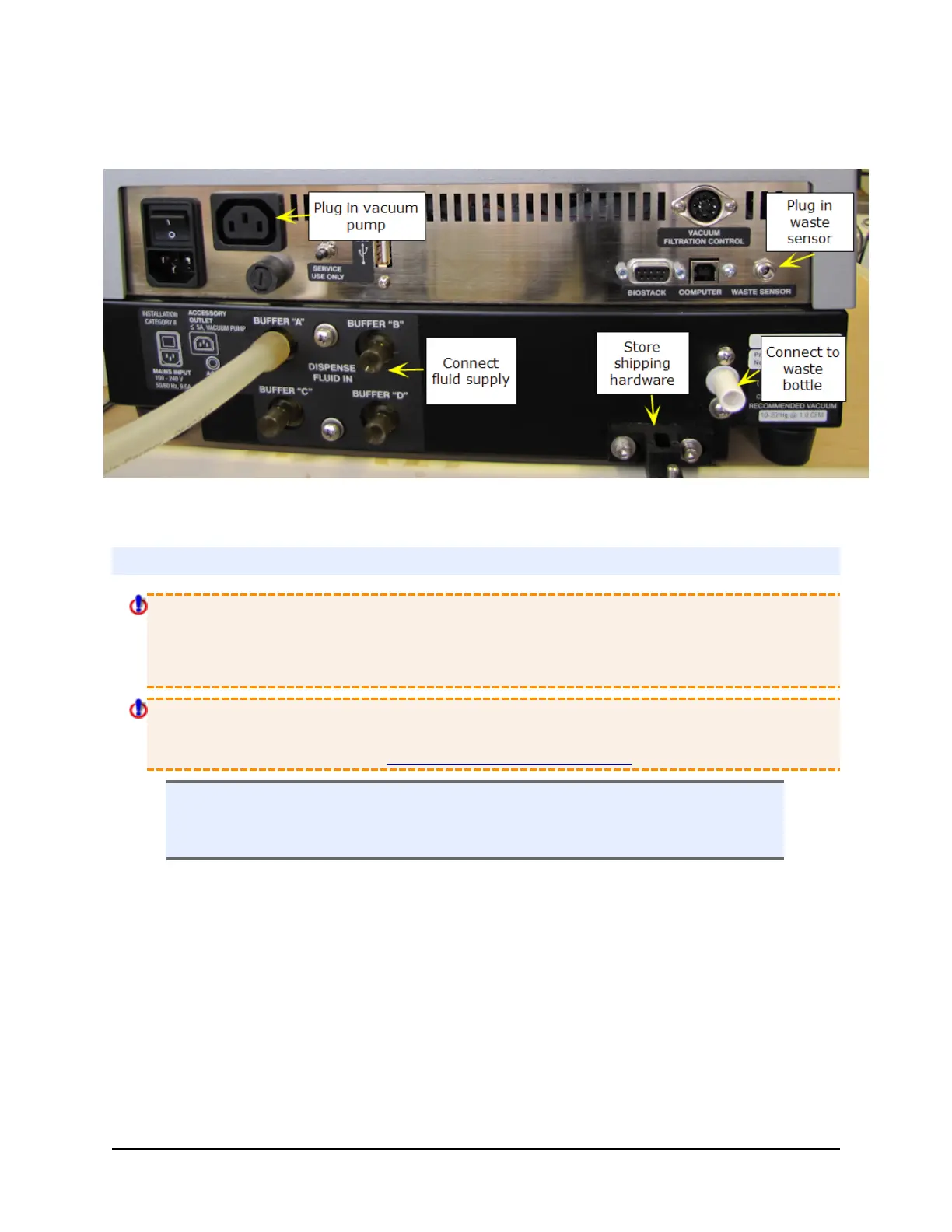
the rear panel of the instrument and the locations of the ports and connections
for the fluid supply and waste systems.
Rear Panel
Waste System
Caution! Pump Installation. Do not plug the vacuum pump cable into a wall outlet!
Use the adapter provided with the pump to connect it to the Accessory Outlet on the
back of the instrument. This allows the 405 LS to regulate the pump, turning it on and
off as specified by the protocol.
When using a standard pump (rather than the high flow pump), set the instrument’s
Vacuum Dissipation Delay to prevent the pump from drawing excess current and
blowing the 5-amp fuse. See Define Instrument Settings on page 26
n Note: The waste tubes have colored bands that match similarly colored dots
next to the inlet/outlet ports on the waste bottle caps to ensure the correct
connection of the tubing.
BioTek Instruments, Inc.



 To Next Page