Target Instrument Settings | 61
1. Put a plate on the carrier.
2. Select Tools>Instrument Utilities>General Settings and click Adjust Utility
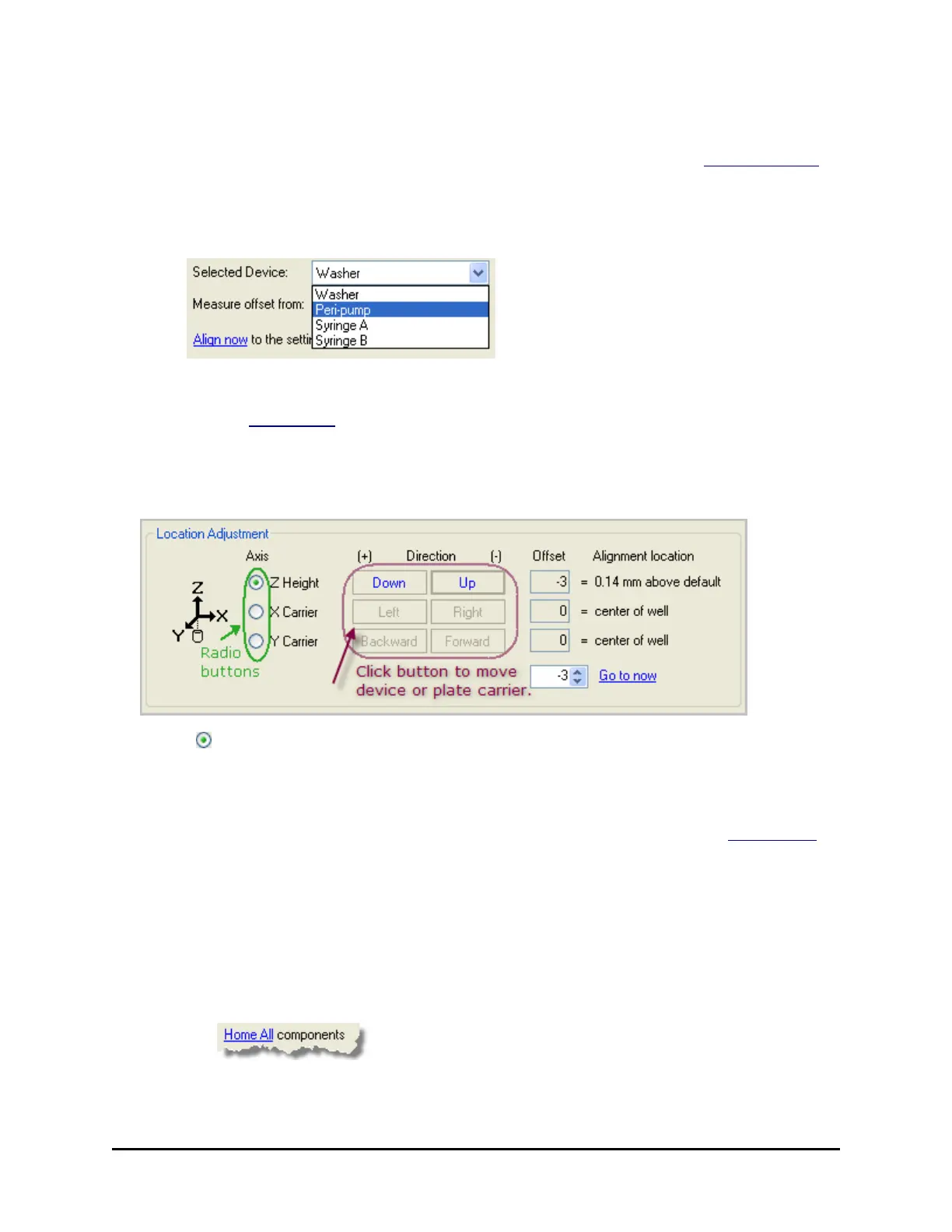
under Instrument Functions.
3. Choose the Selected Device and the starting position to Measure offsetfrom using
the drop-down lists.
4. Set the Plate Type.
5. Click the Align now link.
The utility positions the plate according to your selections. Take a close look at
the current position of the selected device above the wells to determine the
required adjustments.
6. Use the radio buttons to select the Axis you want to adjust.
7. Use the Direction buttons to move one step at a time. Press the companion
button to reverse direction.
To move multiple steps at a time, use the numeric field next to the Go to now
link. Enter a positive or negative number of steps to move the device or plate
carrier and click the link.
The Offset is shown in number-of-steps and mm.
8. Repeat the process for each axis, as necessary, starting at step 6.
9. Jot down the Offset values so you can enter them when defining the protocol
step.
10.
Click to end the session.
BioTek Instruments, Inc.



 To Next Page