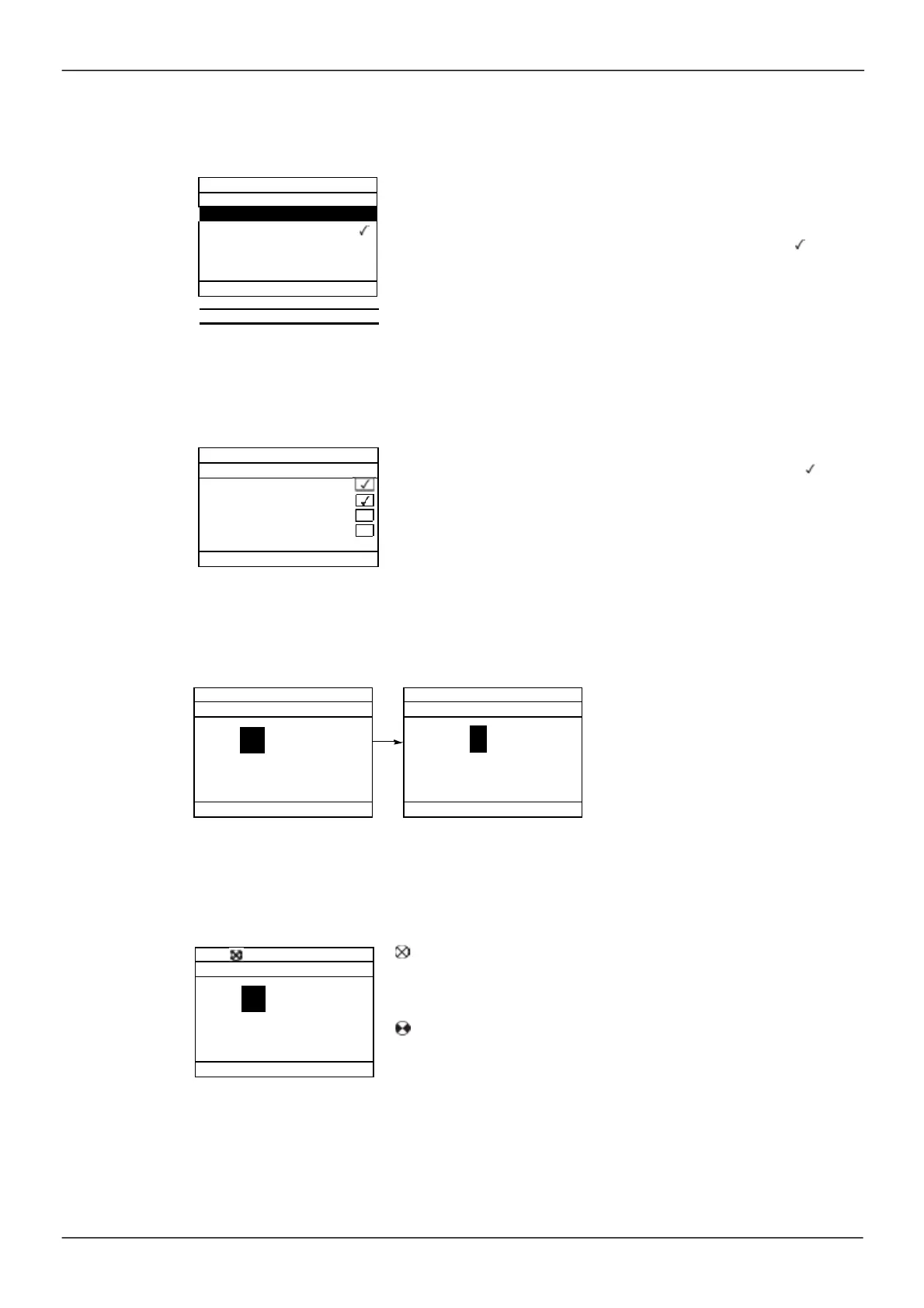
Example configuration windows:
Single selection
When pow ering up the graphic display terminal for the first time, the user has to select
the required language.
When only one selection is possible, the selection made is indicated by .
Example: Only one language can be chosen.
Chinese
Русски й
Türkçe
Multiple selection
Acceleration-- - - - - - - -
Deceleration- - - - - - - - -
Acceleration 2- - - - - - - - -
Deceleration 2
Example configuration window for one value:
When multiple selection is possible, the selections made are indicated by .
Example: A number of parameters can be chosen to form the
[USER M ENU]
.
ENT
The << and >> arrows (keys F2 and F3) are us ed to select the digit to be m odified, and the jog dial is rotated
to increas e or decreas e this num ber.
Example visualization of function blocks state:
OFF light: A valid function blocks program is in the ER24 in stop mode.
ON light: A valid function blocks program is in the ER24 in run mode. The
drive is considered as being in running state and configuration parameters
cannot be modified.
Deutsch
Italiano
Español
9 .51s
Min = 0.00 Max = 99.99
9. 5 1s
Min = 0.00 Max = 99.99
9 .51s
Min = 0.00 Max = 99.99



 To Next Page