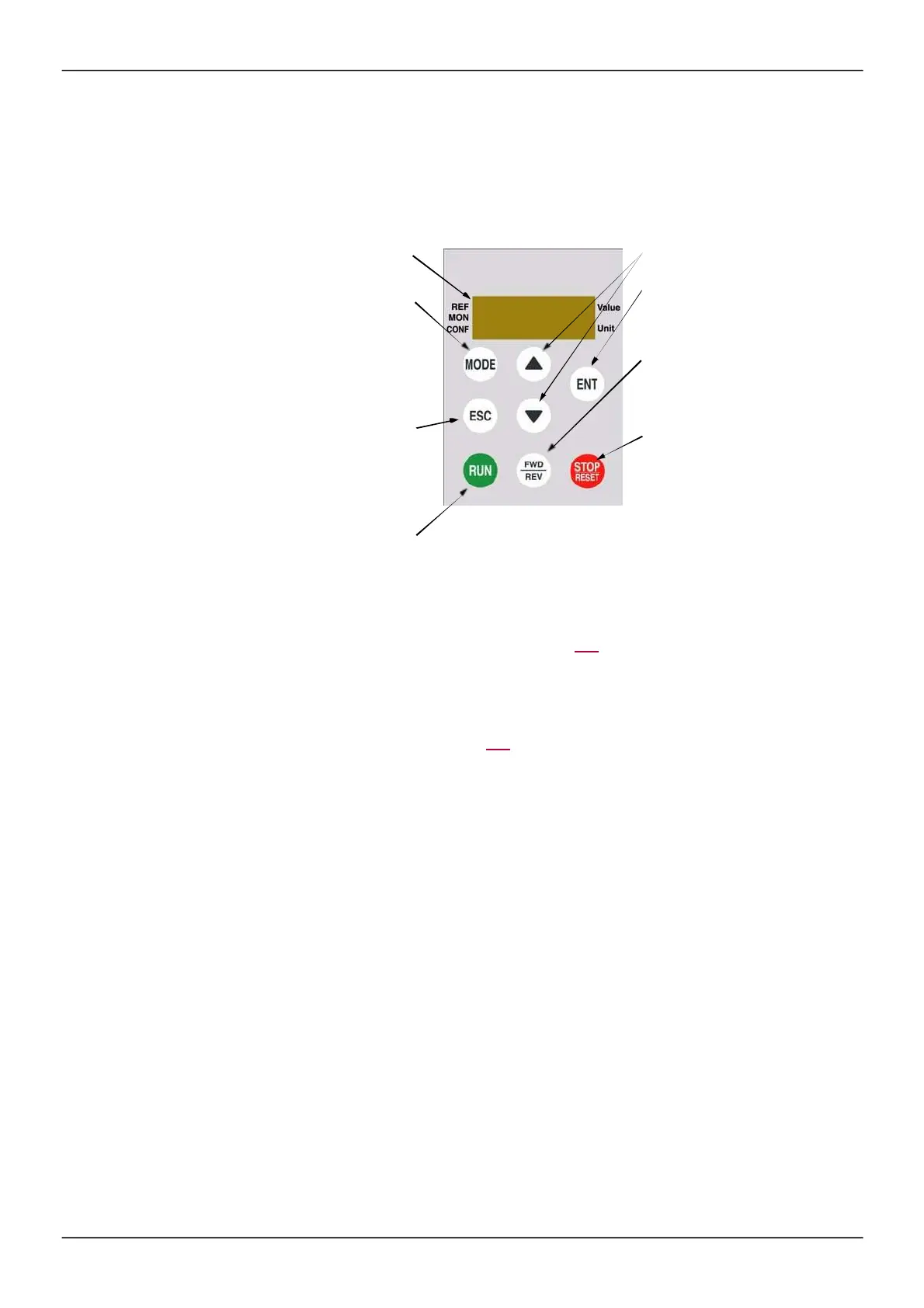
Remote display terminal option
Description of the remote display terminal
This rem ote display term inal is a local control unit which can be m ounted on the door of the wall-m ounted or
floor-s tanding enclosure. It has a cable with connectors, which is connected to the drive serial link (s ee the
docum entation s upplied with the rem ote display term inal). With this rem ote dis play term inal, up and down
arrows are us ed for navigation rather than a jog dial.
1
Four digits display
2
MODE key (1):
Used to sw itch
[1.1 SPEED REFERENCE]
(rEF-),
[1.2 M ONITORING]
(MOn-)
and
[1.3 CONFIGURATION]
(COnF-)
menus.
3
ESC key
Used to quit a menu/parameter or
remove the currently displayed value in
order to revert to the previous value
retained in the memory
4
RUN key
Executes the function
assuming it has been
configured
5
Navigation keys
6
ENT key
Used to save the current value or
access the selected menu/parameter
8
Key for reversing the direction of
rotation of the motor
7
STOP key
Used to stop the motor and perform a
reset
(1) If the drive is locked by a code (
[PIN code 1]
(COd) page 300), pres sing the MODE key enables you to
switch from the
[1.2 MONITORING]
(
MOn
-
) m enu to the
[1.1 SPEED REFERENCE]
(
rE
F-
) m enu and
vice vers a.
To activate the keys on the rem ote dis play term inal, you firs t have to configure
[Ref.1 channel]
(Fr1)
=
[HMI]
(LCC). For m ore inform ation, see page 154.



 To Next Page