Configuration Mode (ConF)
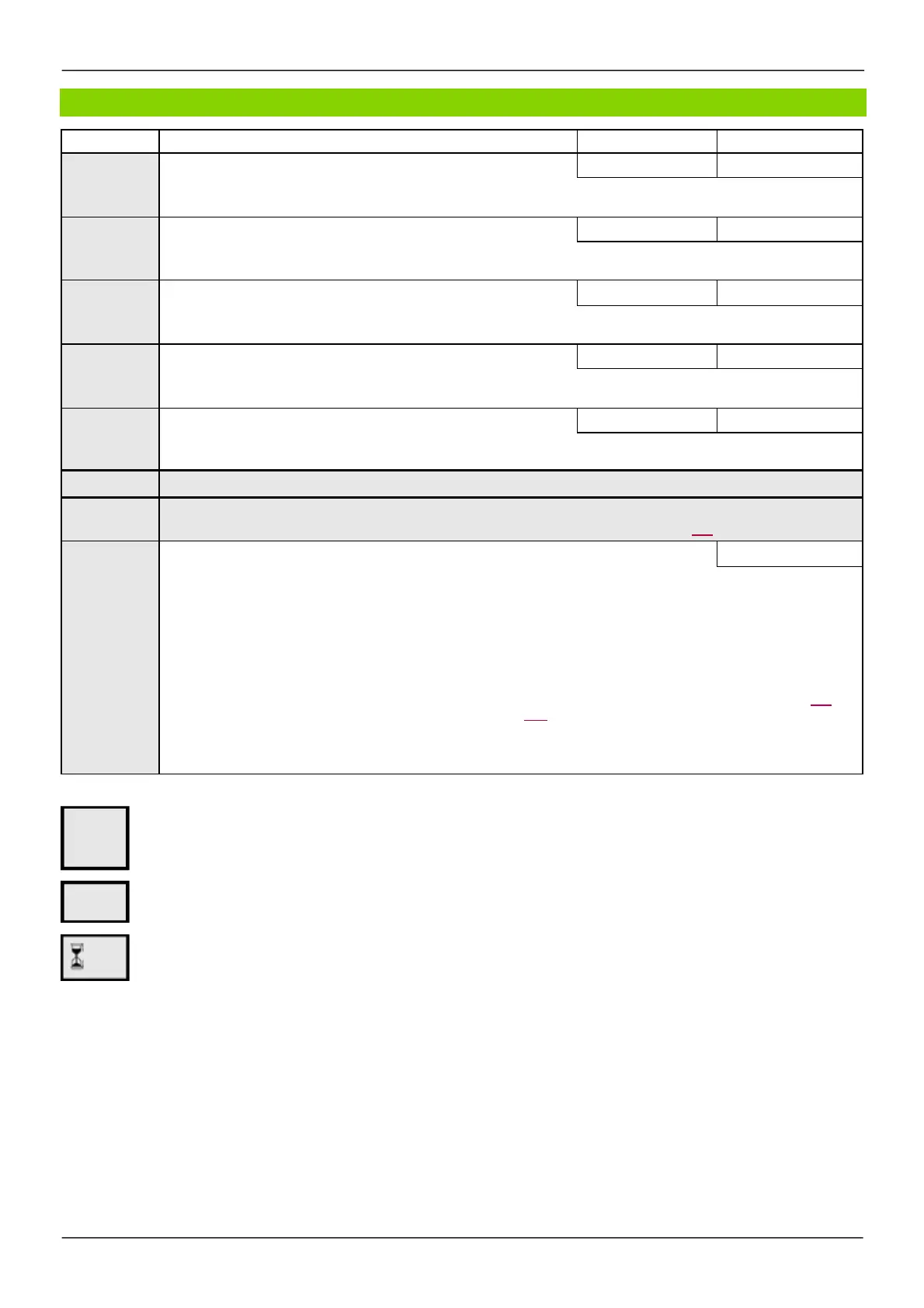
Code Nam e / De s cription Adjustment range Factory setting
Ftd
[Freq. threshold]
0 to 599 Hz 50 Hz
Motor frequency threshold.
F2d
[Freq. threshold 2]
0 to 599 Hz 50 Hz
Motor frequency threshold.
tt
H
[High torque thd.]
-300 to 300% 100%
High torque frequency threshold.
tt
L
[Low torque thd.]
-300 to 300% 50%
Low torque frequency threshold.
FqL
*
[Pulse warning thd.]
0 to 20,000 Hz 0 Hz
Frequency level.
Visible if
[Freque ncy m ete r]
(FqF) is not
[No]
(nO).
Note:
This function cannot be used w ith certain other functions. Follow the instructions on page 162.
FLr
nO
YES
[Catch on the fly]
[No]
(nO)
Used to enable a smooth restart if the run command is maintained after the follow ing events:
-
Loss of supply mains or disconnection.
-
Clearance of current detected fault or automatic restart.
-
Freew heel stop.
The speed given by the drive resumes from the
estimated speed of the motor at the time of the restart, then follow s the ramp to
the reference speed.
This function requires 2-wire level control.
When the function is operational, it activates at each run command, resulting in a slight delay of the current (0.5 s max).
[Catch on the fly]
(FLr)
is forced to
[No]
(nO) if brake logic control
[Brak e as s ignm ent]
(bLC) is assigned (page 194) or
if
[Auto DC inje ction]
(AdC) is set to
[Continuous ]
(Ct)
page 176 .
[No]
(nO): Function inactive
[Ye s ]
(YES): Function active
(1)
In corresponds to the rated drive current indicated in the Installation manual and on the drive nameplate.
These parameters only appear if the corresponding function has been selected in another menu. When the parameters can
also be accessed and adjusted from w ithin the configuration menu for the corresponding function, their description is detailed
in these menus, on the pages indicated, to aid programming.
Parameter that can be modified during operation or w hen stopped.
To change the assignment of this parameter, press the ENT key for 2 s.
Parameters described in this page can be accessed by:
DRI- > CONF > FULL > FLT- > FLR-
2 s
*



 To Next Page