Diagnostics and Troubleshooting
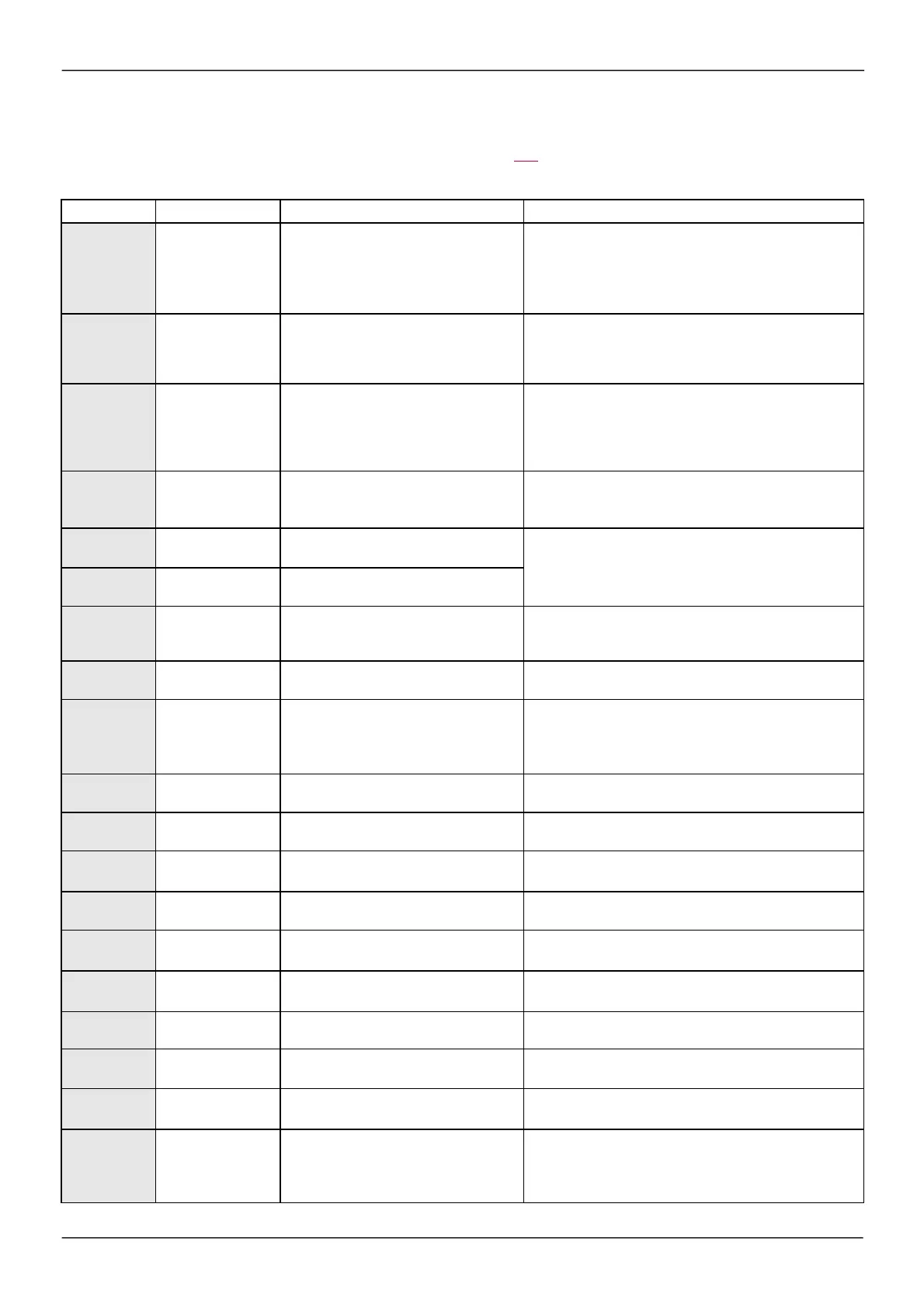
Fault detection codes which require a power reset after the detected fault is cleared
The caus e of the detected fault m us t be rem oved before res etting by turning off and then back on.
ASF, brF, SOF, SPF
and
tnF
detected faults can als o be cleared rem otely by m eans of a logic input
or control bit (
[Fault reset]
(rSF) param eter, page 251).
De te cte d Fault
Nam e Probable cause Re m edy
AnF
[Load slipping]
•
The difference between the output
frequency and the speed feedback is not
correct.
•
Check the motor, gain and stabillity parameters.
•
Add a braking resistor.
•
Check the size of the motor/drive/load.
•
Check the encoder's mechanical coupling and its w iring.
•
Check the setting of parameters
ASF
[Angle Error]
•
This occurs during the phase-shift angle
measurement, if the motor phase is
disconnected or if the motor inductance is
too high.
•
Check the motor phases and the maximum current allow ed
by the drive.
brF
[Brak e fe edback]
•
The brake feedback contact does not
match the brake logic control.
•
The brake does not stop the motor quickly
enough (detected by measuring the
speed on the "Pulse input" input).
•
Check the feedback circuit and the brake logic control
circuit.
•
Check the mechanical state of the brake.
•
Check the brake linings.
CrF1
[Precharge]
•
Charging relay control detected fault or
charging resistor damaged.
•
Turn the drive off and then turn on again.
•
Check the internal connections.
•
Contact BLEMO Product Support.
EEF1
[Control Eeprom]
•
Internal memory detected fault, control
block.
•
Check the environment (electromagnetic compatibility).
•
Turn off, reset, return to factory settings.
•
Contact BLEMO Product Support.
EEF2
[Pow er Eeprom]
•
Internal memory detected fault, power
card.
FCF1
[Out. contact.
stuck ]
•
The output contactor remains closed
although the opening conditions have
been met.
•
Check the contactor and its w iring.
•
Check the feedback circuit.
HdF
[IGBT desaturation]
•
Short-circuit or grounding at the drive
output.
•
Check the cables connecting the drive to the motor, and the
motor insulation.
ILF
[internal com. link]
•
Communication interruption betw een
option card and drive.
•
Check the environment (electromagnetic compatibility).
•
Check the connections.
•
Replace the option card.
•
Contact BLEMO Product Support.
InF1
[Rating e rror]
•
The pow er card is different from the card
stored.
•
Check the reference of the power card.
InF2
[Incom patible PB]
•
The pow er card is incompatible w ith the
control block.
•
Check the reference of the power card and its compatibility.
InF3
[Internal serial link]
•
Communication interruption betw een the
internal cards.
•
Check the internal connections.
•
Contact BLEMO Product Support.
InF4
[Internal-mftg zone]
•
Internal data inconsistent.
•
Recalibrate the drive (performed by BLEMO Product
Support).
InF6
[Internal - fault
option]
•
The option installed in the drive is not
recognized.
•
Check the reference and compatibility of the option.
•
Check that the option is w ell inserted into the ER24.
InF9
[Internal- I
m easure]
•
The current measurements are incorrect.
•
Replace the current sensors or the pow er card.
•
Contact BLEMO Product Support.
InFA
[Interna l- m a ins
circuit]
•
The input stage is not operating correctly.
•
Contact BLEMO Product Support.
InFb
[Internal- th.
sensor]
•
The drive temperature sensor is not
operating correctly.
•
Replace the drive temperature sensor.
•
Contact BLEMO Product Support.
InFE
[internal- CPU ]
•
Internal microprocessor detected fault.
•
Turn off and reset.
•
Contact BLEMO Product Support.
SAFF
[Safe ty fault]
•
Debounce time exceeded.
•
SS1 threshold exceeded.
•
Wrong configuration.
•
SLS type overspeed detected.
•
Check the safety functions configuration.
•
Check the ER24 Integrated safety Functions manual
•
Contact BLEMO Product Support.



 To Next Page