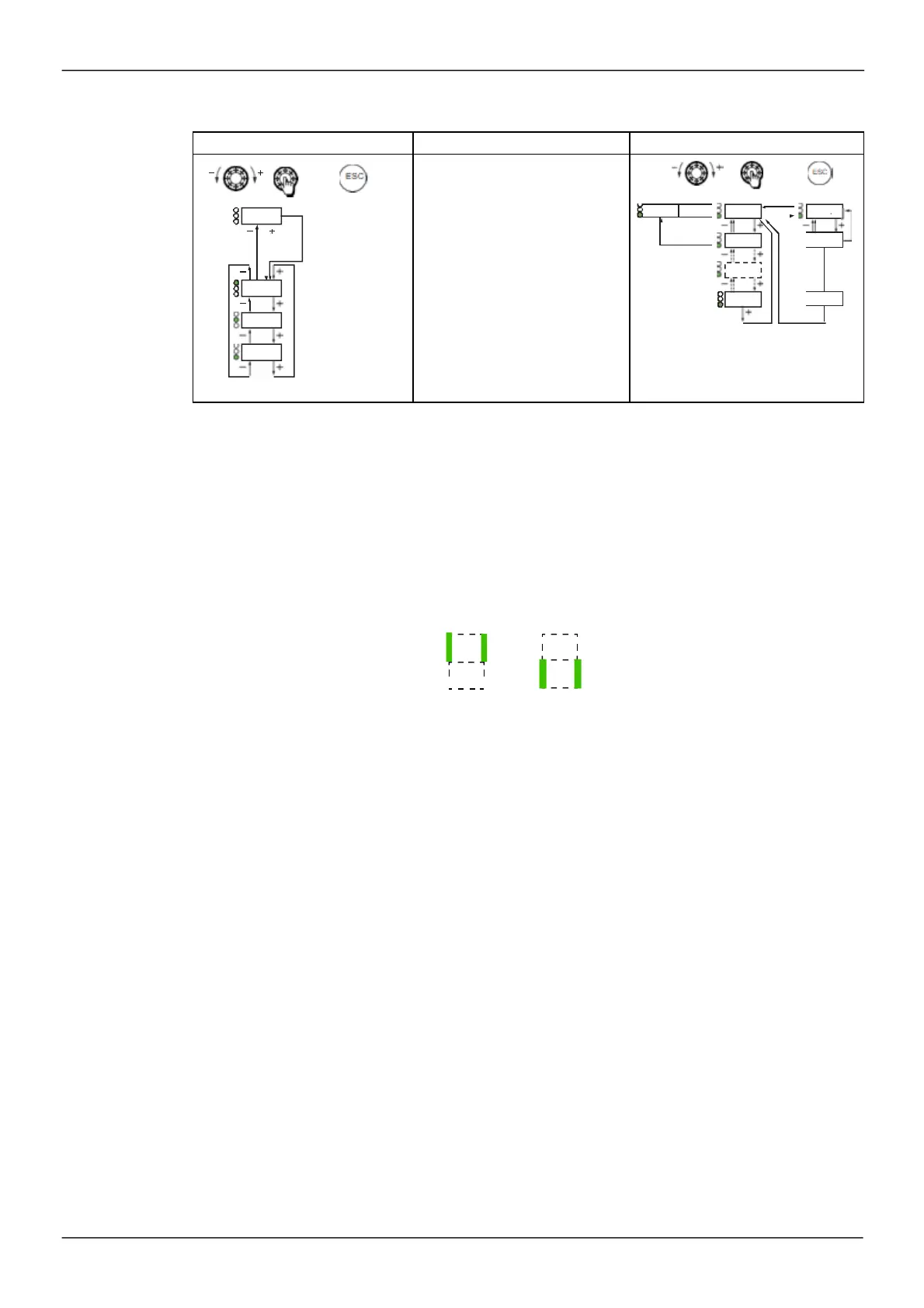
Structure of the menus
Pow ering up
Param e ter selection
= ENT
ESC
= ESC
This parameter is only visible w hen
the drive is pow ered up for the first
= ENT
ESC
= ESC
bFr
The setting can be amended
subsequently in the menu
ENT
ESC
MOn-
[1.1 SPEED REFER ENC E]
(rEF-)
COnF
[1.2 M ONITORING]
(MOn-)
[1.3 CONFIGURATION]
(COnF)
On the 7-segment display, a dash after menu and submenu codes is used to differentiate them from
parameter codes
.
Exam ple:
[APPLICATION FUNCT.]
(FUn-)
m enu,
[Acceleration]
(ACC) param eter
Selection of multiple assignments for one parameter
Exam ple: Lis t of group 1 alarm s in
[INPUTS / OUTPUTS CFG]
(
I_
O-
) menu
A num ber of alarm s can be s elected by "checking" them as follows .
The digit on the right indicates:
selected not selected
The sam e principle is used for all m ultiple s elections.
ENT



 To Next Page