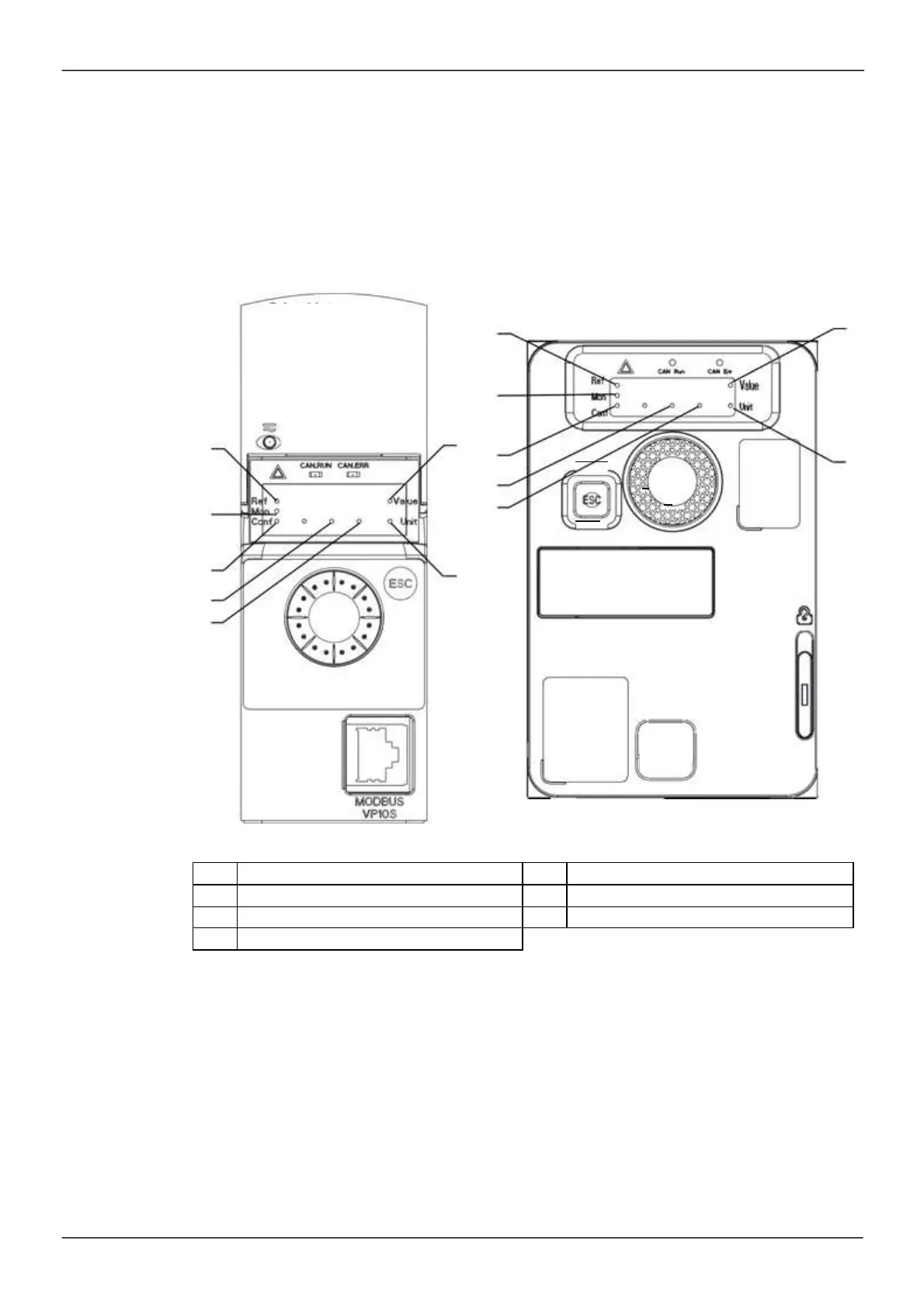
Description of the HMI
Functions of the Display and the Keys
1
The
ESC
key is us ed for m enu navigation (backward) and parameters adjustment (cancel)
2
The
Jog dial
is used for m enu navigation (up or down) and param eters adjustm ent (increase/decrease
value or elem ent choice). It can be us ed as Virtual analogic input 1 for drive frequency reference.
3
The
ENT
key (pus h on the Jog dial) is us ed for m enu navigation (forward) and param eters adjustment
(validate)
A
F
B
A
F
C
D
3
E
B
1
2
C
G
D
1
E
3
2
A
REF mode selected
(rEF-)
E
Dot used to display parameter value (1/10 unit)
B
MON mode selected (MOn-)
F
Current display is parameter value
C
CONF mode selected (COnF)
G
Current display is parameter unit
D
Dot used to display parameter value (1/100 unit)
Normal display, with no error code displayed and no startup
:
Dis plays the param eter selected in the
[1.2 MONITORING]
(MOn-) menu (default:
[Frequency ref.]
(FrH)).
•
I
nIt
: Initialization sequence (only on rem ote dis play term inal)
•
tUN: Auto Tu ni ng
•
dCb: Injection braking
•
rdY:
Drive ready
•
nS
t
: Freewheel s top control
•
CL
I
: Current lim it
•
FS
t
: Fas t stop
•
FLU: Fluxing function is activated
•
nLP: Control is powered on but the DC bus is not loaded
•
CtL:
Controlled stop



 To Next Page