— Read and follow the safety instructions detailed in
Ä
Chapter
2.12 “Safety instructions for maintenance and rectifying mal-
functions” on page 37.
— Empty the Börger machine as described in
Ä
Chapter 6.3.1
“Notes on repair work” on page 129.
— Shut down the Börger machine and downstream and upstream
system components as described in
Ä
Chapter 5.4 “Down-
times” on page 100.
— Secure the Börger machine against unauthorized or uncon-
trolled reactivation as described in
Ä
Chapter 2.7 “Securing the
machine against restart” on page 26
— To the extent necessary, amply secure the surrounding area
when performing maintenance. Cordon off the working area
with a red and white safety chain and a warning sign.
— Relieve the pressure in the Börger machine according to
Ä
Chapter 6.1.2 “Pressure relief” on page 114.
— Clean the interior of the Börger machine as described in
Ä
Chapter 6.1.3 “Internal cleaning” on page 116.
— Loosen the clamping screw of the clamping unit as described in
Ä
Chapter 6.3.2 “Removing/repairing the clamping unit”
on page 131, or depressurize the clamping unit in the version
with pneumatic adjustment.
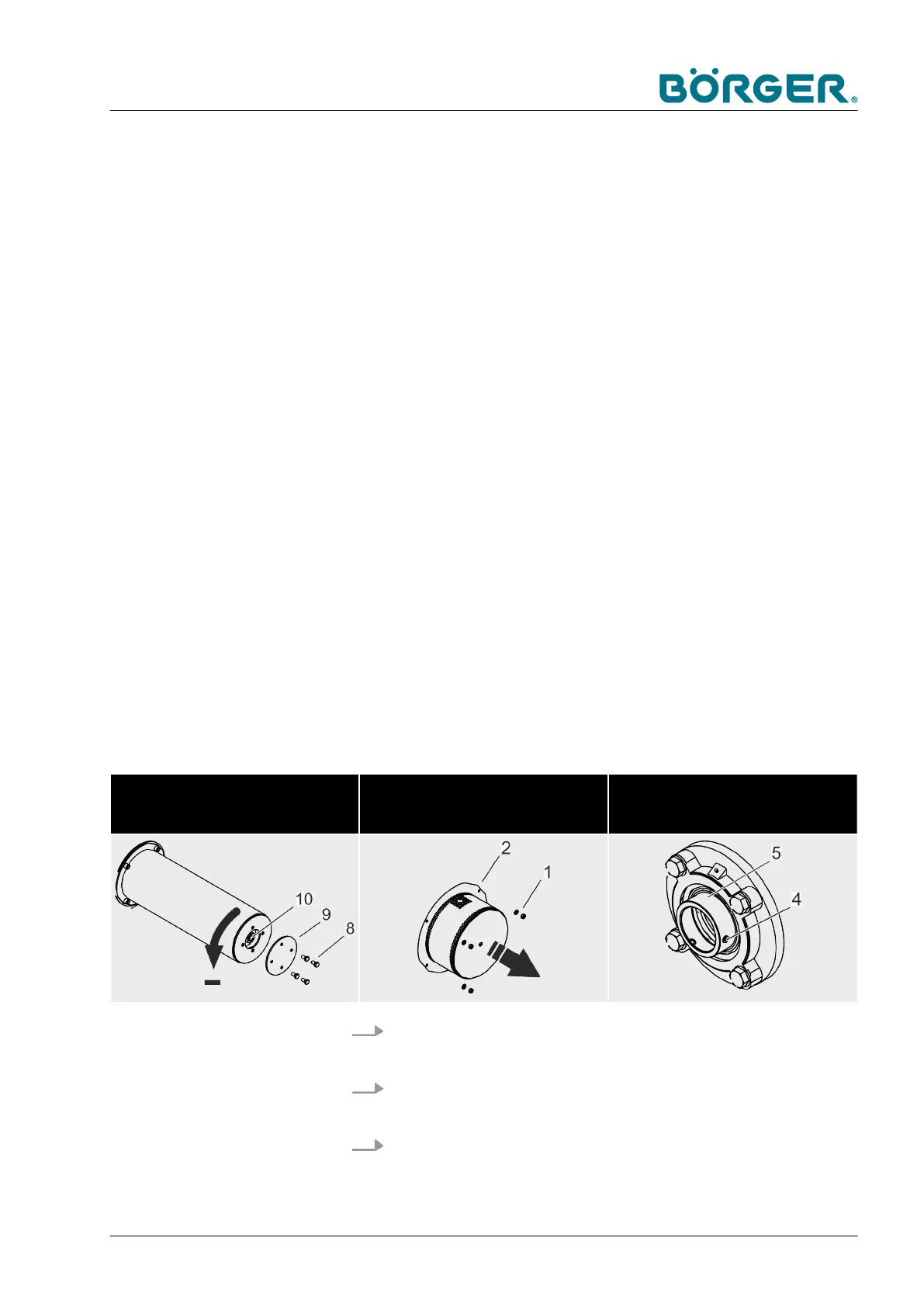
Loosen the clamping screw
or depressurize in the version with
pneumatic adjustment
Remove the counter bearing cover Loosen the grub screws
1. Loosen the hexagon nut (1) at the cover (2) of the counter
bearing and lift off the cover (2).
2. Loosen the two grub screws (4) at the inner ring (5) of the
counter bearing.
3. Loosen and remove the hexagon head screws (6) with
washers.
Maintenance and repairs
BA-RC40_EN, 17.01.2024 www.boerger.de / www.boerger.com 147



 To Next Page