4.
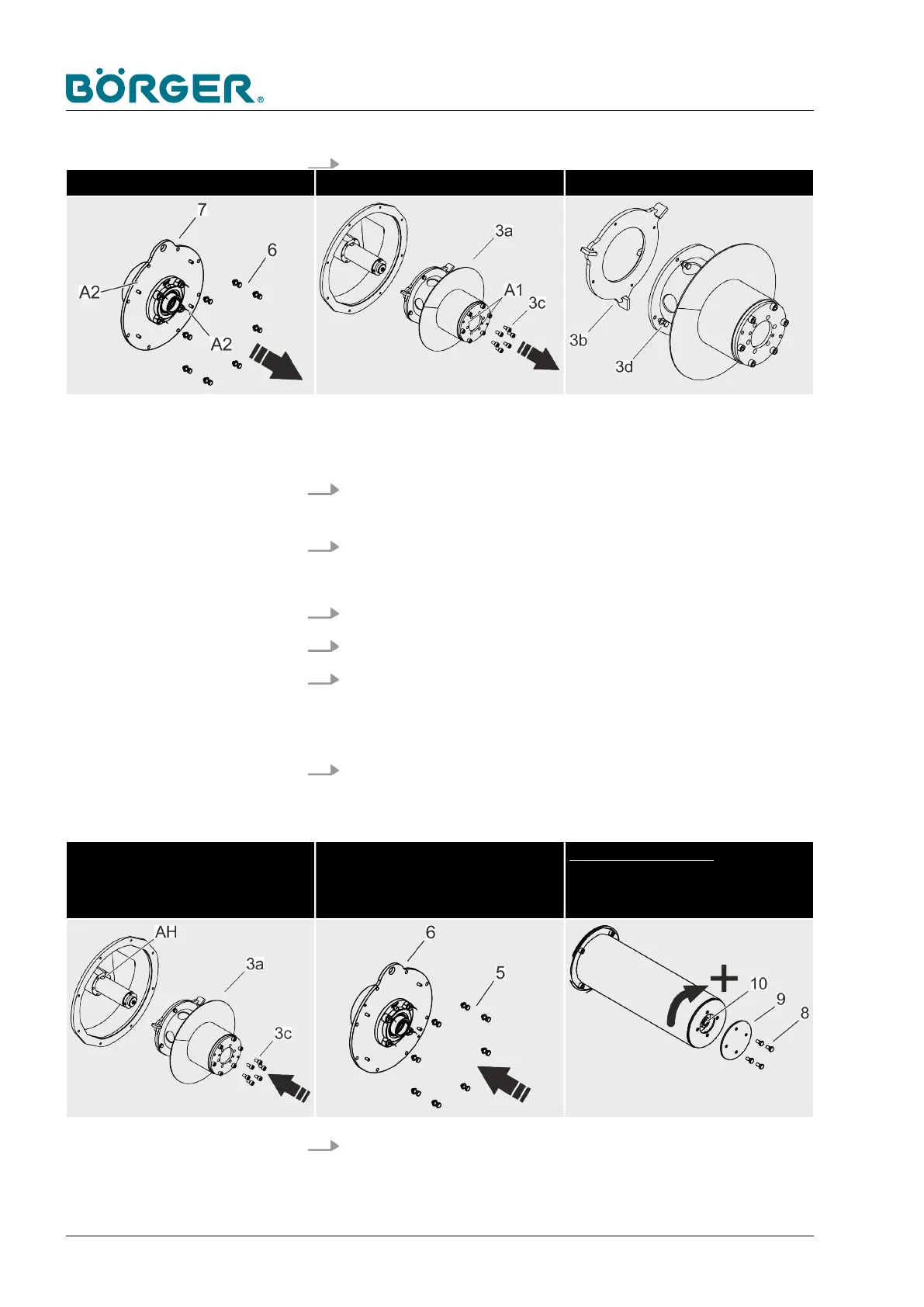
Remove the counter bearing plate Pull off the Multi Disc cap Replace the Multi Disc plate
Remove the counter bearing plate (7).
— If required, use the jacking threads [A2].
5. Loosen and remove the six inner hexagon socket head cap
screws with washers (3c).
6. Remove the Multi Disc cap (3a) with the Multi Disc plate (3b).
— If required, use the jacking threads [A1].
7.
Loosen and remove the hexagon head screws (3d).
8. Remove the Multi Disc plate (3b) from the Multi Disc cap (3a).
9. Attach the new Multi Disc plate (3b) to the Multi Disc cap (3a)
using the hexagon head screws (3d).
— Only tighten the hexagon head screws (3d) slightly at first.
10. Push the repaired Multi Disc (3a, 3b) over the drive sleeve
[AH] up to the stop.
— Now, tighten the hexagon head screws (3d) properly.
Push on and install the Multi Disc
cap
Install the counter bearing plate Applying pre-tension:
Tighten the clamping screw
or pressurize in the version with
pneumatic adjustment
11. Retighten the six inner hexagon socket head cap screws with
washers (3c).
Maintenance and repairs
BA-RC40_EN, 17.01.2024www.boerger.de / www.boerger.com148



 To Next Page