— Disassemble the Multi Disc as described in
Ä
Chapter 6.3.4
“Changing the Multi Disc plate” on page 146.
— Disassemble the filter press channel as described in
Ä
Chapter
6.3.5 “Changing the filter press channel” on page 150.
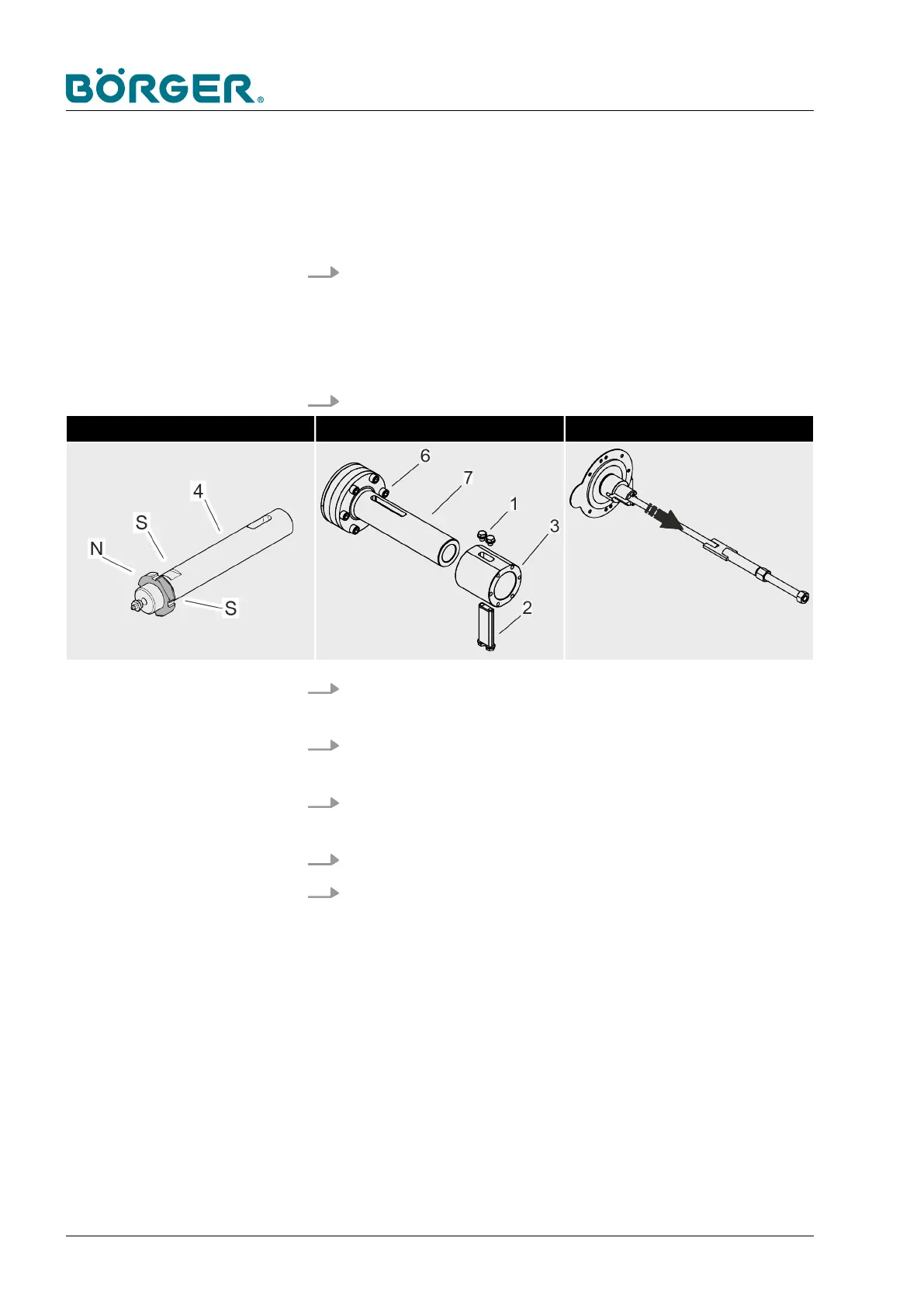
1. Loosen two hexagon head screws (1) with washers at the top
or bottom of the drive sleeve (3) which are used to fix the
drive block. After that, the drive block (2) with the two other
hexagon socket head cap screws with washers can be
removed.
2. Remove the drive sleeve (3).
Unscrew the drive pin Dismantle the drive sleeve Remove the threaded rod
3. Use the drive pin (4) to pull out the threaded rod as far as two
wrench flats [S] become visible.
4. Use the wrench flats [S] to unscrew the drive pin with the
slotted nut [N] from the threaded rod.
5. Loosen the four hexagon socket head cap screws (19) and
remove the cover (20).
6. Pull out the threaded rod (21) from the side of the drive.
7. Loosen the six hexagon socket head cap screws (6) on the
connection between the mounting flange (7) and the auger
adapter (15) and detach the mounting flange (7) from the
auger adapter (15).
Maintenance and repairs
BA-RC40_EN, 17.01.2024www.boerger.de / www.boerger.com160



 To Next Page