BL702/704/706 Reference Manual
In FreeRun mode, the timer working sequence is basically the same as PreLoad, the difference is that the counter
will start to accumulate from 0 to the maximum value. The mechanism of the generated compare flags and compare
interrupts is the same as in PreLoad mode.
13.3.3 Watchdog timer operating mode
The watchdog timer includes a counter and a comparator. The counter counts up from 0. If the counter is reset (feed
the dog), it starts counting up from 0 again. When the counter value is equal to the comparator, a comparison interrupt
signal or a system reset signal will be generated, and the user can choose to use one of them as required.
The watchdog counter is incremented by one in each counting cycle unit. Software can reset the watchdog counter
to zero at any point in time through the APB.
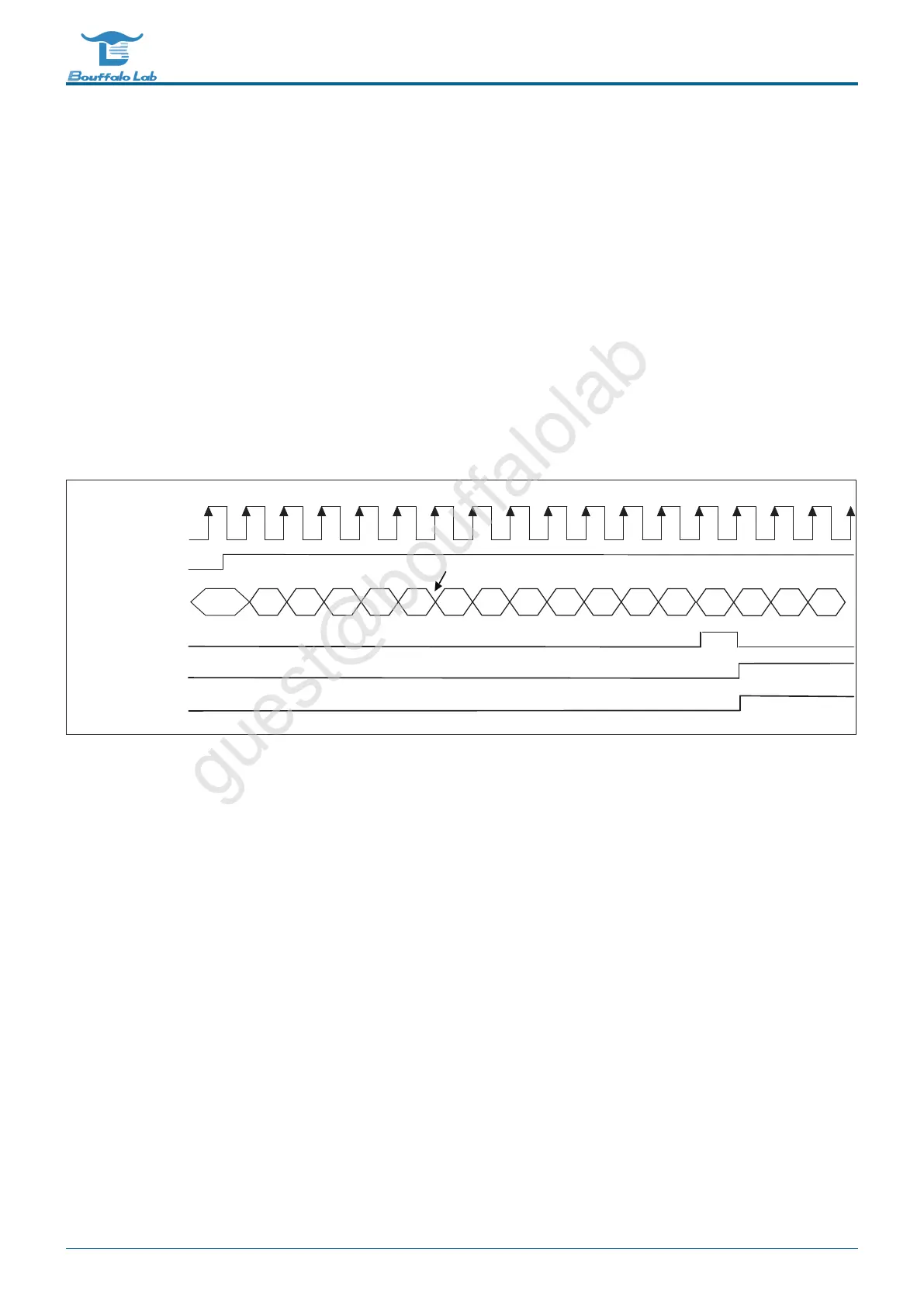
If the value of the comparator is 6, the working sequence of Watchdog is shown in the figure below:
0
1
2 3 4 5 0 1 2 3 4
Counter
5
7 8 9
6
10
Clock
Enable
Comparator flag
Interrupt
System reset signal
User reset WatchDog Counter
δ
feed Dog
ε
Fig. 13.4: Watchdog timing
13.3.4 Alarm setting
Each counter has three comparison values, and can set whether each comparison value triggers an alarm interrupt.
When the counter matches the comparison value and the setting will alarm, the counter will notify the processor
through the interrupt.
The software can read through the APB whether an alarm has occurred and which comparison value triggered the
alarm interrupt. When the alarm interrupt is cleared, the alarm status is also cleared simultaneously.
BL702/704/706 Reference Manual 243/ 375
@2021 Bouffalo Lab



 To Next Page