196
Custom Wireless Flash Shooting
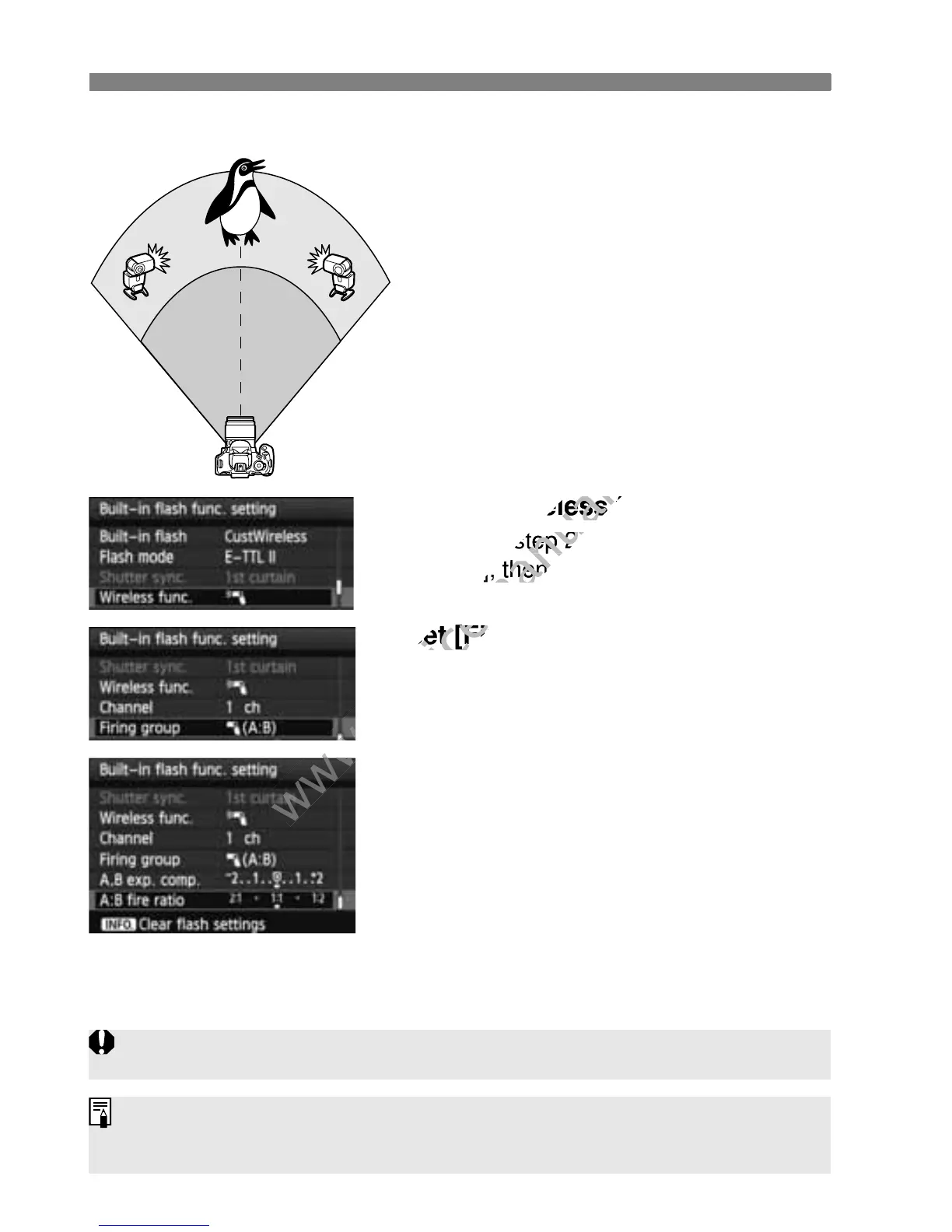
[1 (A:B)] Multiple slave units in multiple groups
Divide the slave units into groups A and
B, and change the flash ratio to obtain
the desired lighting effect.
Refer to your Speedlite’s instruction
manual to set one slave unit’s slave ID
to A (Group A) and the other slave unit’s
ID to B (Group B) and position them as
shown in the illustration.
1
Select [Wireless func.].
Follow step 2 on page 194 to select
[0], then press <0>.
2
Set [Firing group] to [1 (A:B)].
3
Set the desired flash ratio and
take the picture.
Select [A:B fire ratio] and set the
flash ratio.
A B
If [Firing group] is set to [1 (A:B)], group C will not fire.
The 8:1 to 1:1 to 1:8 flash ratio is equivalent to 3:1 to 1:1 to 1:3 stops (1/2-
stop increments).



 To Next Page