EasyManua.ls Logo

Canon EOS 600D - Page 197

Canon EOS 600D
328 pages
Print Icon
To Next Page IconTo Next Page
To Previous Page IconTo Previous Page
Loading...
197
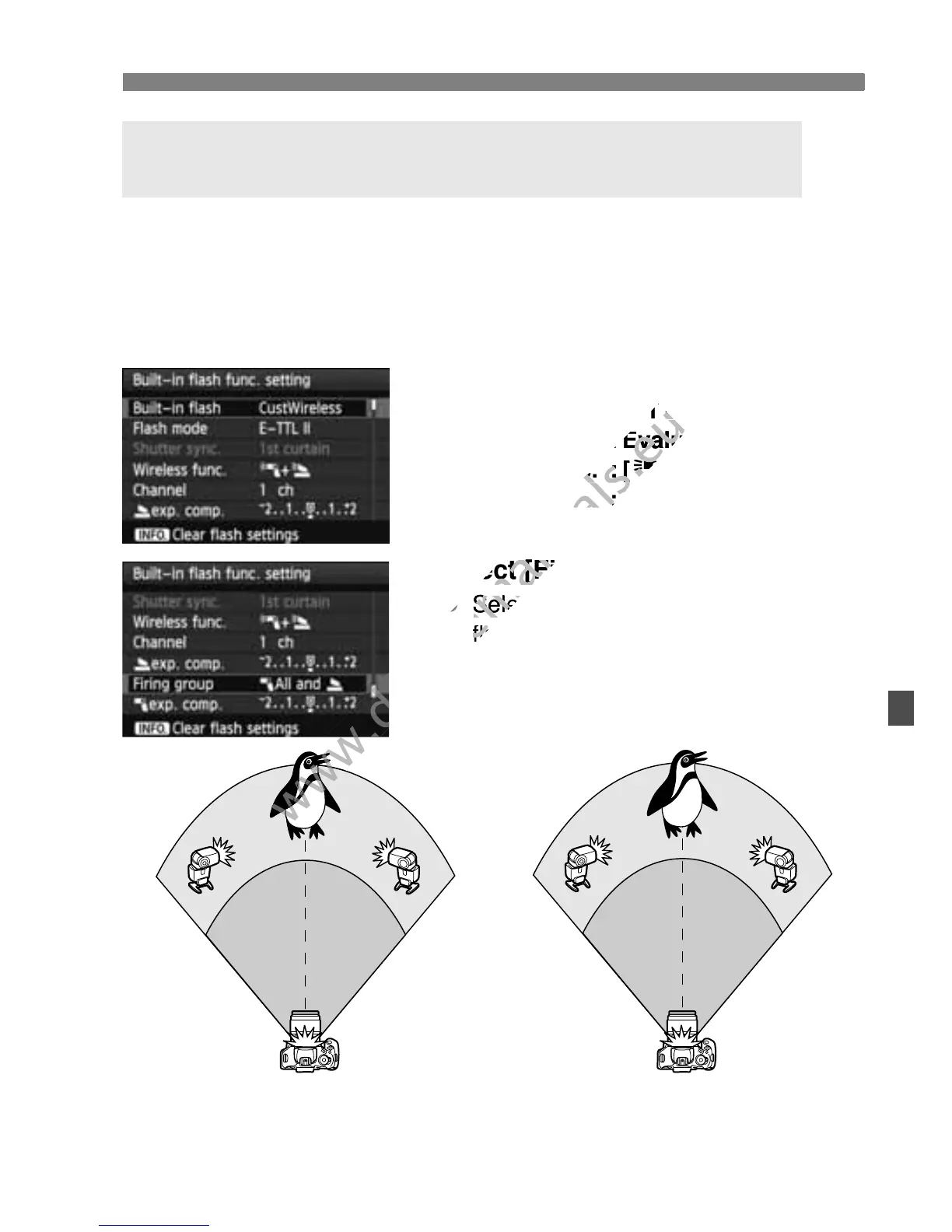
Custom Wireless Flash Shooting
The built-in flash can also be added to wireless flash shooting explained
on pages 195-196.
The basic settings are shown below. By changing the [Firing group]
setting, you can shoot with various wireless flash setups of multiple
Speedlites complemented with the built-in flash.
1
Basic settings:
Flash mode : E-TTL II
E-TTL II meter. : Evaluative
Wireless func. : [0+3]
Channel : (Same as slave units)
2
Select [Firing group].
Select the firing group, then set the
flash ratio, flash exposure
compensation, and other necessary
settings before shooting.
Fully-automatic Shooting with the Built-in Flash and
Multiple External Speedlites
A B
[1All and 2][1 (A:B) 2]
www.devicemanuals.eu
Flash mode : E-TTL II
www.devicemanuals.eu
Flash mode : E-TTL II
E-TTL II meter. : Evaluative
www.devicemanuals.eu
E-TTL II meter. : Evaluative
Wireless func. : [
www.devicemanuals.eu
Wireless func. : [
0
www.devicemanuals.eu
0
Channel :
www.devicemanuals.eu
Channel :
(Same as slave units)
www.devicemanuals.eu
(Same as slave units)
Select [Firing group].
www.devicemanuals.eu
Select [Firing group].
www.devicemanuals.eu
Select the firing group, then set the
www.devicemanuals.eu
Select the firing group, then set the
flash ratio, flash exposure
www.devicemanuals.eu
flash ratio, flash exposure

www.devicemanuals.eu

Table of Contents

Other manuals for Canon EOS 600D

Related product manuals