EasyManua.ls Logo

Canon EOS 600D - Page 221

Canon EOS 600D
328 pages
Print Icon
To Next Page IconTo Next Page
To Previous Page IconTo Previous Page
Loading...
221
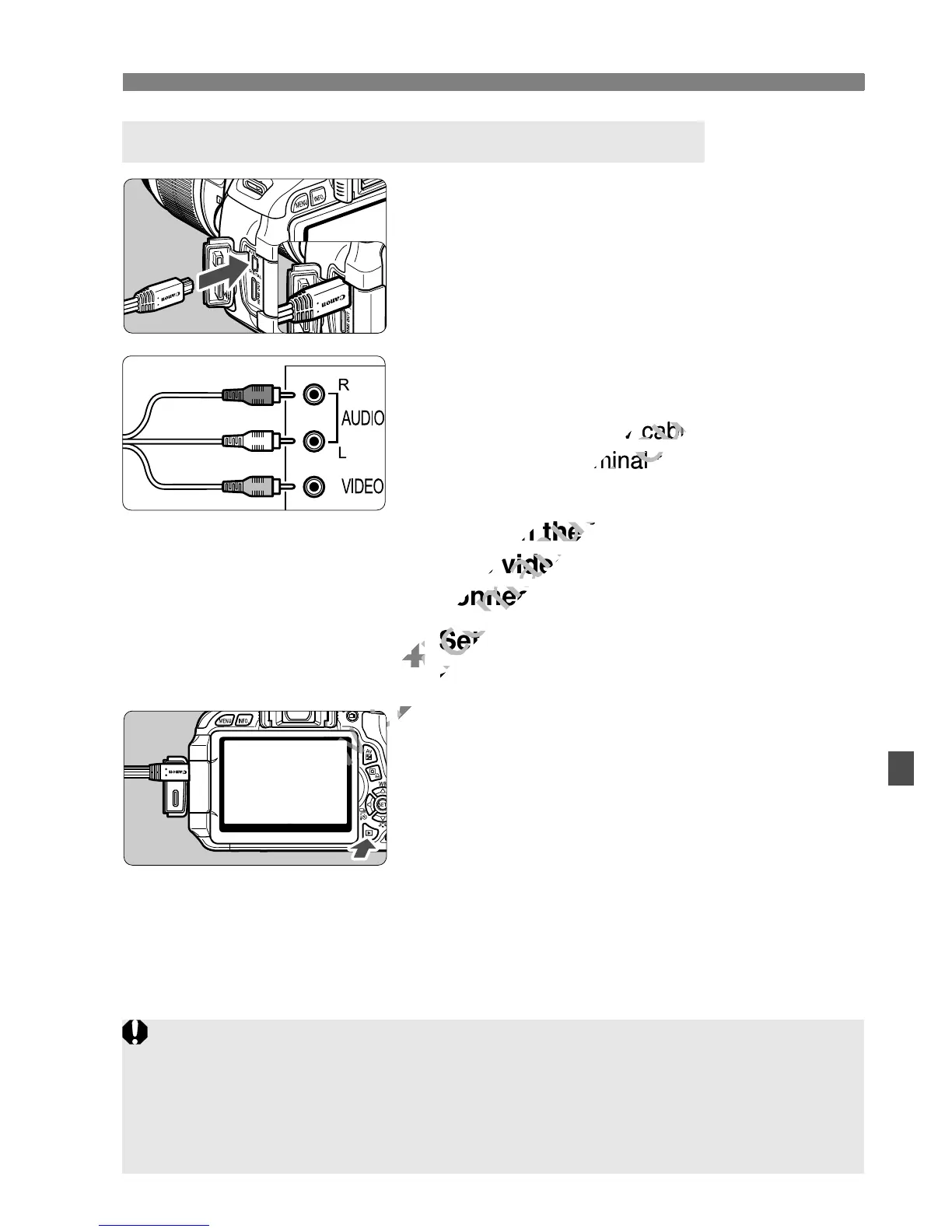
Viewing the Images on TV
1
Connect the provided AV cable to
the camera.
With the plug’s <Canon> logo facing
the back of the camera, insert it into
the < > terminal.
2
Connect the AV cable to the TV
set.
Connect the AV cable to the TV’s
video IN terminal and audio IN
terminal.
3
Turn on the TV and switch the
TV’s video input to select the
connected port.
4
Set the camera’s power switch to
<1>.
5
Press the <x> button.
X The image will appear on the TV
screen (Nothing will be displayed on
the camera’s LCD monitor).
To playback movies, see page 212.
Viewing on Non-HD (High-Definition) TV Sets
q
(Red)
(White)
(Yellow)
Do not use any AV cable other than the one provided. Images might not
be displayed if you use a different cable.
If the video system format does not match the TV’s, the images will not
be displayed properly. Set the proper video system format with [6 Video
system].

www.devicemanuals.eu
Connect the AV cable to the TVs
www.devicemanuals.eu
Connect the AV cable to the TVs
video IN terminal and audio IN
www.devicemanuals.eu
video IN terminal and audio IN
Turn on the TV and switch the
www.devicemanuals.eu
Turn on the TV and switch the
TV’s video input to select the
www.devicemanuals.eu
TV’s video input to select the
connected port.
www.devicemanuals.eu
connected port.
4
www.devicemanuals.eu
4
Set the camera’s power switch to
www.devicemanuals.eu
Set the camera’s power switch to
<
www.devicemanuals.eu
<
5
www.devicemanuals.eu
5
www.devicemanuals.eu

Table of Contents

Other manuals for Canon EOS 600D

Related product manuals