227
C Shooting Information Display
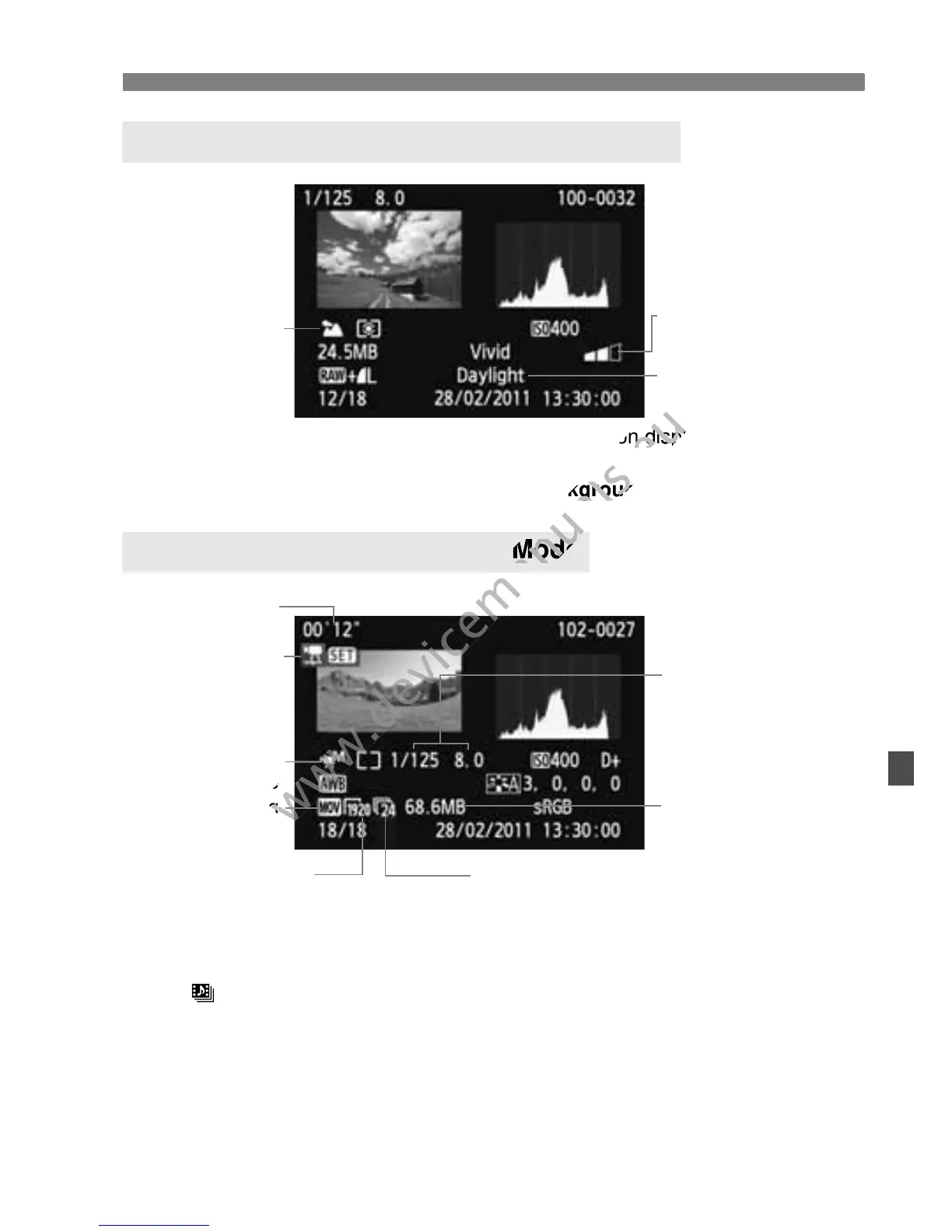
* For images taken in Basic Zone modes, the information displayed differ
depending on the shooting mode.
* Photos taken in the <C> mode will show [Background blur].
* If manual exposure was used, the shutter speed, aperture, and ISO speed
(when set manually) will be displayed.
* The < > icon will be displayed for a video snapshot.
Sample Image Taken in a Basic Zone Mode
Sample Movie Taken in Movie Mode
Ambience and
ambience effects
Lighting or scene
Shooting mode
Movie shooting
mode
Movie file size
Recording
system
Shutter speed and
aperture for movie
shooting
Frame rate
Movie recording
Size
Shooting time
Movie/Playback
* For images taken in Basic Zone modes, the information displayed differ
www.devicemanuals.eu
* For images taken in Basic Zone modes, the information displayed differ



 To Next Page