Handling sheets
If Paper Jam / Press ↑ Key is displayed
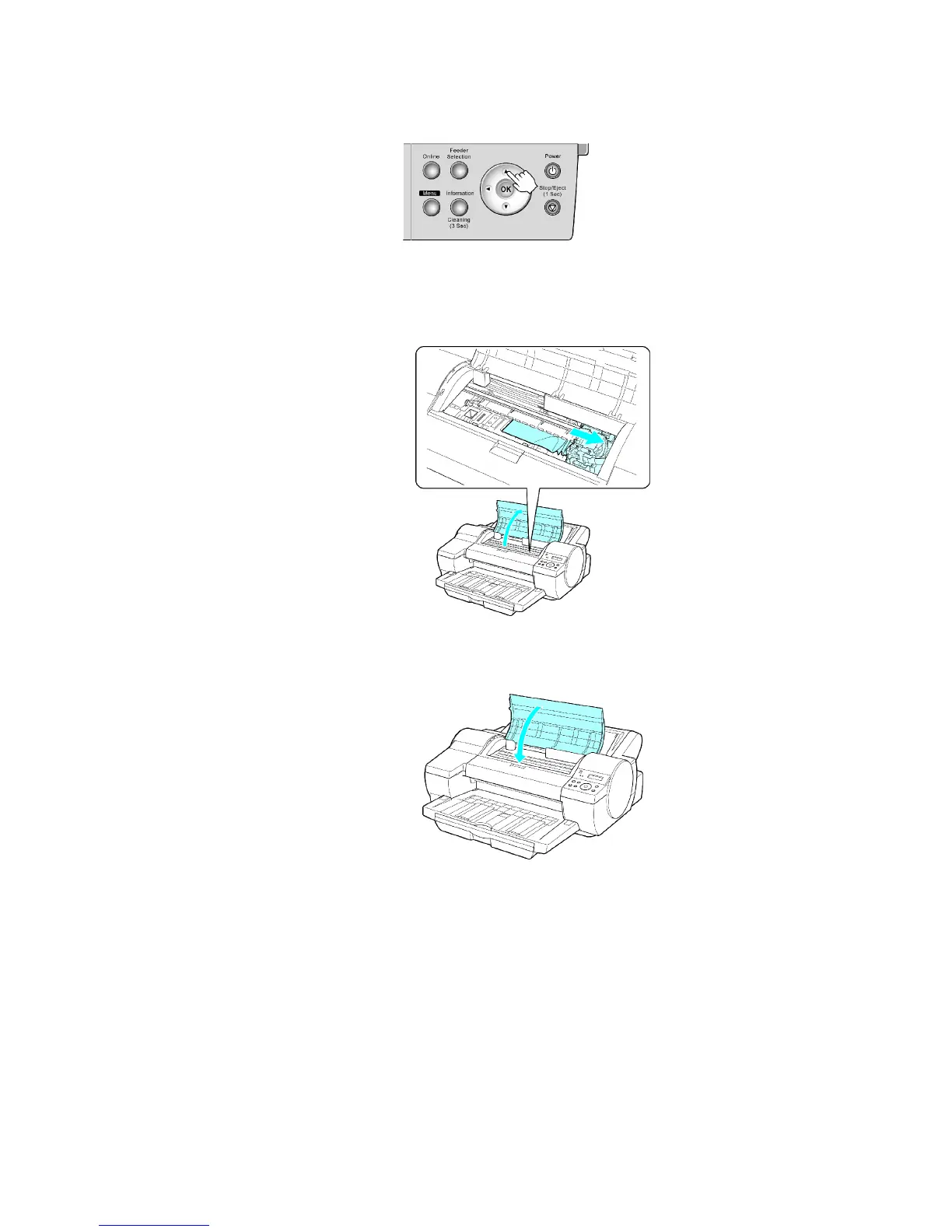
1. Press ▲ .
2. Remove the jammed paper .
• If paper is jammed inside the T op Cover
1. Open the T op Cover and move the Carriage to the side.
2. Clear any jammed paper from inside the T op Cover .
After removing the paper , make sure there are no other scraps of paper in the printer .
3. Close the T op Cover .
176 Handling Paper


 To Next Page
 Loading...













