Print quality and color settings
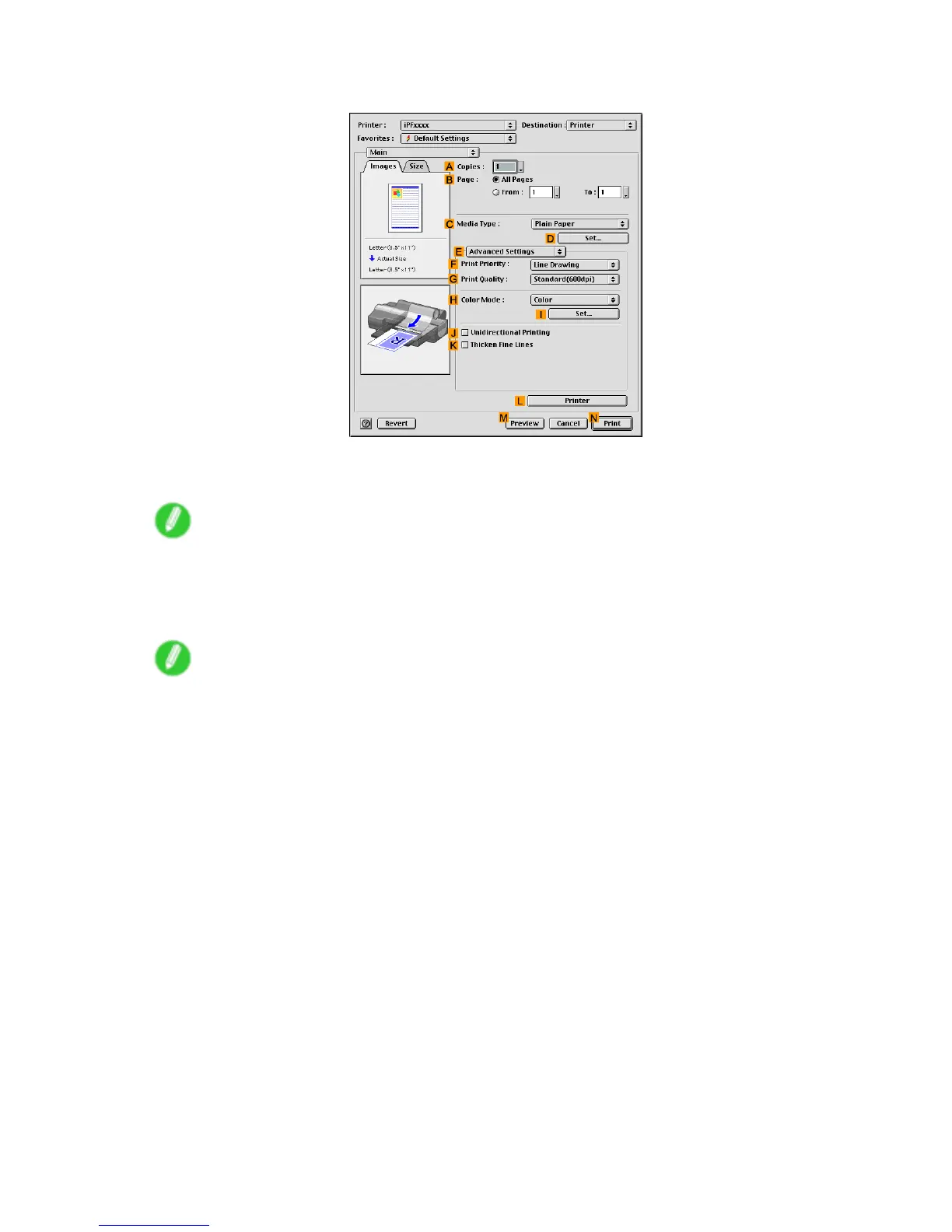
8. Click E Advanced Settings to switch the print mode.
9. Click Line Drawing in the F Print Priority list.
10. Click Standard(600dpi) in the G Print Quality list.
Note
• Options displayed in the G Print Quality list vary depending on the paper type.
1 1. Click Monochrome in the H Color Mode list.
12. T o adjust brightness and contrast, click I Set .
Note
• For instructions on adjusting brightness and contrast, see “Adjusting the Color in the Printer Driver”.
(→P .214)
226 Enhanced Printing Options


 To Next Page
 Loading...













