Print quality and color settings
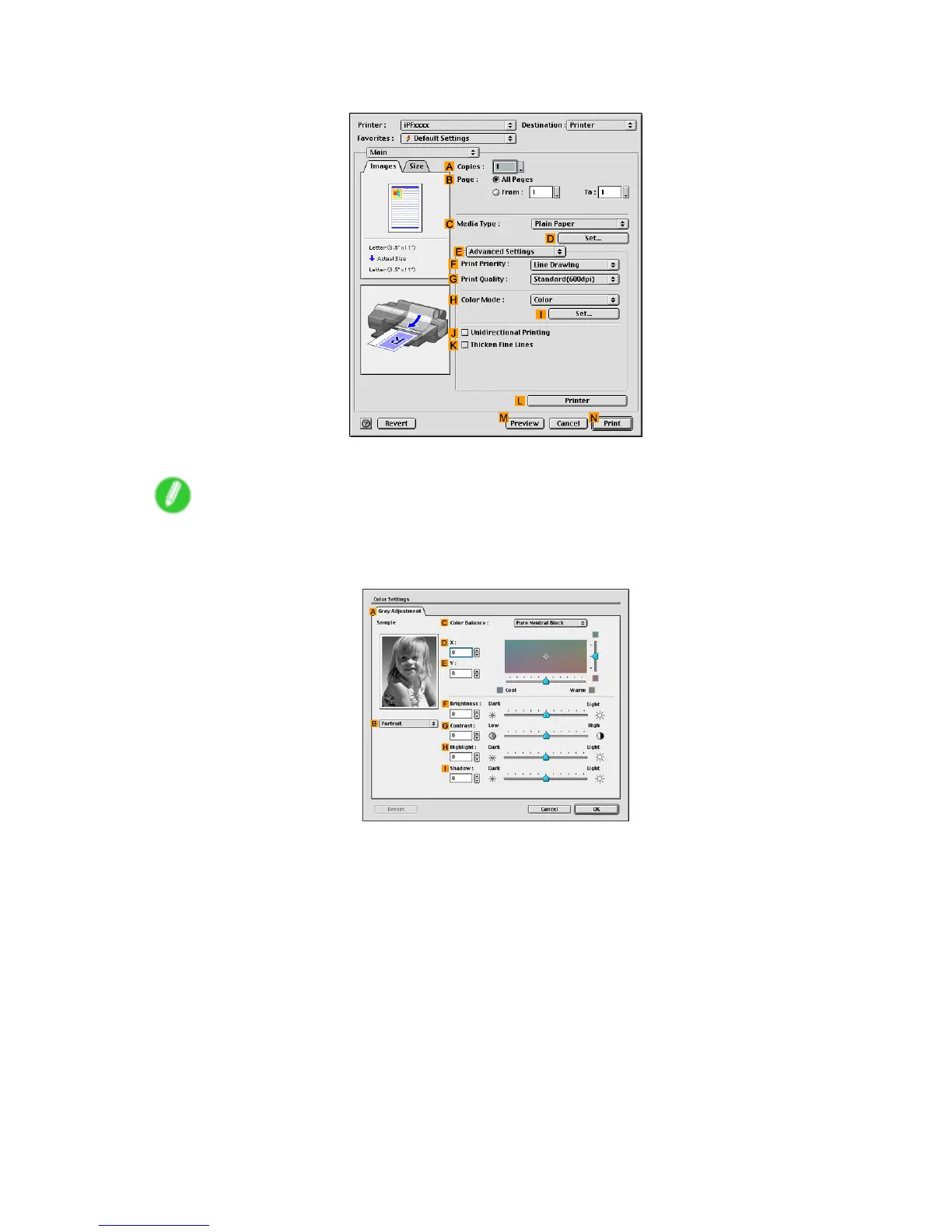
8. Click E Advanced Settings to switch the print mode.
9. Click Monochrome (Photo) in the H Color Mode list.
Note
• Monochrome (Photo) may not be available for all types of paper .
10. Click I Set to display the Color Settings dialog box.
1 1. On the Gray T one Adjustment pane, adjust the color tones, brightness, and so on as desired.
Enhanced Printing Options 243


 To Next Page
 Loading...













