Print quality and color settings
Printing Line Drawings and T ext (Mac OS 9)
This topic describes how to print line drawings based on the following example.
• Document: CAD drawing
• Page Size: A3 (297.0×420.0 mm [1 1.7 × 16.5 in])
• Paper: Sheets ( Cassette )
• Paper type: Plain Paper
• Paper size: A3 (297.0×420.0 mm [1 1.7 × 16.5 in])
1. Select the printer in Chooser .
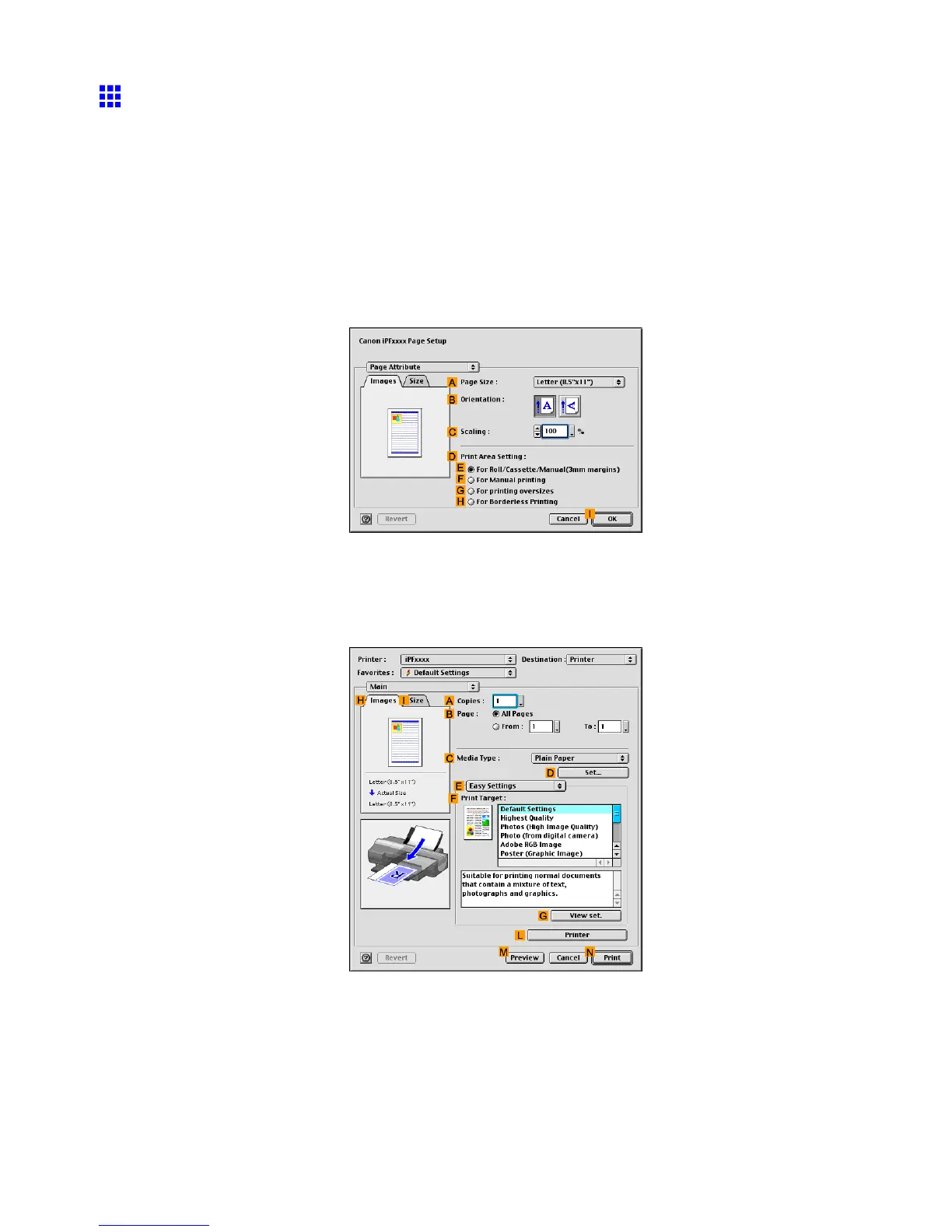
2. Choose Page Setup in the application menu to display the Page Attribute dialog box.
3. In the A Page Size list, click the size of the original. In this case, click ISO A4 .
4. Click I OK to close the dialog box.
5. Choose Print in the application menu.
6. Make sure the Main pane is displayed.
7. In the C Media T ype list, select the type of paper that is loaded. In this case, click Plain Paper .
Enhanced Printing Options 249


 To Next Page
 Loading...













