The profiles registered in your computer are displayed.
About [Application Color Matching Priority]
If the check box is cleared, you can prioritize the color matching process specified in the printer driver.
If you want to prioritize the color matching in the application, select the check box.
3. Click [OK].
For details on the basic printing procedure, see "Basic Printing Procedure."
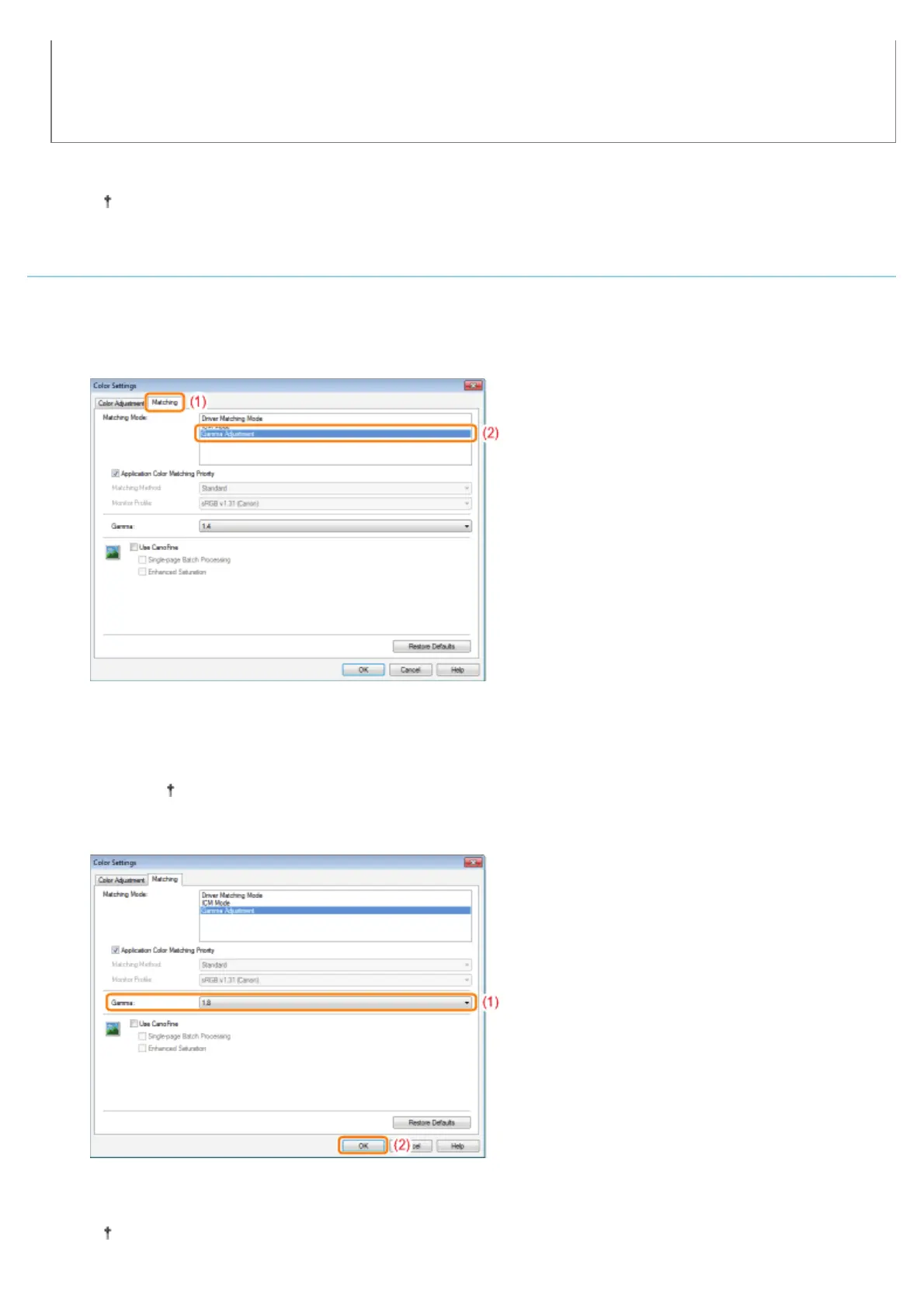
Correcting Color by Adjusting Brightness (Gamma Adjustment)
1. Specify the setting for [Matching Mode].
(1) Display the [Matching] sheet.
(2) Select [Gamma Adjustment].
2. Specify the setting for [Gamma Adjustment].
(1) Select a value for gamma.
The larger the number is, the darker in color the data is printed.
(2) Click [OK]. Then, the [Quality] sheet reappears.
3. Click [OK].
For details on the basic printing procedure, see "Basic Printing Procedure."
㻞㻝㻤㻌㻛㻌㻟㻠㻟













 To Next Page