3-CONTROLSANDINSTRUMENTS
DISPLAYOPERATION
NavigationthroughtheLiquidCrystalDis-
play(LCD)multifunctiondisplayscreens
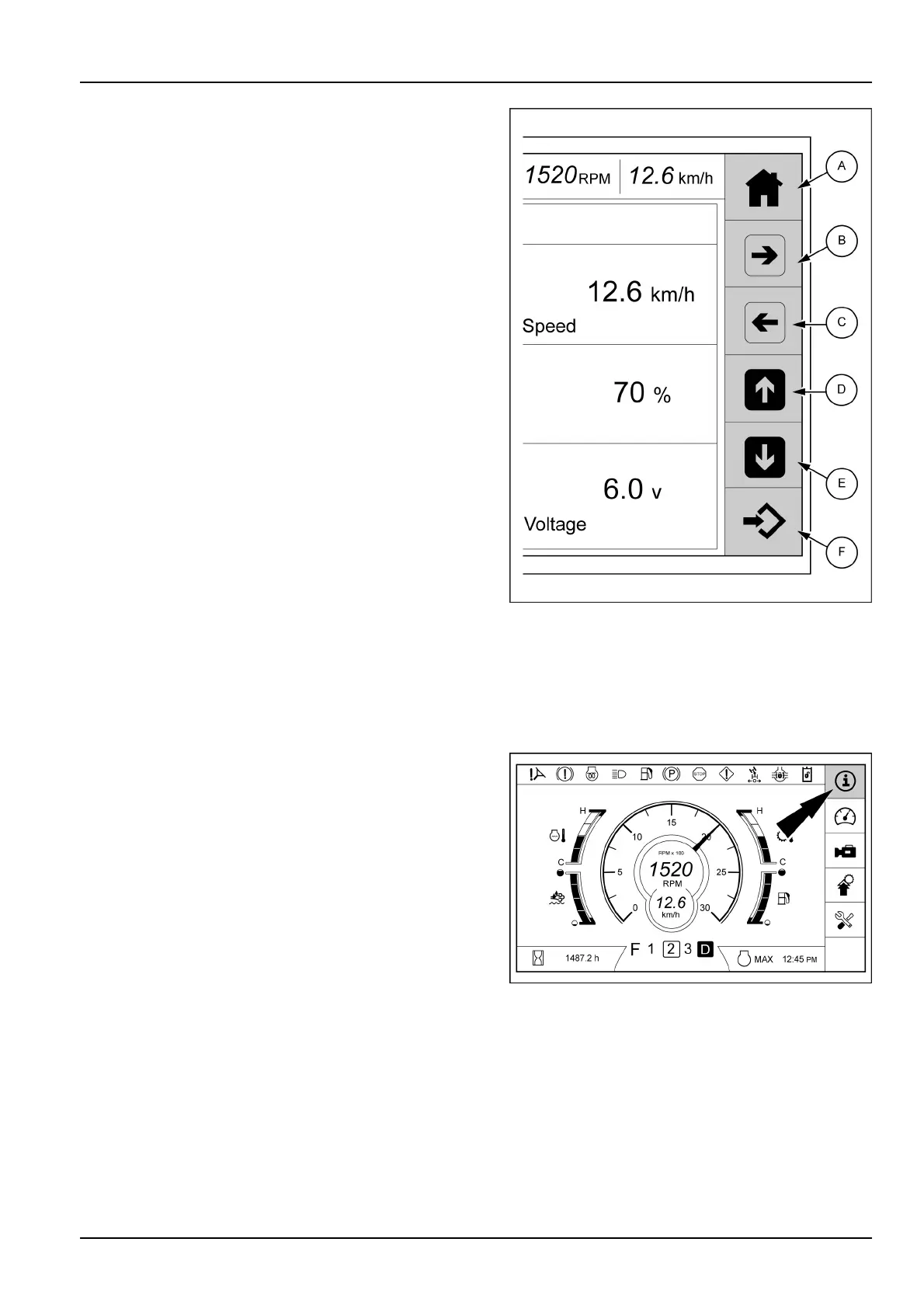
Akeypadislocatedontheright-handexternalborderof
thedisplay.
Usethiskeypadtomovefromonescreentoanother,to
choosevariousselections,tomonitorthemachinefunc-
tions,andtoretrieveinformation.Allselectionsmadewith
thecomputerizedtechnologyoftheLCDscreenarees-
sentiallyprogrammedinthesamemanner.
Followanyscreenpromptswhengivenandusethecon-
rmkeytoentertheselection.Usethehomekey(A)to
returntothemainmenu.Thiswilllockthechosenselec-
tionintomemory.
Youcanaccessallfunctionsinthesamebasicmanner.
A.Homekey-Usethiskeytoexitandreturntothedriv-
ingscreen.Youcanusethiskeyanytimetostartover
andbeginagainortoexitaeld.Youcanalsouse
thiskeytoelectronicallycheckfaultcodes.
B.Rightarrowkey-Usethiskeytoscrollrighttoselec-
tions/screens.
C.Leftarrowkey-Usethiskeytoscrolllefttoselections/
screens.
D.Uparrowkey-Usethiskeytoscrolluptoselections/
screens.
E.Downarrowkey-Usethiskeytoscrolldowntoselec-
tions/screens.
F.Enter/conrmkey-Usethiskeytoconrmselections.
Afterselectionshavebeenhighlighted,usetheenter/
conrmkeytochooseselections.
LEIL15WHL0581BB4
Machinestatus
Usethekeypadontheright-handofthedisplaytoselect
thekeytoaccesstothe“Machinestatus”screens.
LEIL15WHL0629AA5
3-45



 To Next Page