4-OPERATINGINSTRUCTIONS
Loaderfunctions
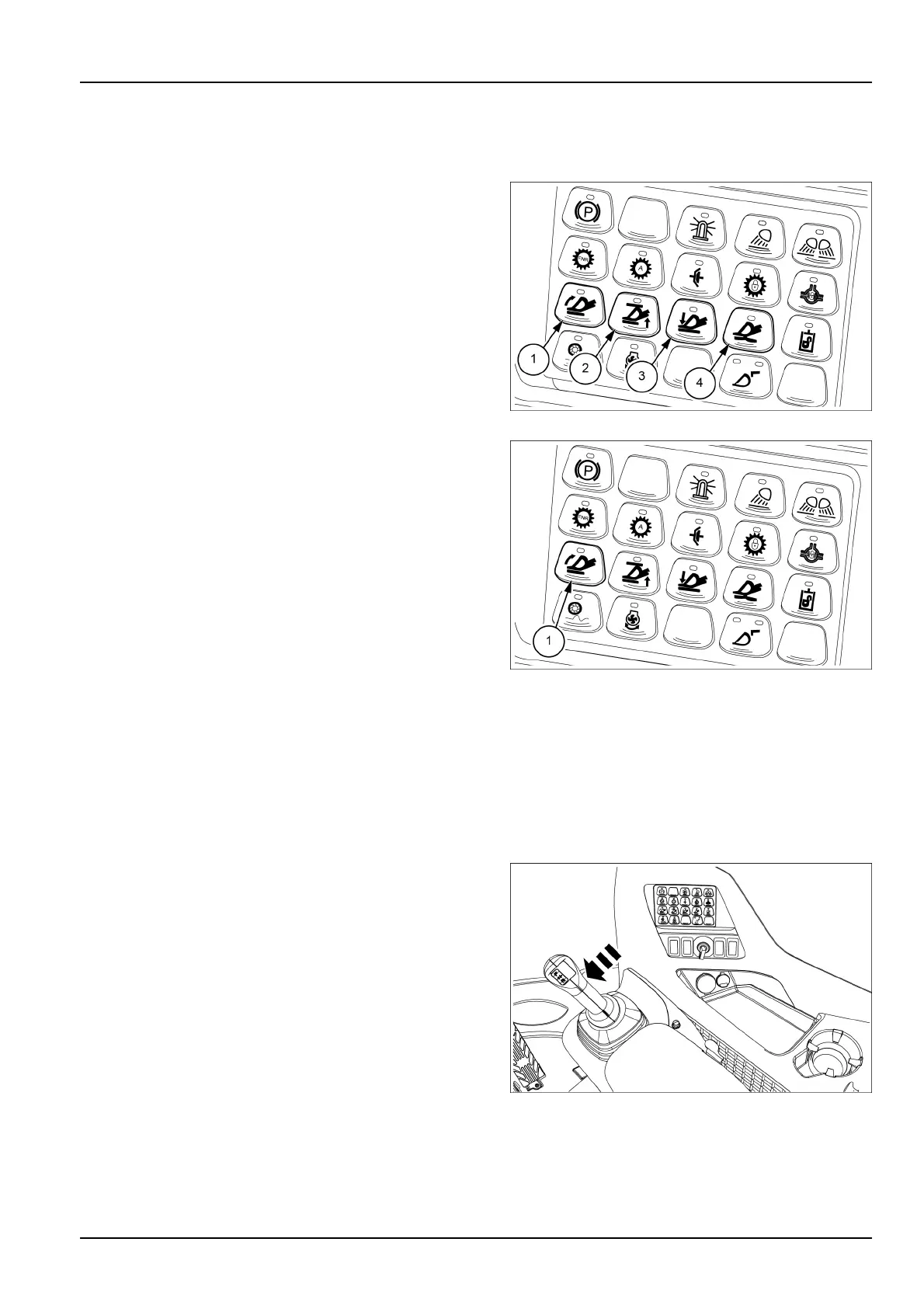
Loaderfunctionbuttons
1.Return-to-dig
2.Heightcontrol
3.Return-to-travel
4.Float
Presstherelevantbuttontoengageordisengageallthese
fourloaderfunctions.WhenthegreenLEDindicatorlights
up,thecorrespondingloaderfunctionisactivated.
Youcannotengagethereturn-to-travelfunctionandthe
oatfunctionsimultaneously.Ifoneofthistwofunctions
isengagedtheotheroneisdisengaged.
LEIL16WHL1128AB1
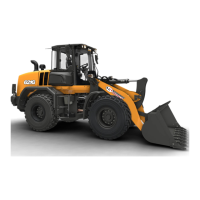
Return-to-dig
Usethereturn-to-digfunctiontoautomaticallyreturnthe
loaderbuckettothedigpositionafteryouhavedumped
theloaderbucket.Toenablethereturn-to-digfunction
pressthebutton(1).
ThegreenLEDindicatorlightsuptoindicatethatthefunc-
tionisactive.
Tosetthereturn-to-digfunctionproceedasfollows:
1.Brieypressthecorrespondingbutton(1)onthemul-
tifunctionkeypadtoactivatethefunction;thegreen
LEDindicatorlightsuptoindicatethatthefunctionis
active.
2.Settheattachmentorthebuckettothedesiredloca-
tion.
3.Pressandholdthecorrespondingbutton(1)onthe
multifunctionkeypaduntilthegreenLEDindicatorlight
ashes(approximately2s).
4.Thereturn-to-digfunctionisnowset.Displaywill
promptthatthedetentpositionissaved.
LEIL16WHL1129AB2
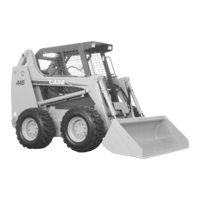
Toactuatethereturn-to-digfunction,movethejoystick
intotheROLLBACKpositionuntilthefunctionactivation
pointisreached.Whenthefunctionactivationpointis
reached,theoperatorwillnoticemoreresistancefromthe
joystick.Ifreleased,thejoystickwillautomaticallyreturn
totheHOLD(central)positionandthebucketwillcon-
tinuetorollbackuntilitreachesthedesiredreturn-to-dig
position.Ifyoumovethejoystickwhenthereturn-to-dig
functionisactivated,thebucketwillstop.
LEIL17WHL2054AB3
4-25


 To Next Page