7-MAINTENANCE
Battery-Replace
CAUTION
Heavyparts!
Machinebatteriesareextremelyheavy.Makesurethebatteryissupportedsafelyduringtheremoval
process.
Failuretocomplycouldresultinminorormoderateinjury.
C0050A
WARNING
Chemicalhazard!
Whenliftingaplastic-casedbattery,excessivepressureontheendwallscouldcauseacidtospill
throughtheventcaps.Liftaplastic-casedbatterywithabatterycarrierorwithyourhandspositioned
onoppositecornersofthebattery.Alwayswashyourhandsafterhandling.
Failuretocomplycouldresultindeathorseriousinjury.
W0385A
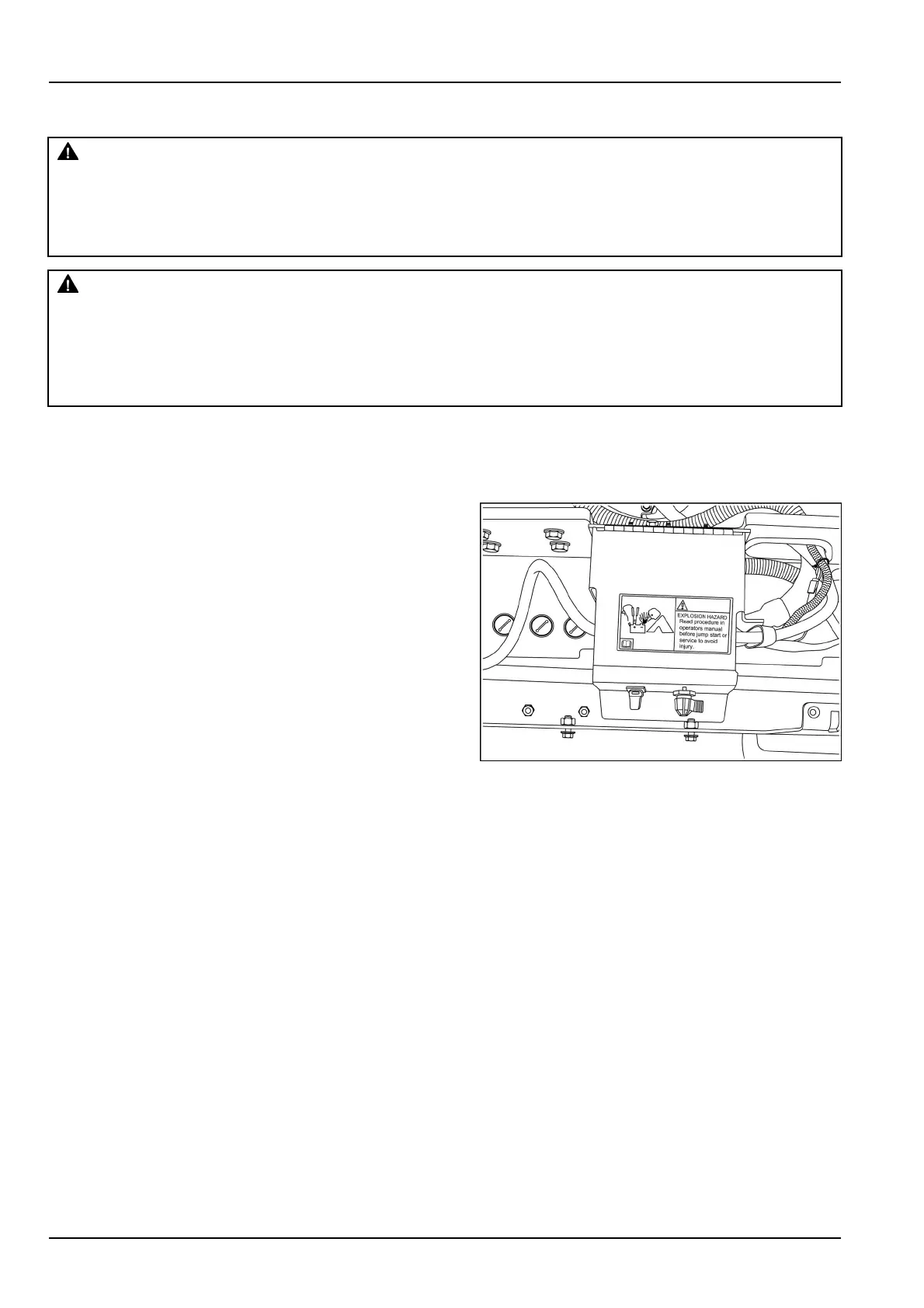
Replacingthebattery
1.Removetheboltsthatholdthebatteryaccesscoverin
place,andremovetheaccesscover.
2.Removetheterminalprotectioncaps,disconnectca-
bles(negativeterminals)andthencables(positiveter-
minals).
3.Removethescrews,thewashers,andretainer.Re-
movetheoldbatteries.
4.Installnewbatteriesofthecorrectvoltageandreplace
retainer,washersandscrews.
5.Cleanthecablesandbatteryterminals,andcoatwith
grease.Installnewanti-sulfatepellets.Reconnect
positivecableendstopositiveterminalsrst.Recon-
nectnegativecableendstonegativeterminals,andin-
stalltheterminalprotectioncaps.
6.Replacethebatteryaccesscoverandtheboltsonma-
chine.
RCPH10WHL421AAH1
7-148


 To Next Page