4-OPERATINGINSTRUCTIONS
Return-to-travel
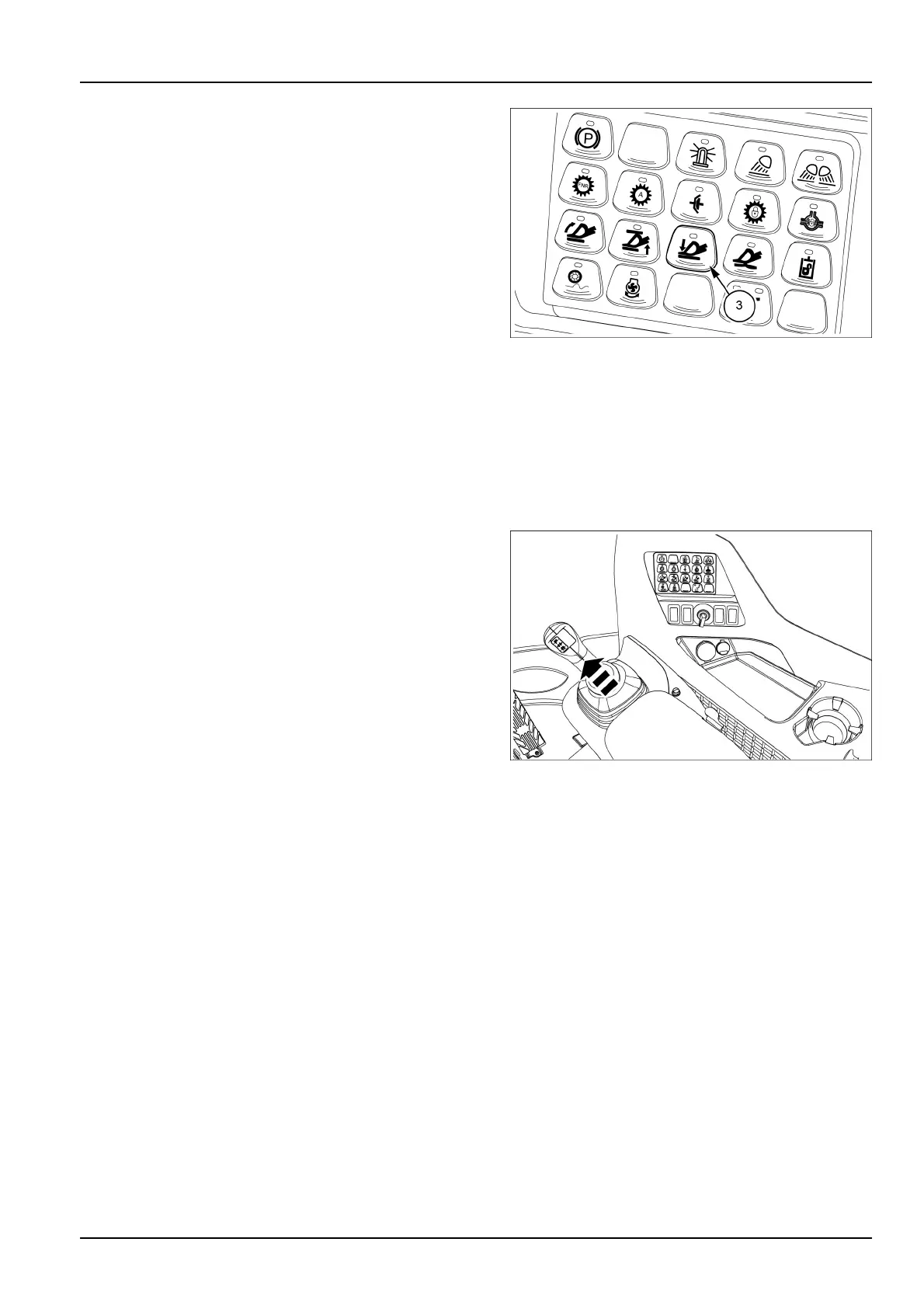
Usethereturn-to-travelfunctiontoautomaticallystopthe
loaderbucketwhiletravelingdownwardatthecarryheight
selected.T oenablethereturn-to-travelfunction,pressthe
return-to-travelbutton(3).
ThegreenLEDindicatorlightsuptoindicatethatthefunc-
tionisactive.
Tosetthereturn-to-travelfunctionproceedasfollows:
1.Brieypressthecorrespondingbutton(3)onthemul-
tifunctionkeypadtoactivatethefunction;thegreen
LEDindicatorlightsuptoindicatethatthefunctionis
active.
2.Settheattachmentorthebuckettothedesiredloca-
tion.
3.Pressandholdthebutton(3)onthemultifunctionkey-
paduntilthegreenLEDindicatorlightashes(approx-
imately2s).
4.Thereturn-to-travelfunctionisnowset.Displaywill
promptthatthedetentpositionissaved.
LEIL16WHL1132AB6
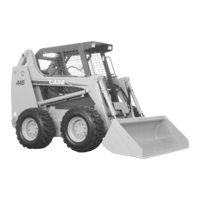
Toactuatethereturn-to-travelfunction,movethejoystick
intothefullforwardLOWERpositionuntilthefunctionacti-
vationpointisreached.Whenthefunctionactivationpoint
isreached,theoperatorwillnoticemoreresistancefrom
thejoystick.Ifreleased,thejoystickwillautomaticallyre-
turntotheHOLD(central)positionandtheliftarmswill
continuetoloweruntilthearmsreachthedesiredtravel
position.Ifyoumovethejoystickwhenthereturn-to-travel
functionisactivated,theloaderarmswillstop.
LEIL17WHL2071AB7
4-27



 To Next Page