Configuring Wireless Networks
Chapter 10: Working with Wireless Networks 299
To add or edit a WDS link
1. Configure and enable the primary WLAN.
For information on configuring the primary WLAN manually, see Manually
Configuring a Wireless Network on page
280.
For information on using a wizard to configure the primary WLAN, see Using the
Wireless Wizard on page
273.
2. Click Network in the main menu, and click the My Network tab.
The My Network page appears.
3. Click Add Network.
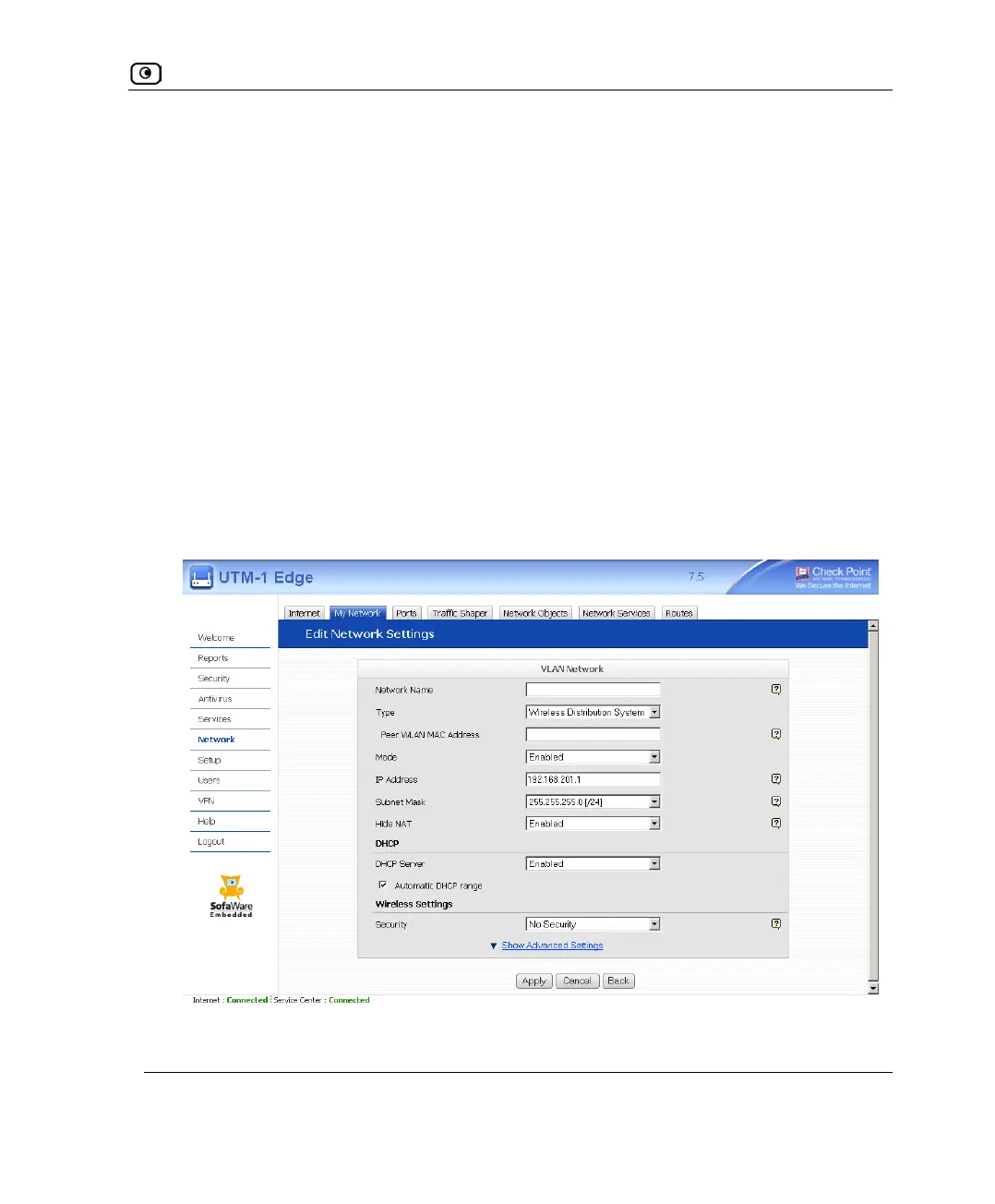
The Edit Network Settings page appears.
4. In the Network Name field, type a name for the WDS link.
5. In the Type drop-down list, select Wireless Distribution System.
New fields appear.















 To Next Page