The UTM-1 Edge X Series and UTM-1 Edge W Series
Chapter 1: Introduction 21
Table 7: UTM-1 Edge X Industrial Appliance Rear Panel Elements
Element Description
5V, 3A A power jack used for supplying 5V power to the unit. Connect the supplied
5V DC power supply to this jack. Do not connect the 5V power supply at the
same time as the 24V DC power supply.
Rectangular
slots
Slots for the DIN rail bracket's knobs.
Note: Additional slots appear on each of the appliance's side panels.
For information on mounting the appliance on a DIN rail, see Mounting the
UTM-1 Edge X Industrial Appliance on a DIN Rail on page 74.
Circular holes Holes for the DIN rail bracket's screws.
Note: Additional holes appear on each of the appliance's side panels.
For information on mounting the appliance on a DIN rail, see Mounting the
UTM-1 Edge X Industrial Appliance on a DIN Rail on page
74.
Front Panel
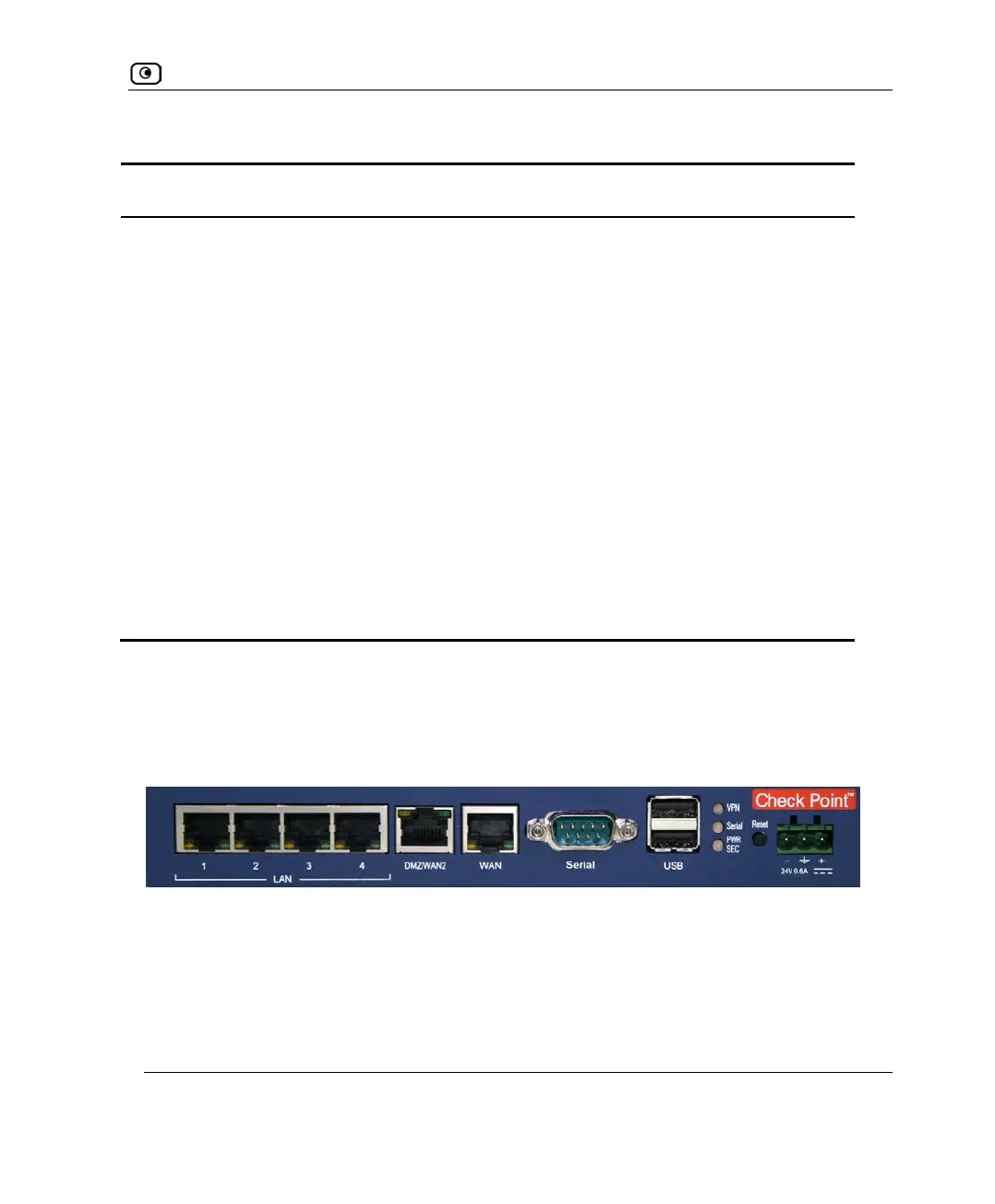
The UTM-1 Edge X Industrial appliance's front panel includes ports for network and
power connections, as well as status LEDs that enable you to monitor the appliance’s
operation.
The following table lists the UTM-1 Edge X Industrial appliance's front panel elements.
Figure 4: UTM-1 Edge X Industrial Appliance Front Panel















 To Next Page