Setting Up Your UTM-1 Appliance as a VPN Server
Chapter 16: Working with VPNs 481
Note: Bypass NAT is always enabled for the internal VPN Server, and cannot be
disabled.
4. Click Apply.
The internal VPN Server is enabled for the specified connection types.
Configuring the L2TP VPN Server
To configure the L2TP VPN Server
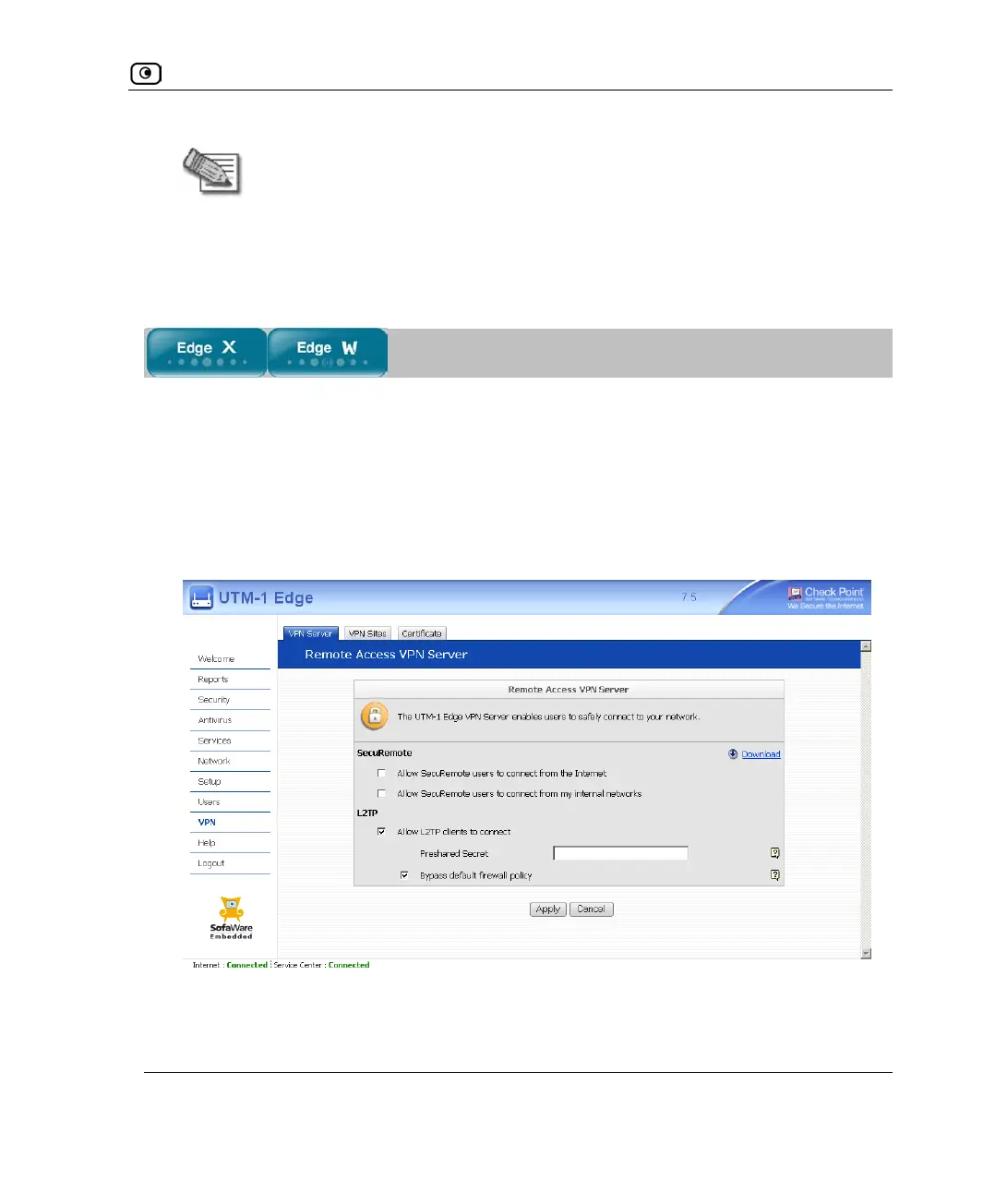
1. Click VPN in the main menu, and click the VPN Server tab.
The VPN Server page appears.
2. Select the Allow L2TP clients to connect check box.
New check boxes appear.
3. In the Preshared Secret field, type the preshared secret to use for secure
communications between the L2TP clients and the VPN Server.















 To Next Page