Setting Up Your UTM-1 Appliance as a VPN Server
Chapter 16: Working with VPNs 487
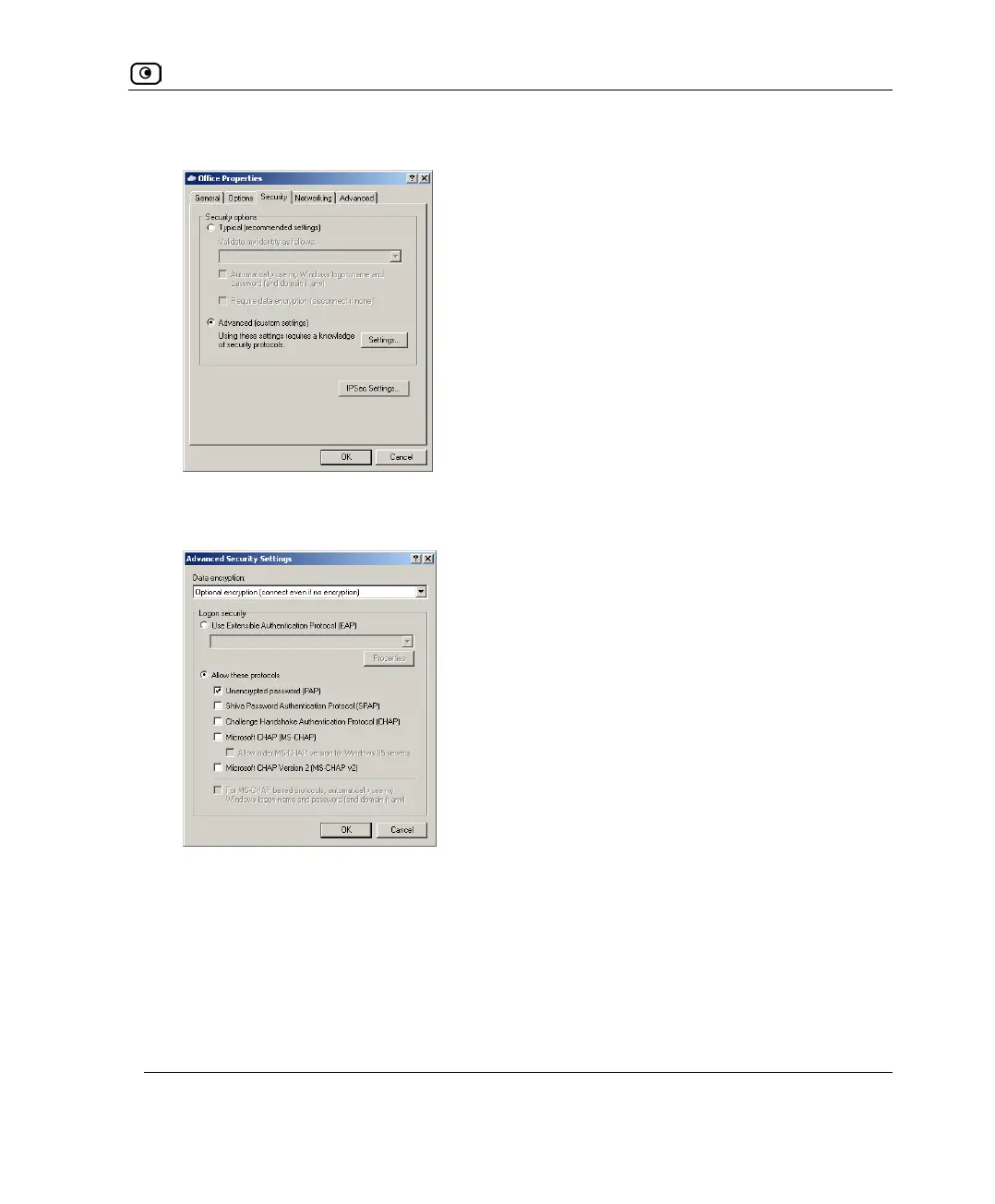
17. In the Security tab, choose Advanced (custom settings).
18. Click Settings.
The Advanced Security Settings dialog box opens.
19. In the Data encryption drop-down list, select Optional encryption.
20. Choose Allow these protocols.
21. Select the Unencrypted password (PAP) check box, and clear all other check
boxes.
22. Click OK.
23. In Properties dialog box's Security tab, click IPSec Settings.















 To Next Page