Configuring Computers to Use Network Printers
642 Check Point UTM-1 Edge User Guide
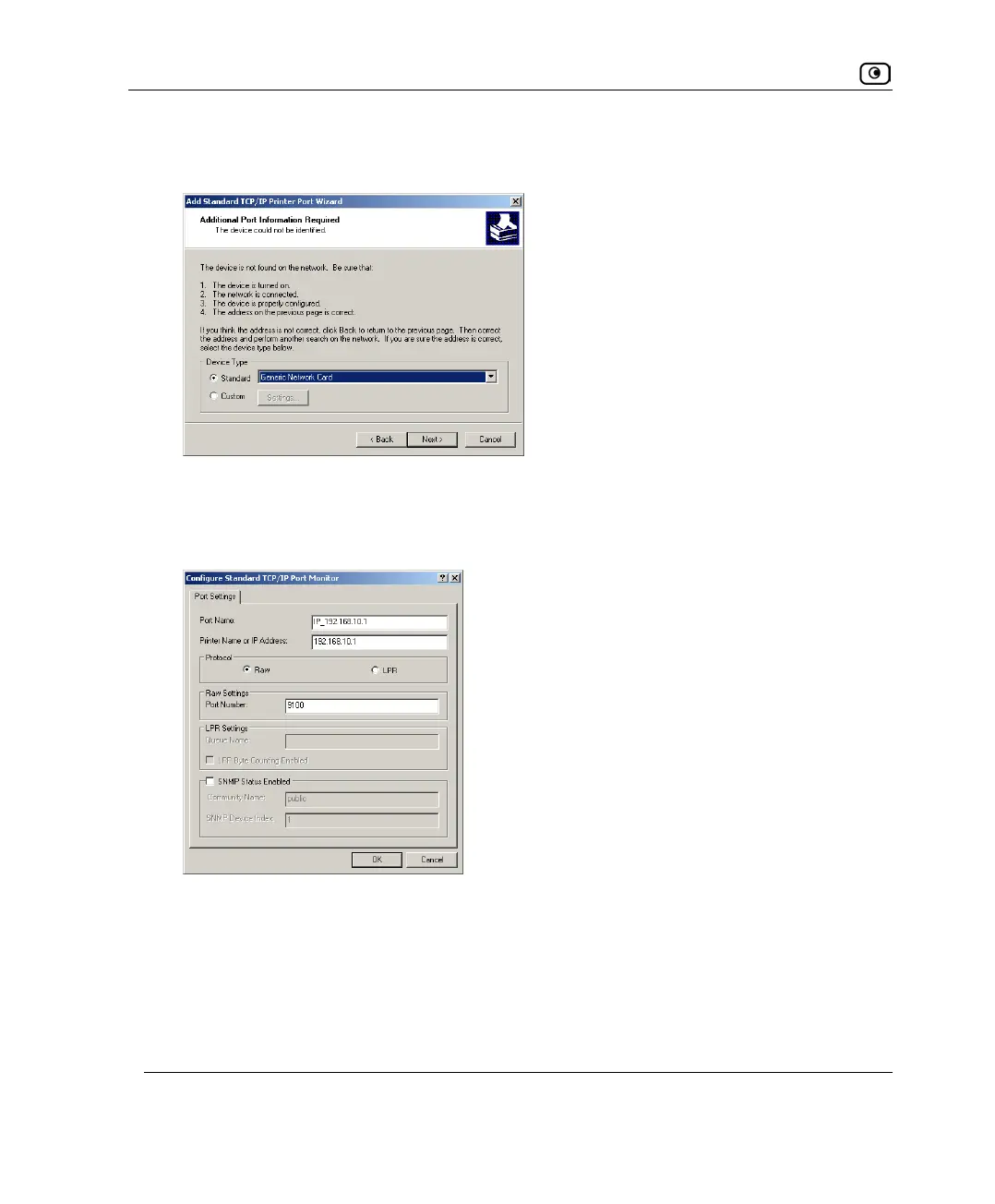
The Add Standard TCP/IP Printer Port Wizard opens, with the Additional Port
Information Required dialog box displayed.
14. Click Custom.
15. Click Settings.
The Configure Standard TCP/IP Port Monitor dialog box opens.
16. In the Port Number field, type the printer's port number, as shown in the
Printers page.
17. In the Protocol area, make sure that Raw is selected.
18. Click OK.
The Add Standard TCP/IP Printer Port Wizard reappears.















 To Next Page