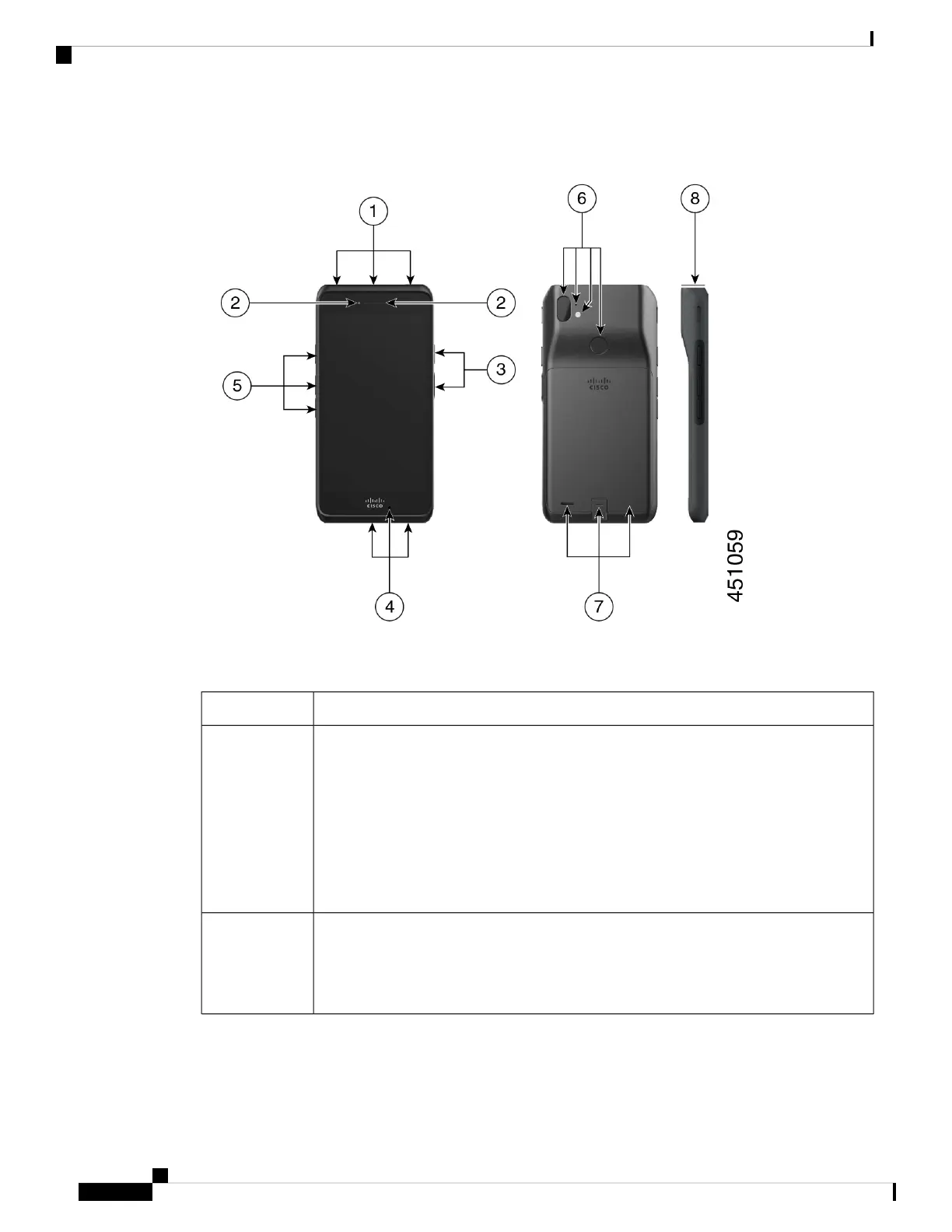
Figure 4: Cisco Wireless Phone 860 and 860S
Table 11: Cisco Wireless Phone 860 and 860S hardware and buttons
Hardware or buttons in groupGroup number
On the top of the phone is the headset jack on the left, the bar code scanner for 860S phones
in the middle, and a red Programmable Emergency alarm button on the right.
• Headset jack—Supports a headset with a 3.5-mm audio plug.
• Barcode scanner—If the phone is an 860S, scans a barcode.
• Programmable Emergency button—By default this programmable button is set as
an Emergency button. If configured, the button sends a preprogrammed emergency
panic alert.
1
On the top front left of the phone is the front camera, with the receive speaker to the right.
• Front camera—Captures images.
• Receive speaker—Receives audio.
2
Cisco Wireless Phone 840 and 860 User Guide
18
Your phone
Hardware and buttons



 To Next Page