Cisco Wireless Phone 860 and 860S
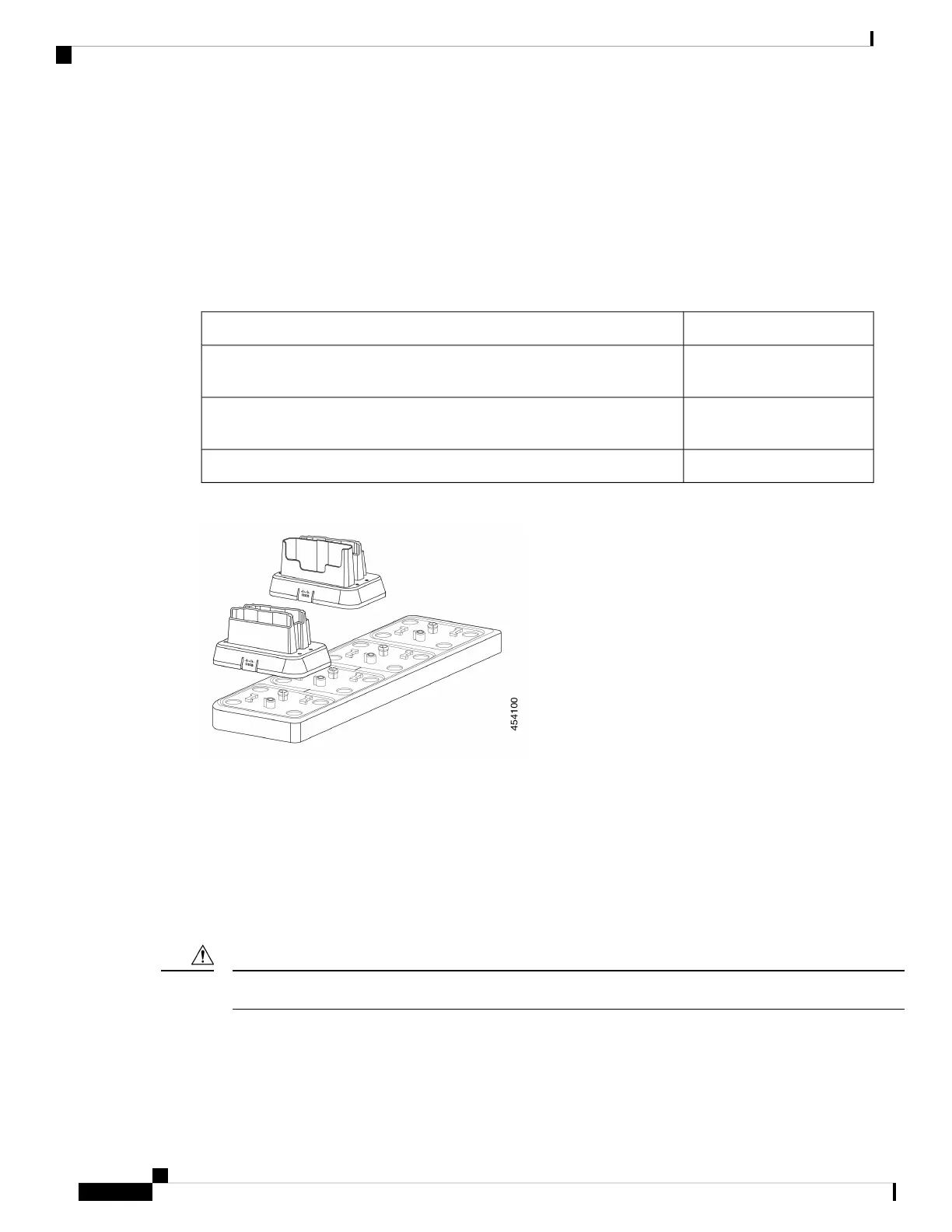
The Cisco Wireless Phone 860 and 860S multicharger includes a Cisco Wireless Phone 860 Multicharger
Base that holds up to four of the following 860 desktop charger modules in any configuration:
• Cisco Wireless Phone 860 Desktop Dual Charger Module
• Cisco Wireless Phone 860 Desktop Battery Charger Module
Table 34: Sample multicharger configuration
Charger capacityCisco Wireless Phone 860 Multicharger Base configuration
Four phones and four
batteries
With four Cisco Wireless Phone 860 Desktop Dual Charger Modules
Two phones and six batteriesWith two Cisco Wireless Phone 860 Desktop Dual Charger Modules and two
Cisco Wireless Phone 860 Desktop Battery Charger Modules
Eight batteriesWith four Cisco Wireless Phone 860 Desktop Battery Charger Modules
Figure 18: Cisco Wireless Phone 860 Multicharger Base with 860 Desktop Charger Modules
Related Topics
Cisco accessory part numbers, on page 127
Assemble the Cisco Wireless Phone 860 Multicharger Base
You can insert up to four desktop charger modules into the multi charger base. You can use any combination
of the Cisco Wireless Phone 860 Desktop Dual Charger Modules and Cisco Wireless Phone 860 Desktop
Battery Charger Modules as desired.
Use only the power supply that comes with the multicharger base.
Caution
Red and green LEDs blink at powerup.
Cisco Wireless Phone 840 and 860 User Guide
122
Accessories
Assemble the Cisco Wireless Phone 860 Multicharger Base



 To Next Page