126 Gateway and Gateway 4 Manual v1.2
© Tieline Research Pty. Ltd. 2021
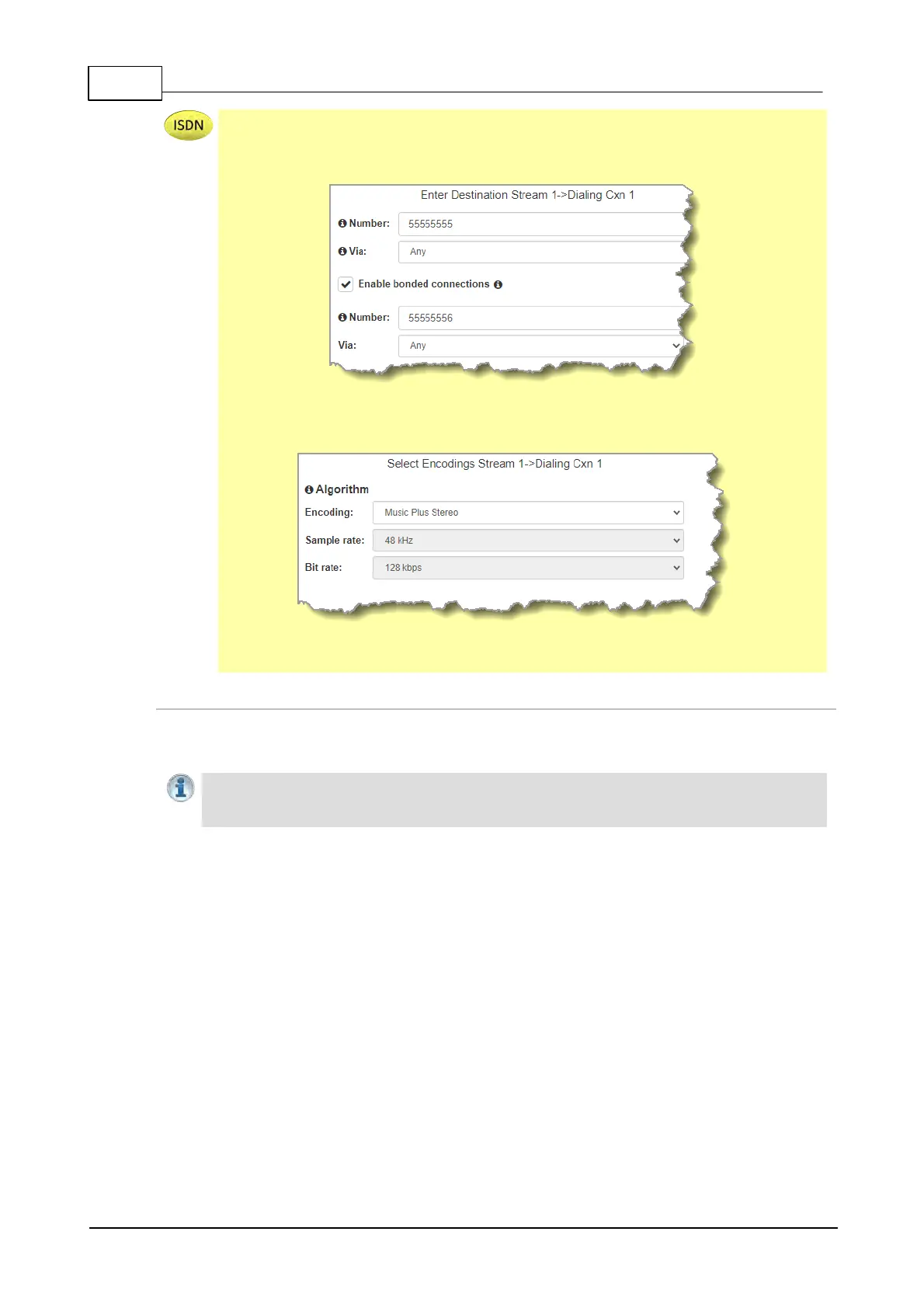
The codec supports an optional Euro ISDN module for primary or backup connections.
For ISDN connections enter a number and select which B channel to use. Select the
Enable bonded connections check-box to configure and bond multiple B channels.
Next, click Save to save the program with default encoding settings, or click Next to
specify a different algorithm and configure a backup connection if required.
Dialing settings for the ISDN audio stream are now complete.
Configuring a Failover Connection or Auto Reconnect
At this point in the wizard you can choose to configure Auto Reconnect or create a failover
connection for the audio stream.
Important Note: When Auto Reconnect is enabled, the dialing codec will continue to
attempt a connection with the remote codec until Disconnect is pressed either on the
dialing codec's keypad, or in the Web-GUI.
To configure a backup connection:
1. Click the drop-down Failure Mode arrow and select Failover to create a failover
connection. Adjust Failover Parameters and click Next.



 To Next Page