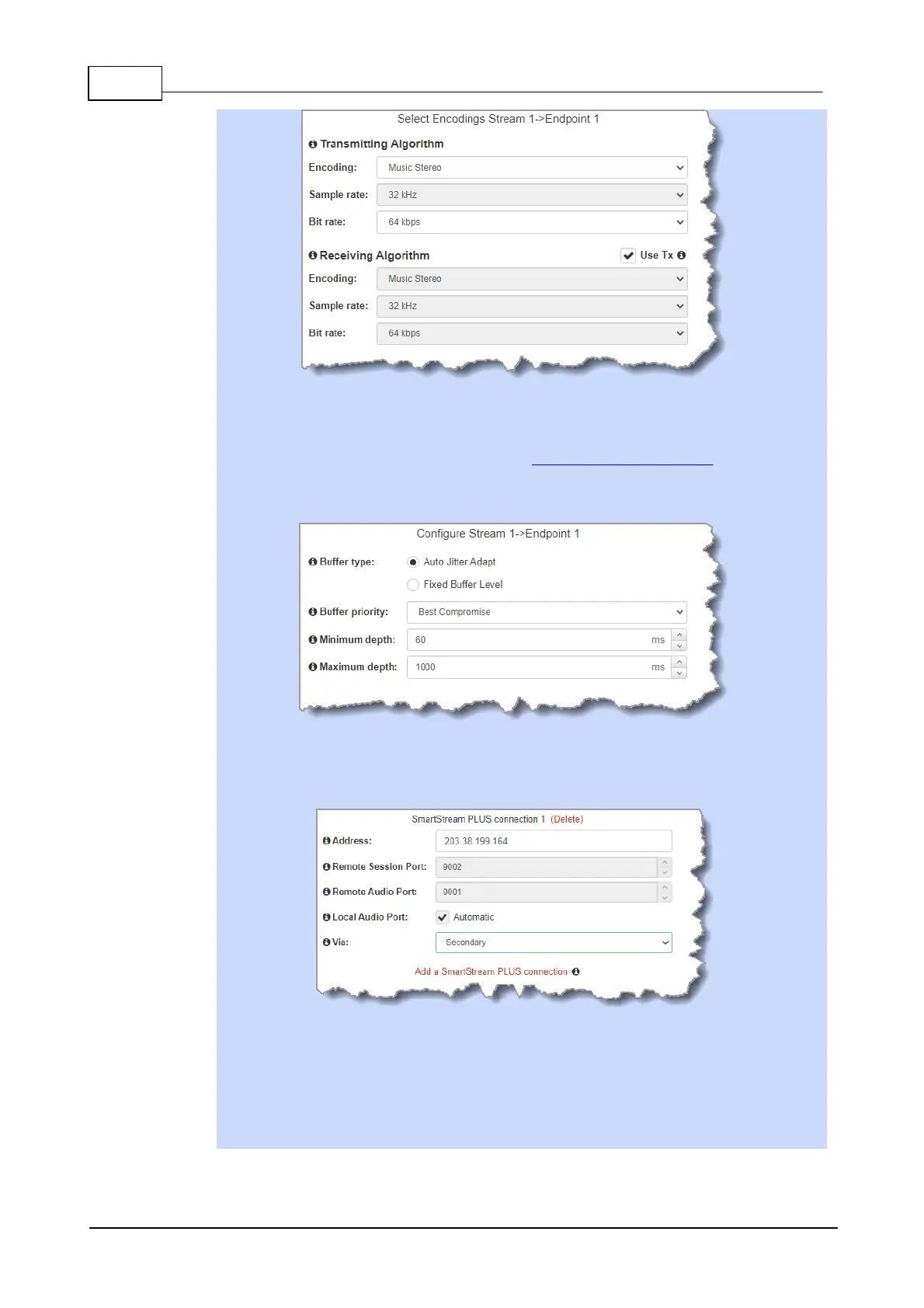
Click to configure:
· Auto Jitter Adapt and the preferred auto jitter setting using the drop-down arrow for
Buffer priority. It is also possible to configure the Minimum depth and Maximum
depth of jitter over the connection. See Configuring the Jitter Buffer for more details.
· Alternatively, select a Fixed Buffer Level and enter the Jitter Depth, which must
be between 12ms and 5000ms depending on the algorithm you select.
Select Add a SmartStream PLUS Connection to configure redundant IP streaming.
Alternatively, click Next to configure Auto Reconnect or a failover connection, whereby
the alternative connection is dialed if the primary connection fails.
By default, primary IP streaming is via LAN1. To achieve the maximum level of
redundancy select Secondary to configure redundant streaming from the secondary IP
port LAN2. The redundant stream uses Remote Audio Port 9001 by default and the
Local Audio Port allocated is Automatic. Note: Automatic indicates that the codec will
arbitrarily allocate the local port value and send this information to the codec to which you
are dialing.



 To Next Page