142 Gateway and Gateway 4 Manual v1.2
© Tieline Research Pty. Ltd. 2021
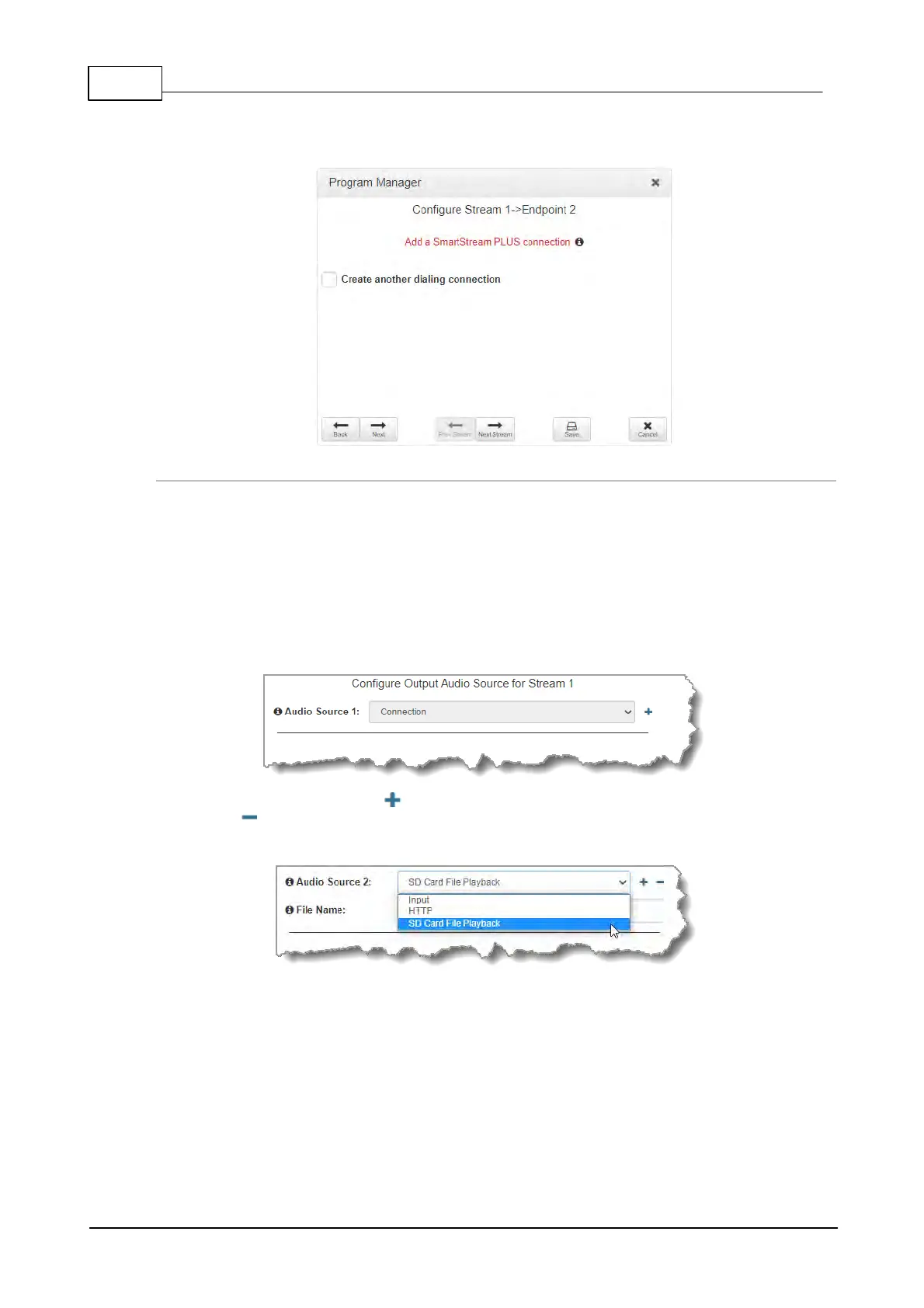
· Click Next to configure the Output Audio Source for the audio stream.
· Click Next Stream to configure the second multi-unicast audio stream.
Configuring Output Audio Source Options
1. Click Next to configure Output Audio Source options and automatically switch between up to 4
backup audio sources to maintain program
audio at transmitter sites. Output Audio Source options include:
· Connection: Decoded connection audio sent from a remote codec (Note: this must be
selected as one of the configured sources).
· Input: Input audio looped to the physical codec outputs.
· HTTP: Icecast client mode to allow media server streaming from a specified URL.
· File Playback: Audio file playback from a supported storage medium.
2. Click the blue Plus symbol to add a backup Output Audio Source, or click the Minus
symbol to remove an Output Audio Source.
3. Click the drop-down arrow to select an Output Audio Source option.
4. Configure silence threshold parameters for enabling a preferred backup option, as well as resume
thresholds for reactivating a previous source.



 To Next Page