162 Gateway and Gateway 4 Manual v1.2
© Tieline Research Pty. Ltd. 2021
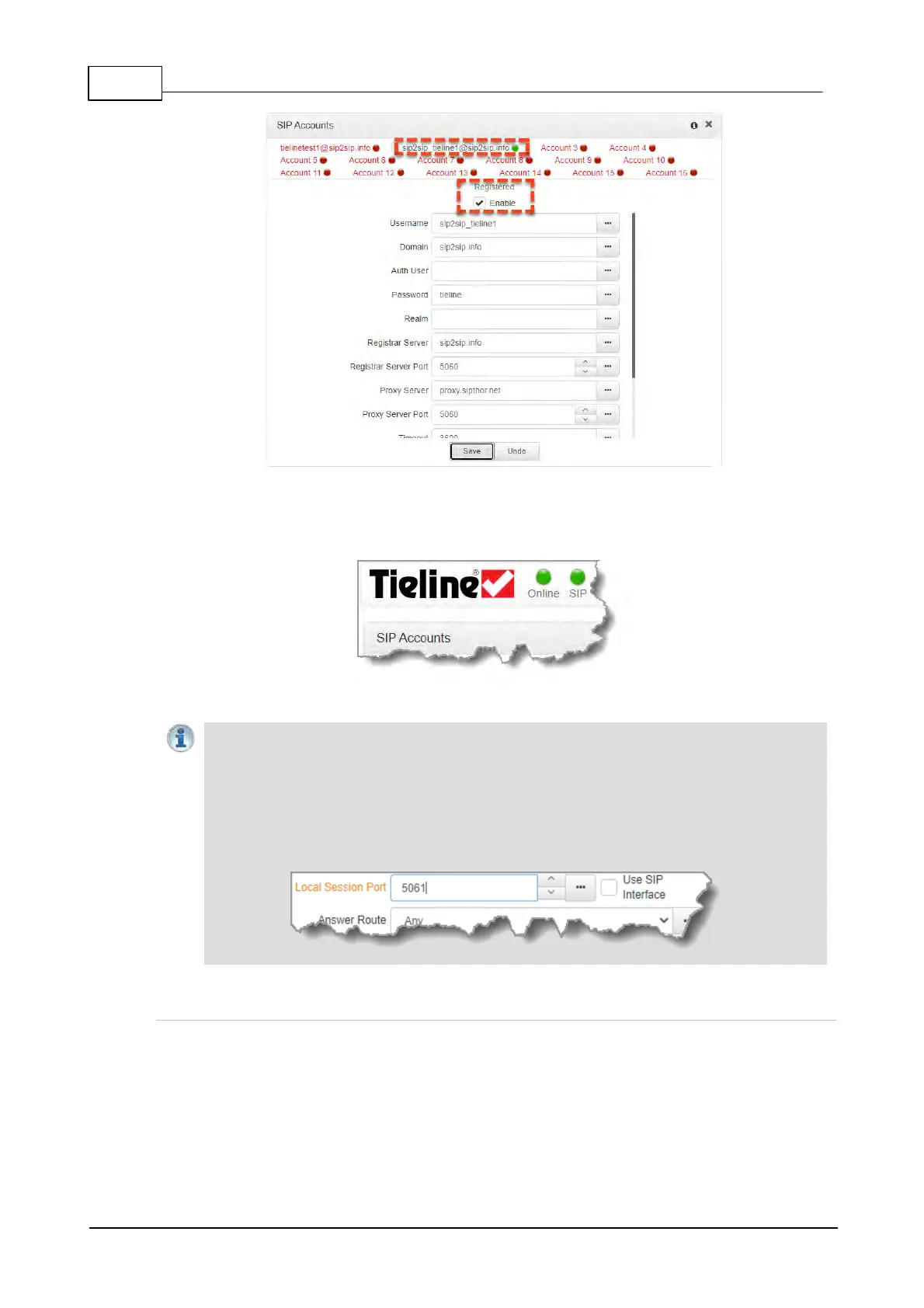
6. In the Toolbox Web-GUI the red SIP indicator adjacent to the codec Online indicator also
changes to green when an account is currently registered in the codec and ready to be used
when dialing over SIP.
7. Once enabled, the SIP account can be selected when creating a new SIP connection.
Important Notes:
· Some ISPs may block SIP traffic over UDP port 5060.
· By default, the session port used for each SIP account is the associated SIP interface
session port. The default session port is the registered UDP port number 5060. It is also
possible to configure a custom local session port for each SIP account for compatibility
with Cisco Unified Communications Manager (CUCM). Ensure your firewall has the
required TCP and UDP ports open when receiving multiple SIP calls.
Troubleshooting SIP Registration
If a SIP account is not registering successfully please check the following:
1. Confirm all account registration information has been entered correctly.
2. Confirm the SIP interface (SIP1 or SIP2) configured as the Via in the account is enabled.
3. Verify that the Via selection in the SIP1 or SIP2 interface settings corresponds with the
network interface being used by the codec to register the account. E.g. LAN1, LAN2.



 To Next Page