189
© Tieline Research Pty. Ltd. 2021
Gateway and Gateway 4 Manual v1.2
· Expected dialing behaviors, e.g. if B channels should bond or not, and whether audio streams
need to use Dial and Answer Route tags.
· The type of call being received by the codec, e.g. Tieline (with Tieline Session Data) versus
non-Tieline sessionless calls.
· The algorithm expected when receiving sessionless calls.
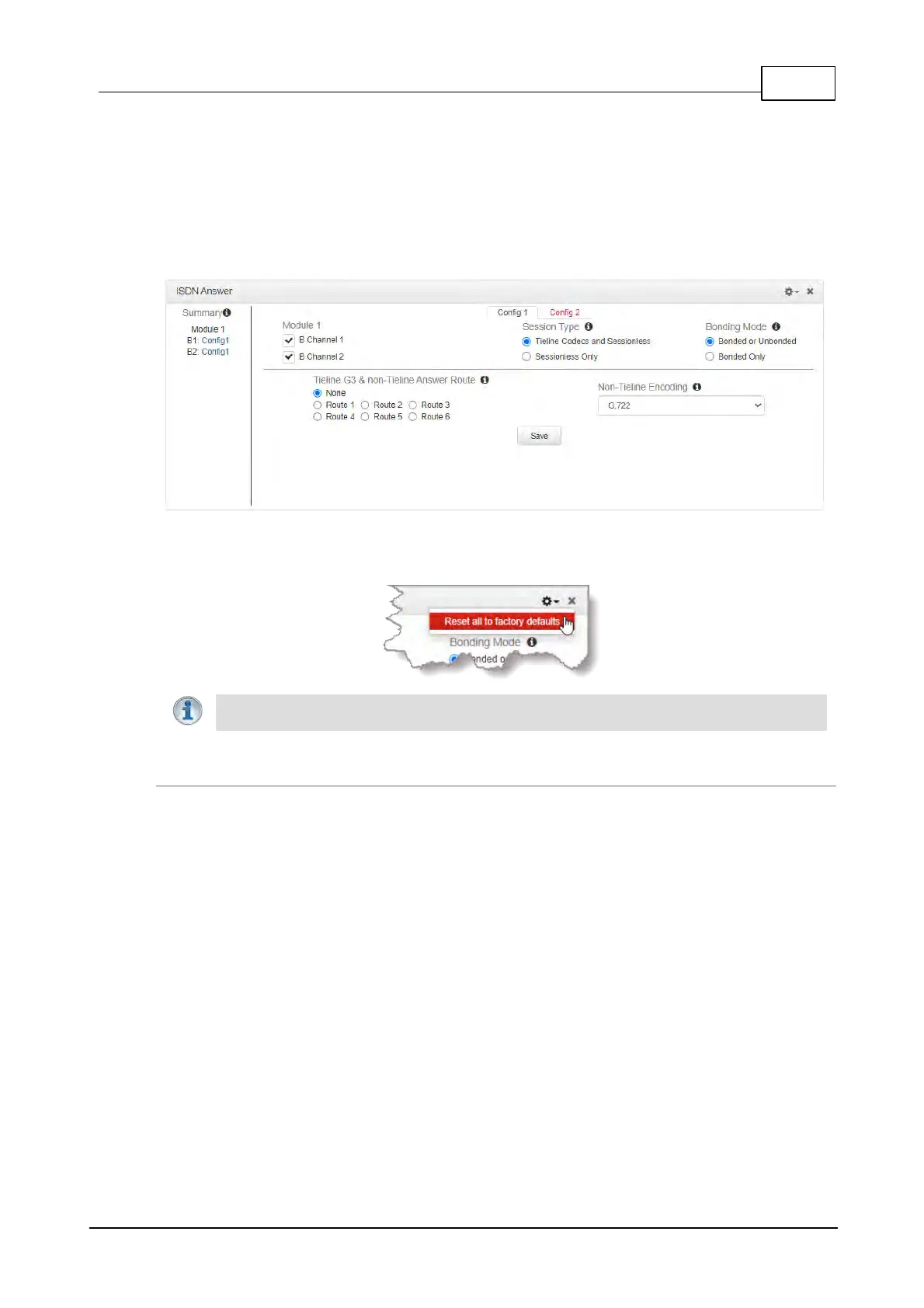
Each of the two available Configs visible at the top of the panel allow you to select which B channel
or channels are used to answer a call or calls from incoming ISDN codecs.
To reset ISDN answering to default settings click the Options symbol in the top right-hand corner
of the panel and select Reset all to factory defaults.
Important Note: A B channels can only be selected once and a Summary of allocated
B channels is displayed on the left-hand side of the ISDN Answer panel.
Single B Channel Config
To use a single 64kbps B channel for a connection (e.g. a 1 x Mono Peer-to-Peer audio stream):
1. Open the HTML5 Toolbox Web-GUI and click Transport and then ISDN Answer.
2. Click to select a Config.
3. Select a B channel from those available and then click Save. The connection is not bonded
if only one B channel is selected.



 To Next Page