190 Gateway and Gateway 4 Manual v1.2
© Tieline Research Pty. Ltd. 2021
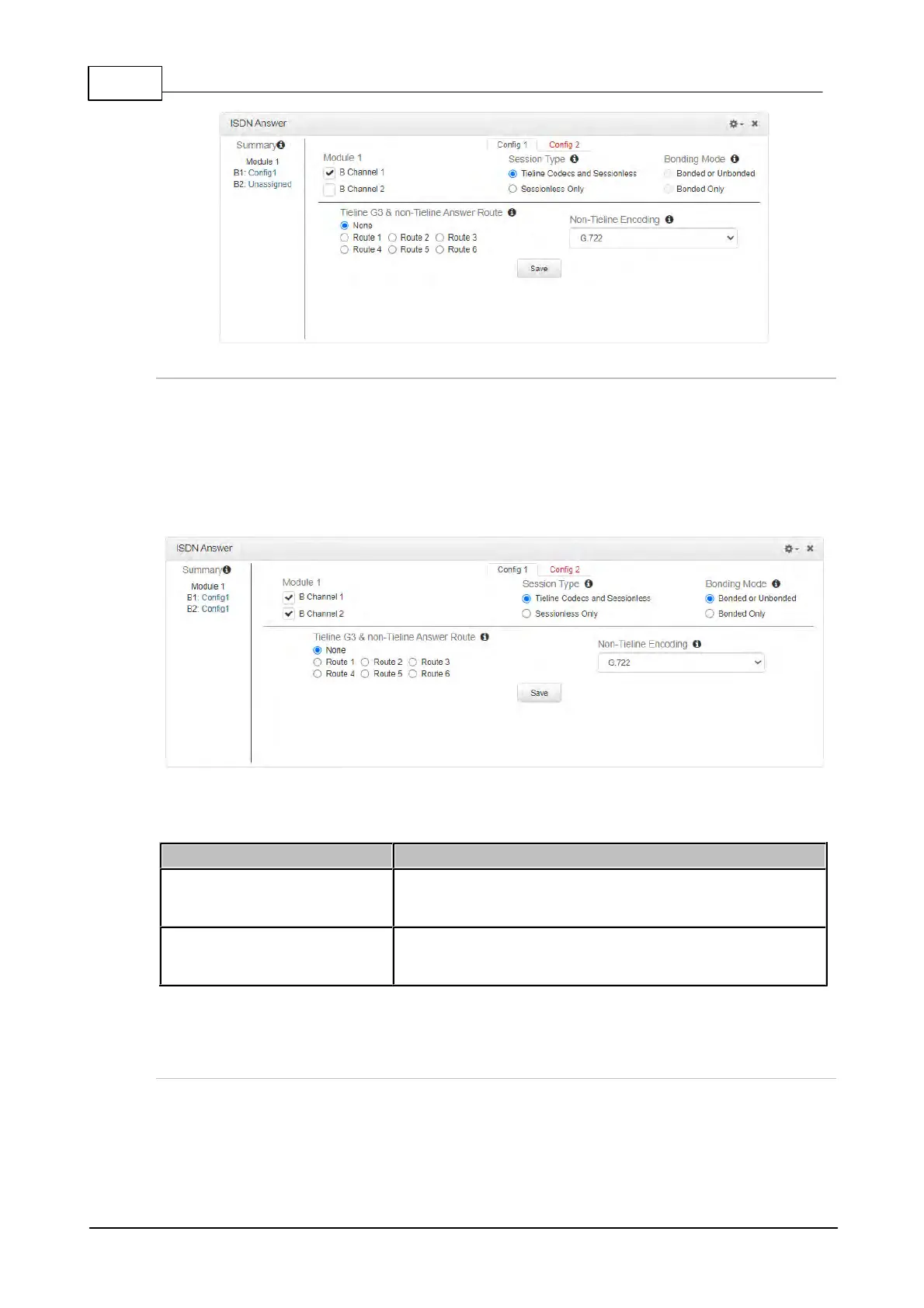
Multiple B Channel Bonding Config
A point-to-point audio stream can also bond multiple B channels to create higher bandwidth
connections.
1. Open the HTML5 Toolbox Web-GUI and click Transport and then ISDN Answer to view and
configure ISDN answering site settings.
2. Select multiple B channels in the Config. In the following example, two B channels from
Module 1 have been selected within Config 1.
3. Configure the bonding setting that best suits the audio stream associated with this Config.
Bonded or Unbonded is the best setting in most situations.
Bonded or Unbonded (May
Bond)
Calls using the same algorithm from the same Tieline codec,
or sessionless calls, will attempt to bond when received. Calls
using incompatible algorithms will not be bonded
Will only bond compatible algorithms. This mode will reject
incompatible calls which cannot be bonded, e.g. G.711 and
G.722
4. Click Save to apply changes to the Config.
Dial and Answer Route Settings in Programs
Dial Route and Answer Route tags allow you to associate a B channel (or channels) in a Config
with a particular incoming audio stream from either Tieline G3 or non-Tieline codecs. This is not
necessary in simple point-to-point ISDN audio stream configurations, however it is very useful in
multiple audio stream codecs using multiple B channels. When dialing Tieline to Tieline over ISDN



 To Next Page