205
© Tieline Research Pty. Ltd. 2021
Gateway and Gateway 4 Manual v1.2
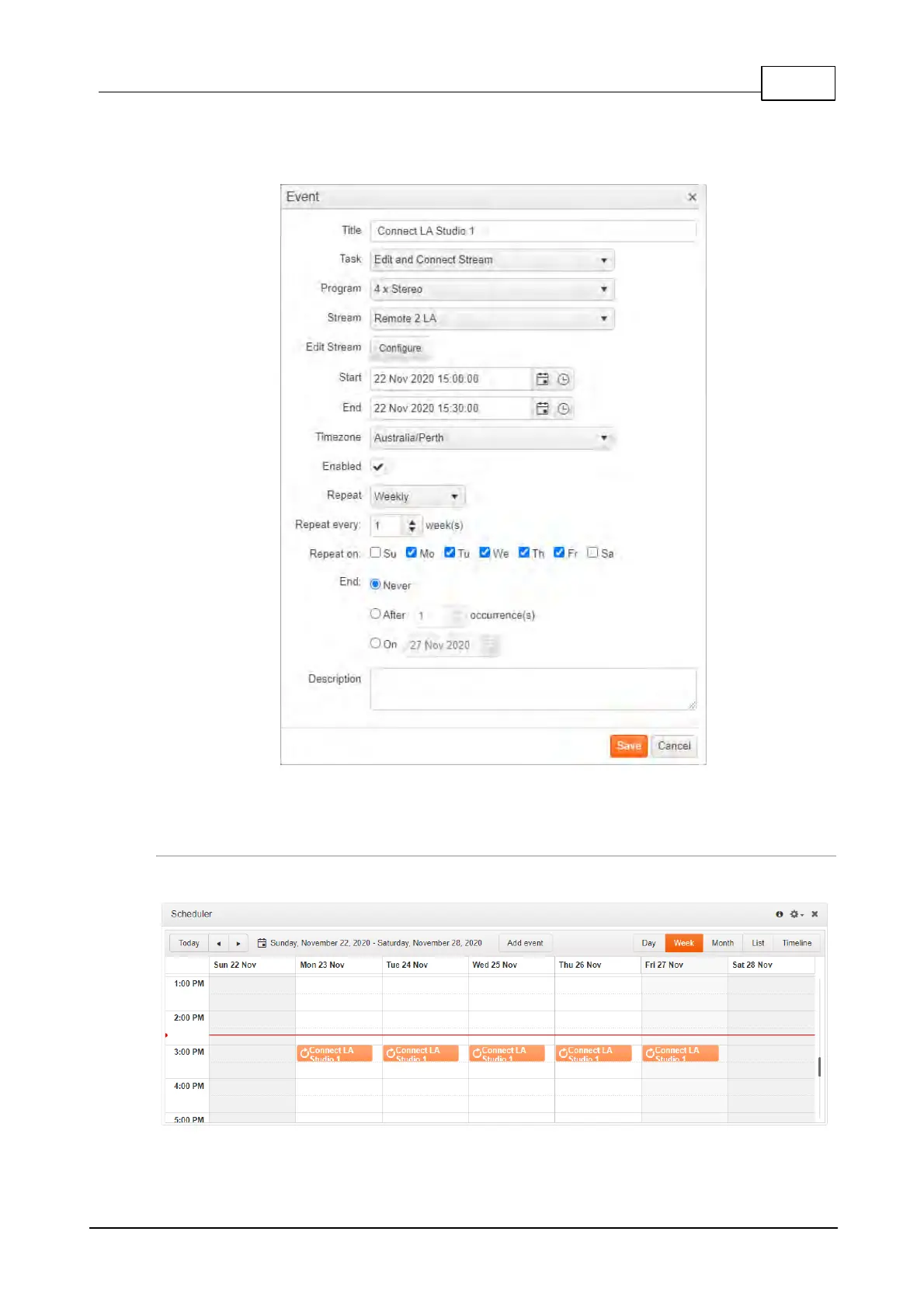
3. Add a Title, select a Task, Program and Edit Stream settings as required. Adjust the
Start and End time for each event. It is also possible to adjust the frequency of an event,
e.g. daily, weekly or monthly.
4. Click Save to add the new event to the Scheduler panel.
Edit or Delete an Event
1. Double-click an event displayed in the Scheduler panel to open the Event dialog.
2. Two options are presented if the event is a recurring event:



 To Next Page