216 Gateway and Gateway 4 Manual v1.2
© Tieline Research Pty. Ltd. 2021
· Connection-related rules are not displayed in Answer only audio streams.
· Rules intended to activate dialing will not be valid in Answer only programs or audio
streams.
· For more details about rules see Creating Rules.
Configure Rules with the Program Manager Panel
To configure program or stream level rules follow the instructions in this user manual for setting up
connections.
Program Level Rules
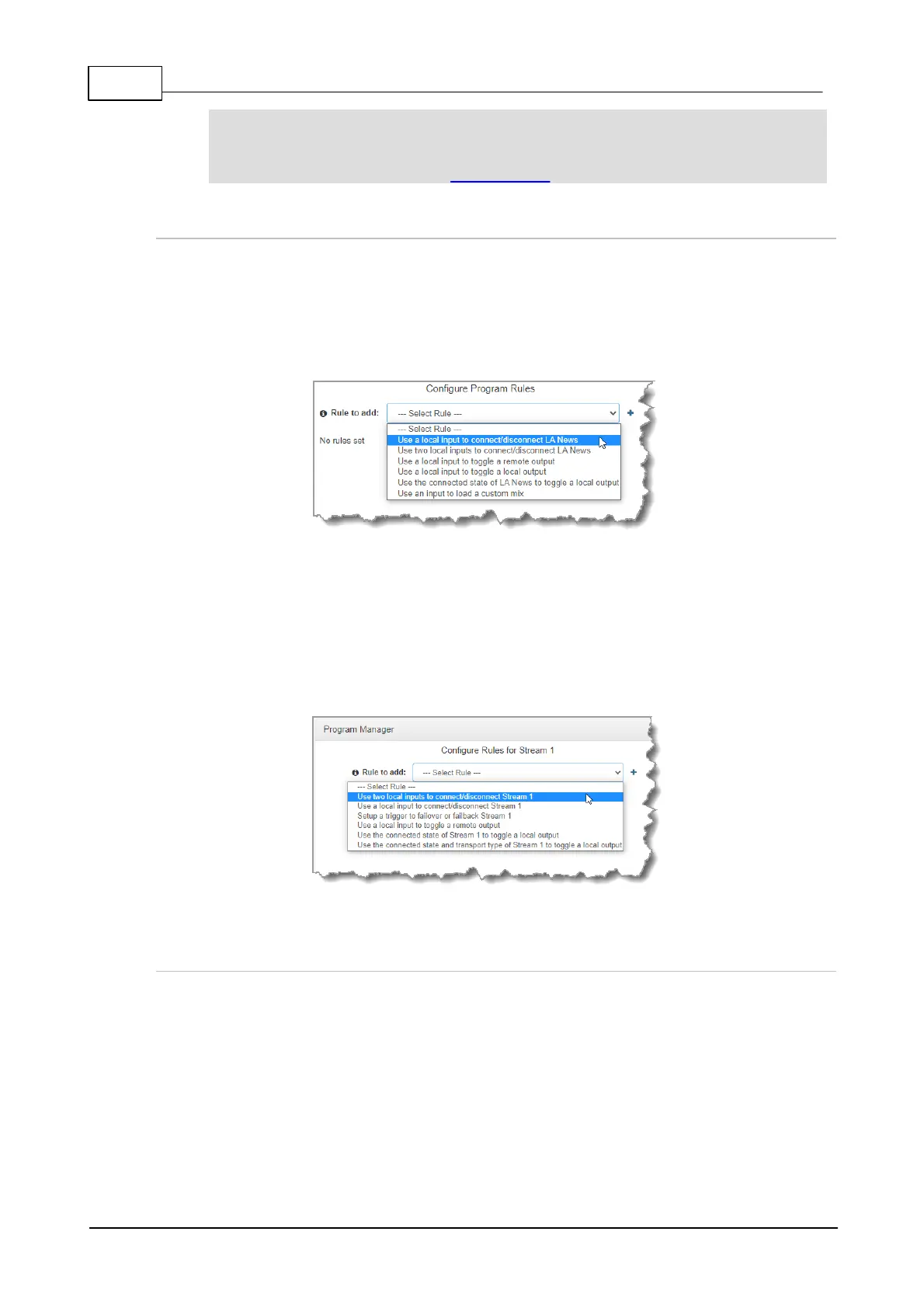
In the Program Manager panel wizard use the Configure Program Rules screen to
configure program level rules. The rules available are displayed in the following image.
Note: Rules intended to activate dialing will not be valid in Answer only programs or audio
streams.
Stream Level Rules
In the Program Manager panel wizard use the Configure Rules for Audio Stream screen
later in the wizard to configure stream level rules. The rules available are displayed in the
following image.
Note: A subset of filtered rules will be displayed for an Answer only audio stream connections.
Configuring Rules with the Rules Panel
Use the Rules panel to configure codec level rules related to programs and/or hardware and
software I/O states.
1. Open the Toolbox HTML5 Web-GUI and click Control in the Menu Bar, then click Rules to
display the Rules panel.
2. Click Add New Rule
3. Click to select the appropriate rule for your requirements.



 To Next Page