217
© Tieline Research Pty. Ltd. 2021
Gateway and Gateway 4 Manual v1.2
Note: When rules have been configured previously they are displayed when the Rules panel is
opened.
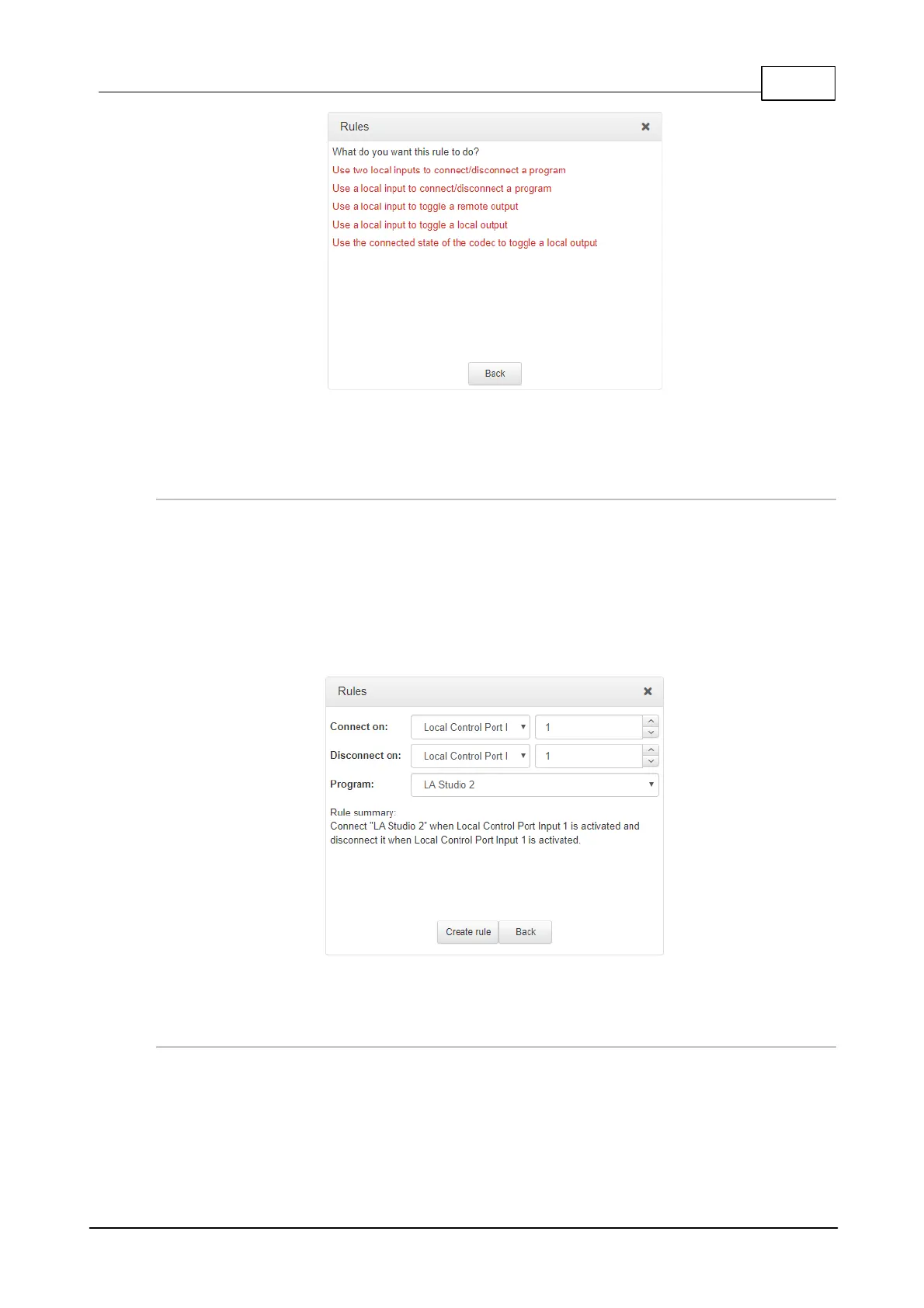
Rule 1: Use Two Local Inputs to Connect/Disconnect a Program
This rule is used to connect and disconnect a selected program when different codec control port
inputs or virtual inputs are activated.
1. Click the first rule in the Rules panel titled Use two local inputs to connect/disconnect a
program.
2. Click the drop-down arrows to select the control port input used to connect the selected
program, and then select the alternative input used to disconnect the program.
3. Click the drop-down Program arrow to select the program to be connected.
4. Check the Rule summary and click Create Rule to save the settings.
Rule 2: Use a Local Input to Connect/Disconnect a Program
This rule is used to connect and disconnect a selected program when a control port or virtual input
is toggled.
1. Click the second rule in the Rules panel titled Use a local input to connect/disconnect a
program.



 To Next Page