242 Gateway and Gateway 4 Manual v1.2
© Tieline Research Pty. Ltd. 2021
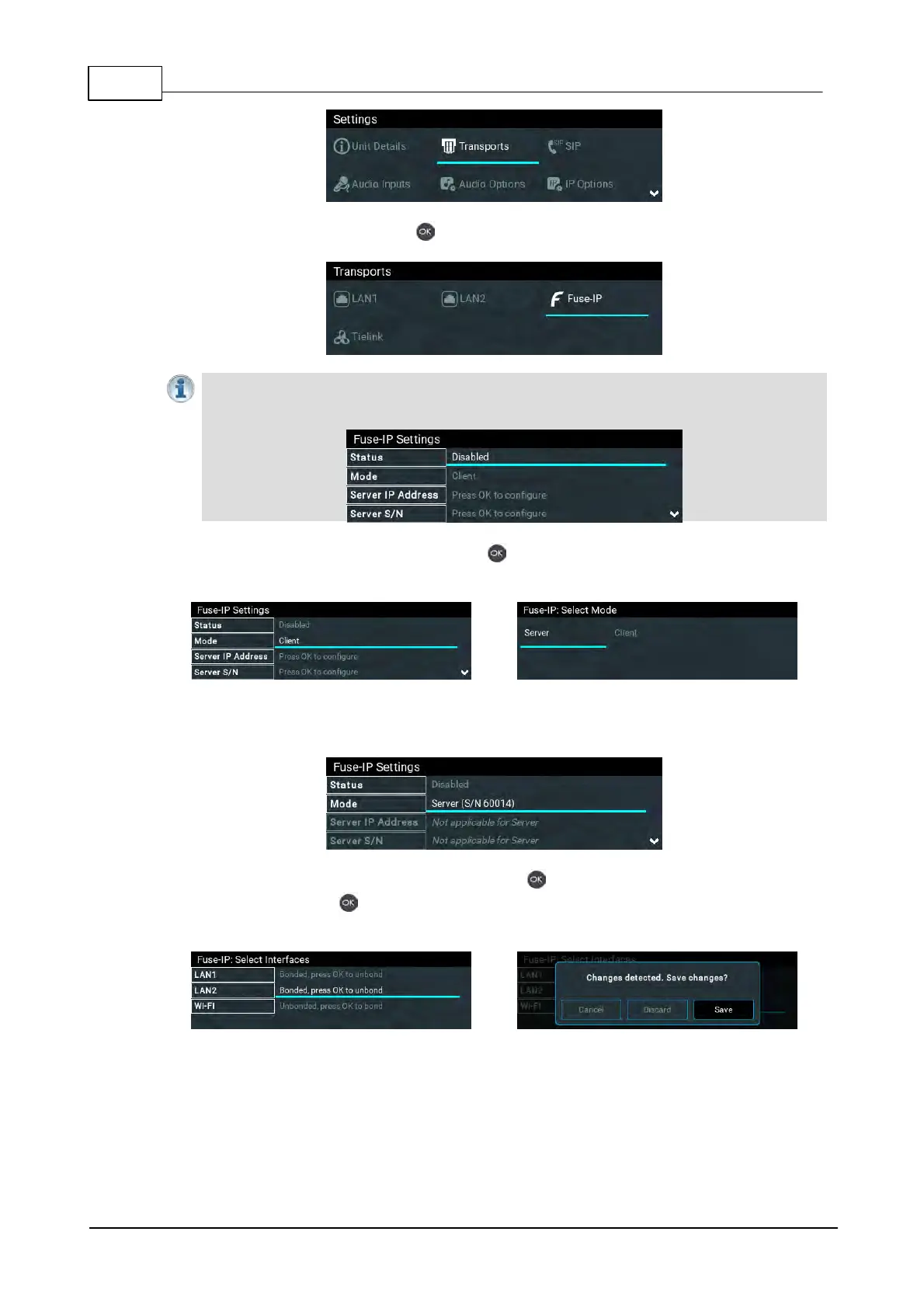
3. Select Fuse-IP and press the button.
Important Note: Ensure Fuse-IP is disabled prior to configuration. Navigate to Fuse-IP
Status and disable Fuse-IP if it is enabled.
4. Navigate down to Mode and press the button to select Server if the codec is at the
studio.
Note: the server codec serial number will be displayed and needs to be entered into the Fuse-IP
client codec.
5. Navigate to Bonded Interfaces and press the button, then navigate to each interface in
turn and press the button to select or deselect interfaces. Confirm the changes when
exiting the menu.
6. Leave the default Fuse-IP Port as 8999 in most situations unless this port is already in use,
e.g. there are multiple codecs behind a firewall using Fuse-IP, therefore it is necessary to
allocate a different port for each Fuse-IP tunnel. Note: the port number on the client and
server codecs must be the same.



 To Next Page