243
© Tieline Research Pty. Ltd. 2021
Gateway and Gateway 4 Manual v1.2
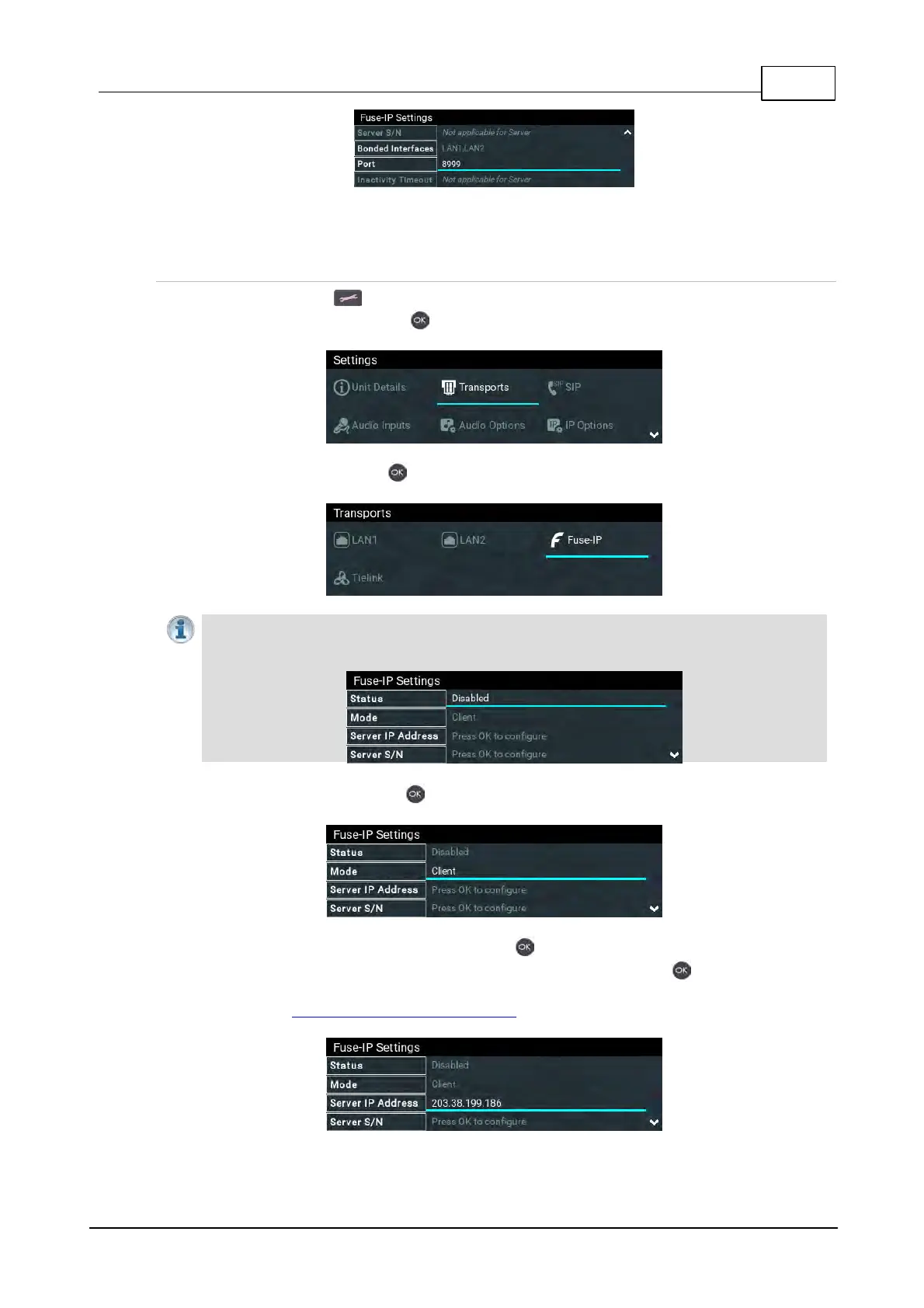
7. The codec is now configured to connect with a client codec over a Fuse-IP tunnel.
Configuring a Fuse-IP Remote Client
1. Press the SETTINGS button.
2. Select Transports and press the button.
3. Select Fuse-IP and press the button.
Important Note: Ensure Fuse-IP is disabled prior to configuration. Navigate to Fuse-IP
Status and disable Fuse-IP if it is enabled.
4. Navigate to Mode and press the button to select Client if it is the remote codec.
5. Navigate to Server IP Address and press the button to enter a public static IP address
associated with the bonded interfaces at the studio, then press the button. Note: if the
bonded interfaces have private addresses behind a firewall then port forwarding needs to be
configured. See Installing the Codec at the Studio for more details on port forwarding.



 To Next Page