39
© Tieline Research Pty. Ltd. 2021
Gateway and Gateway 4 Manual v1.2
Intelligent Gain Control (IGC)
The codec's inbuilt DSP limiter automatically takes care of any instantaneous audio peaks that
occur in demanding broadcast situations. Input IGC (Intelligent Gain Control) is enabled by default
and is automatically activated at +19 dBu (G6 audio scale), +17 dBu (G5 audio scale) and +13dBu
(G3 audio scale) to prevent audio clipping.
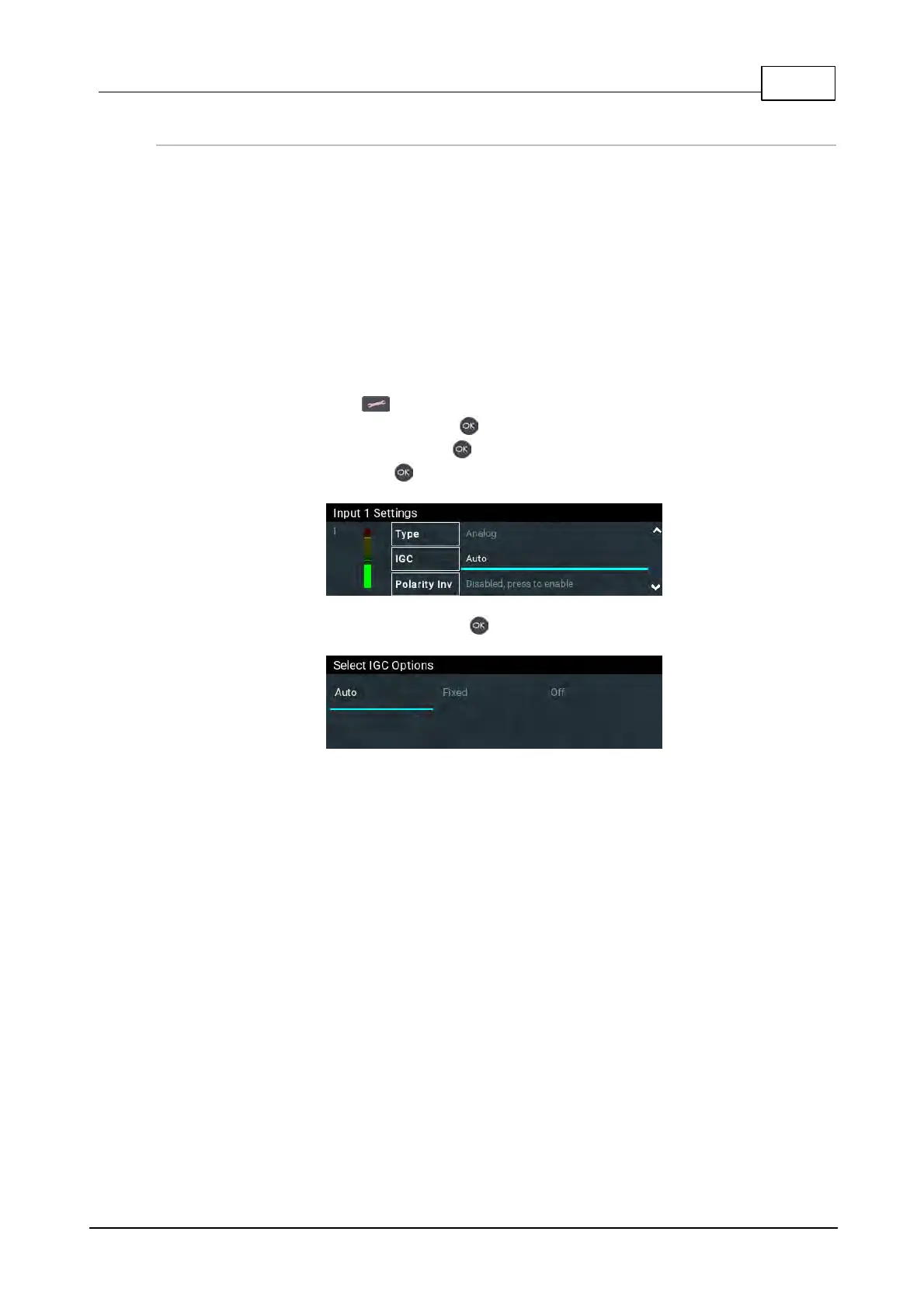
There are three settings; Auto, Fixed and Off. If Auto is configured the codec will detect when
incoming audio levels have reduced sufficiently and automatically return input levels to the gain
setting prior to IGC being activated. The codec takes just 250 milliseconds to detect audio levels
have returned to normal (after IGC Level has been initiated) and will return the levels to the previous
setting within half a second. This response is linear.
To adjust this setting in the codec:
1. Press the SETTINGS button.
2. Navigate to Audio Inputs and press .
3. Select an input to adjust and press .
4. Navigate to IGC and press .
5. Select the preferred setting and press .



 To Next Page