38 Gateway and Gateway 4 Manual v1.2
© Tieline Research Pty. Ltd. 2021
3. Adjustable input settings include:
· Input on/off.
· Input level: ganging of inputs is not currently supported.
· Input Type: Analog (line level input), Digital (AES3 or AES67).
· IGC.
· Polarity/phase inversion
· Input Name
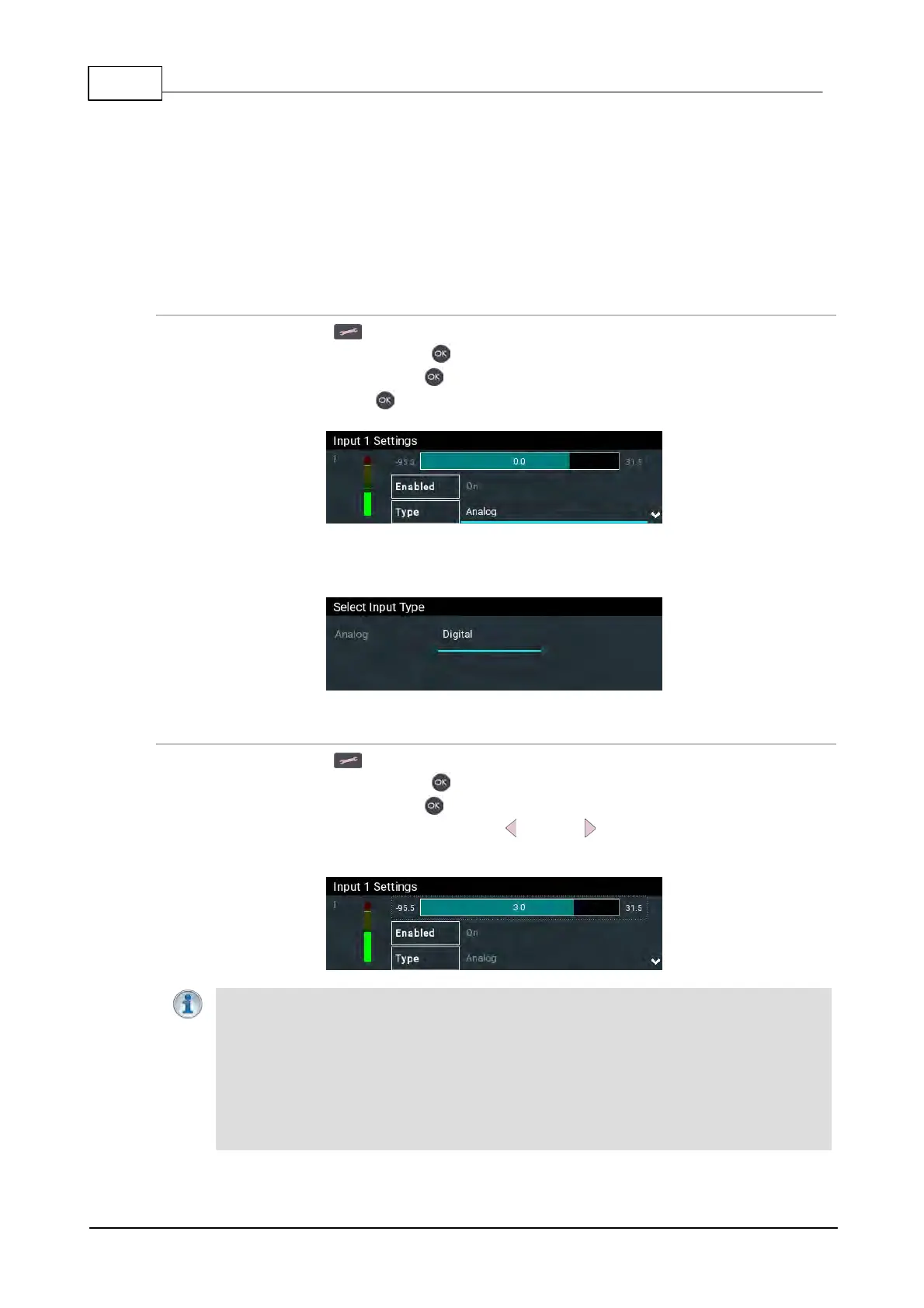
Selecting Analog or Digital Inputs
1. Press the SETTINGS button.
2. Navigate to Audio Inputs and press .
3. Select an input to adjust and press .
4. Navigate to Type and press .
5. Select Analog or Digital as required. This will configure the associated input as well, e.g. in this
example input 2 when input 1 is configured.
Adjusting Input Levels
1. Press the SETTINGS button.
2. Navigate to Audio Inputs and press .
3. Select an input to adjust and press .
4. Select the level adjustment bar and use the left and right navigation buttons to adjust levels
up and down. Note: input ganging is not available in the first firmware release.
Important Note:
· Gain adjustments can be made in 0.5dB increments.
· There is a maximum of 6dB of additional gain available when adjusting a digital input.
· Audio signal processing occurs in the following order: IGC/Limiter (Intelligent Gain
Control limiting on the input) > Input Compression > Input EQ > Mixer > Output AGC
(Automatic Gain Control limiter).



 To Next Page