55
© Tieline Research Pty. Ltd. 2021
Gateway and Gateway 4 Manual v1.2
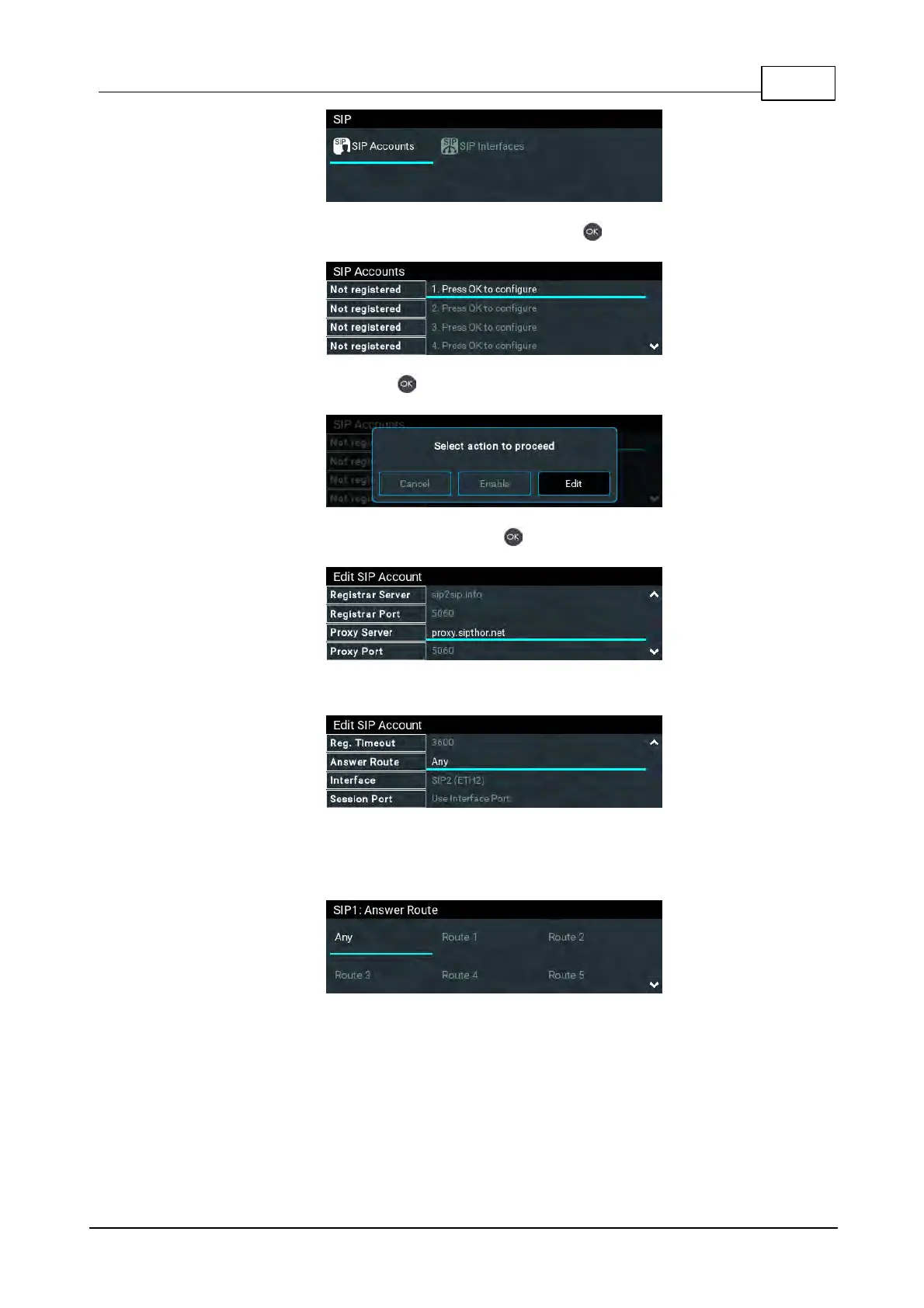
3. Select an account which is Not Registered and press .
4. Select Edit and then press to individually select and enter SIP server account details.
5. Navigate to each field in turn and press the button to enter SIP account credentials.
6. Configure an Answer Route to route incoming calls (audio streams) to this SIP account.
7. The route setting in this menu must correspond with the answering route configured in an
audio stream within a loaded program. If the default value Any is used then a call will be
routed to an audio stream on a first-come-first-served basis in a multi-stream program.
8. By default, the SIP account will use the interface's session port, e.g. port 5060. However,
some SIP software applications like CallManager (Unified CM) require each interface to
support its own Session Port. Therefore, a different Session Port can be specified for each
SIP Account.



 To Next Page