71
© Tieline Research Pty. Ltd. 2021
Gateway and Gateway 4 Manual v1.2
The list of saved programs in the codec
Click to create a new program using the program wizard.
Delete Selected
Programs button
Click to delete all selected programs
Edit Selected Program
button
Click to edit the selected program
View Selected Program
button
Click to view configuration settings for a selected program
Unload/Load program
button
Click to load or unload a program
Symbol identifies the currently loaded program
Import Programs and
Export Selected
Programs
Click the Options menu to select and import previously saved
programs or export selected programs as a .zip file
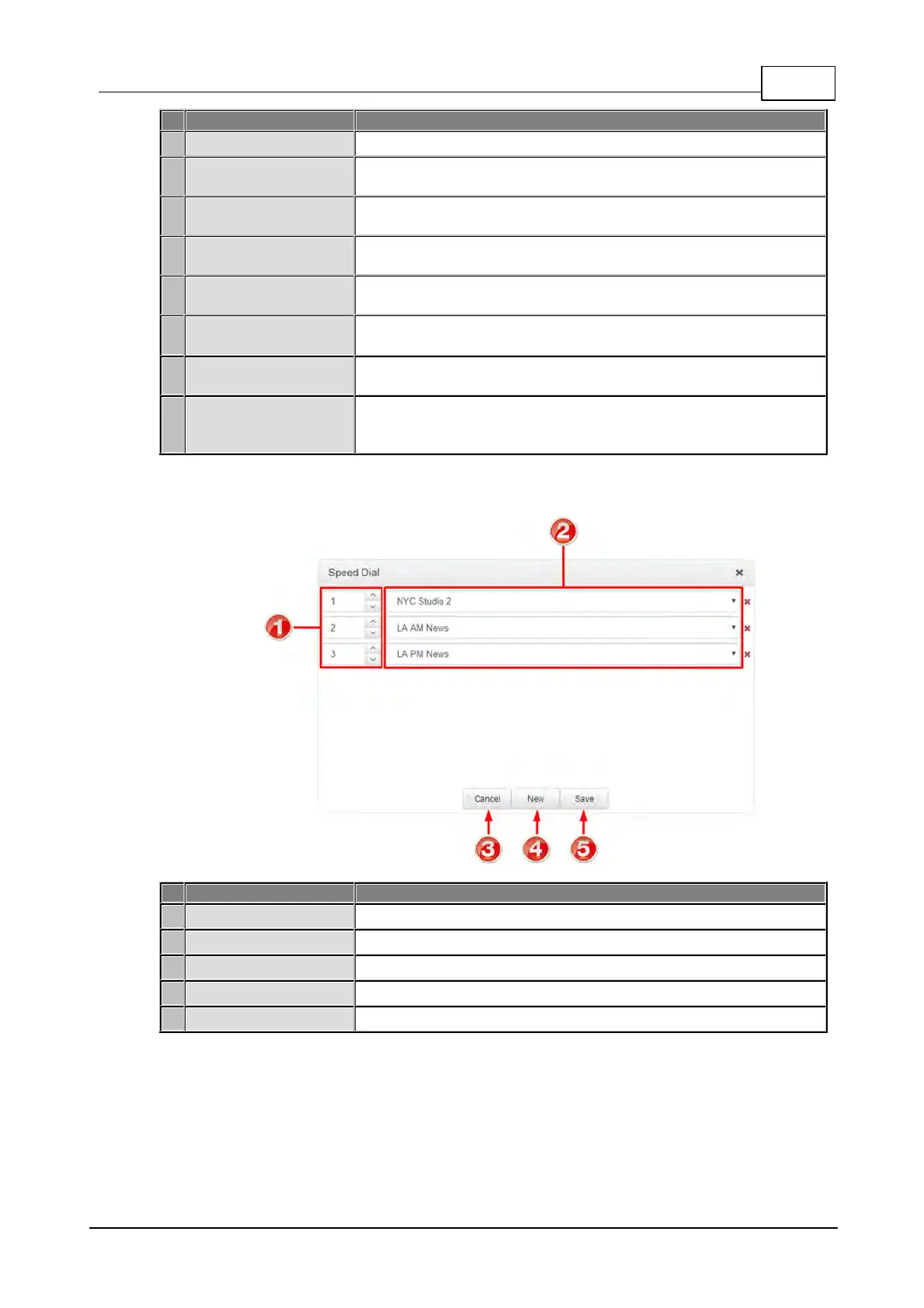
Speed Dial
The number allocated for each speed dial configured
Select the program to associate with a speed dial number
Click to cancel pending changes
Click to create a new speed dial
Click to save configuration changes



 To Next Page