72 Gateway and Gateway 4 Manual v1.2
© Tieline Research Pty. Ltd. 2021
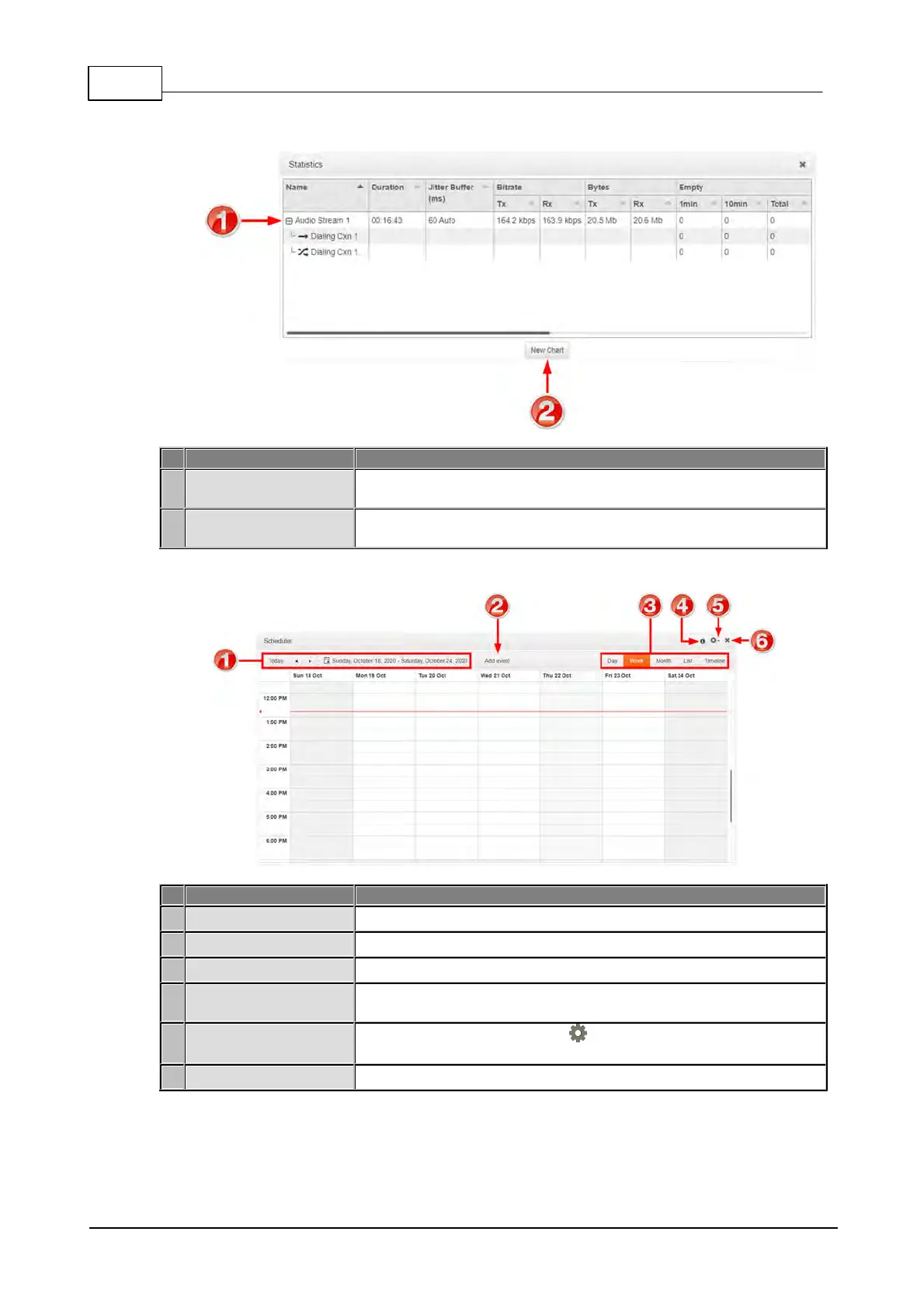
Statistics Panel
Click to show/hide audio stream statistics, including packet arrival
data info.
Click the New Chart button to select a Data Series and create a
customized Statistics panel.
Scheduler Panel
Select the days you wish to view in the scheduler.
Click to create a new scheduled event.
Click to select the timeframe or timeline view of scheduled events.
Hover over the Information symbol to view Scheduler panel
information.
Click the Options symbol to view timezone options and
generate a PDF view, or enable/disable the scheduler.
Click to close the panel.



 To Next Page