82 Gateway and Gateway 4 Manual v1.2
© Tieline Research Pty. Ltd. 2021
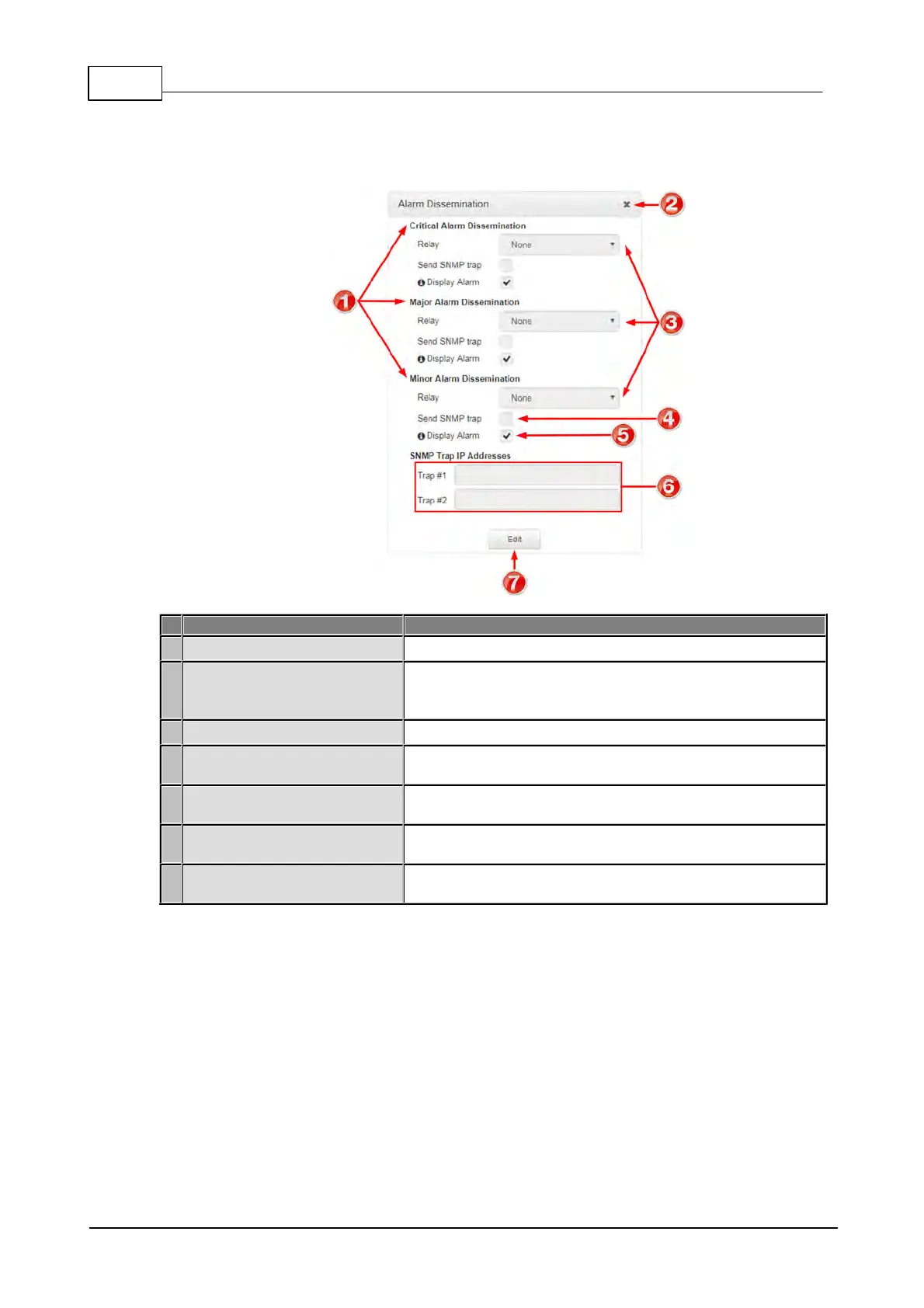
Alarm Dissemination Panel
Alerts for each alarm severity level are configured using the Alarm Dissemination panel.
List of alarm severity levels
Click to select an alarm severity level to configure it.
Front panel alarm &
Toolbox check-box
Select the check-box (default enabled) to deliver front panel
ALARM LED notifications and HTML5 Toolbox Web-GUI
alarm notifications.
Click to close the panel.
Relay drop-down selection
Click the drop-down arrow to select a relay to open when an
alarm using the current severity level is activated.
SNMP Trap Target text-box
Click in the text box in edit mode to enter the SNMP trap
target for alarms using the currently selected severity level.
Click to edit alarm dissemination settings, or save configured
settings when in edit mode.
Select the check-box to enable SNMP traps to be sent (for
alarms using the selected severity level).



 To Next Page